

EasyManua.ls Logo

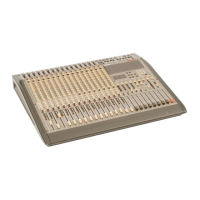
Teac Tascam M-2516 - User Manual

Teac Tascam M-2516
48 pages
Print Icon
To Next Page IconTo Next Page
Loading...

Table of Contents

Question and Answer IconNeed help?

Do you have a question about the Teac Tascam M-2516 and is the answer not in the manual?

Summary

Safety Instructions

Introduction

Precautions

Important warnings regarding battery, voltage, and unit usage.

Block Diagram

Mixer Subsystems

Core Subsystems Overview

Descriptions of Aux Mix, Main Mix, Control Room, and Monitor Mix functions.

Operations Guide: Connections

Power and Grounding Procedures

Guidelines for connecting power, managing AC lines, and ensuring proper audio grounding.

Input Connection Details

How to connect microphones, line sources, and tape returns to the mixer.

Output Connection Guidance

Instructions for connecting mixer outputs to multitrack recorders and other gear.

Operations Guide: Initial Checkout and Calibration

Control Presets and Setup

Initial setup of all controls before powering on the mixer.

Level Calibration Procedures

Steps for calibrating input, 2-track, and control room amplifier levels.

Effect Send Level Adjustment

Guidance on setting optimal signal levels for external effect devices.

Operations Guide: Multitrack Recording and Monitoring

Recorder Mix Routing

Setting up signal paths to multitrack recorder tracks for optimal recording.

Cue Mix Setup and Sources

Creating headphone cue mixes for artists using AUX sends and various sources.

Using the Solo Function

Operations Guide: Mixdown

Stereo Mixdown Process

Steps for combining multitrack recordings into a final stereo mix.

Subgrouping for Mixdown Management

Technique for grouping channels to simplify complex mixdowns.

General Procedures: Using the Equalizer

General Procedures: Using Effects

In-line, Insert, and Auxiliary Effects

Methods for connecting and utilizing external effects processors.

Alternative Methods

Using the Scene Feature for Mute Automation

How to use scene memory for automated muting and recall of settings.

Storing and Recalling Scene Memories

Storing Scenes in Memory

Procedure for saving current mute configurations to scene memory.

Recalling Scenes from Memory

Methods for retrieving stored scene settings via front panel or footswitch.

Using the MIDI Features of the M-2516;2524

Transmitting MIDI Program Change Commands

Setting up the mixer to send program change messages to external MIDI devices.

Controlling Mutes with MIDI Note Messages

Controlling Mutes with MIDI Control Change Commands

MIDI Mute Automation

Methods for Automatic Muting

Overview of Program Change Mutes and Dynamic Automation via MIDI.

Steps to MIDI Automation Setup

Essential steps for configuring and executing MIDI automation sequences.

Transferring All Scenes

Saving Scenes to MIDI Filer

Procedure for backing up all scene settings to an external MIDI data filer.

Loading Scenes from MIDI Filer

Procedure for restoring all scene settings from an external MIDI data filer.

Clearing Scene Memory

Instructions for erasing all stored scene memory and returning to defaults.

Features and Controls: Input Channels

Input Channel Controls Overview

Description of PAD, TRIM, FLIP, EQ, MID/LOW frequency and amount controls.

MASTER Section Controls

Master Output Assignment and Level Controls

Controls for Group Assignment, Stereo assignment, Effect Returns, and Master Faders.

CONTROL ROOM and TALKBACK Section

Control Room Monitoring and Talkback Controls

Controls for monitoring levels, selecting sources, and managing talkback functions.

Scene Controls

Scene Display and Indicator Functions

Explanation of the scene number display and the status LEDs for scene functions.

Scene Mode and Navigation Keys

Description of keys for setting scene modes, navigating, and loading/saving scenes.

Scene Memory and Control Key Functions

Functions of keys for saving, recalling, clearing scenes, and accessing secondary functions.

Input Channel Connectors

MIC and LINE IN Connector Details

Details on connecting microphones and line-level sources to the mixer's input channels.

Input and Output Connectors

Input Connector Descriptions

Description of INSERT, TAPE IN, and D.OUT jacks for signal routing and processing.

Output and Other Connector Details

Details on GROUP OUTPUTS, STUDIO OUT, CONTROL ROOM, AUX OUTPUTS, SUB INPUTS, and PHANTOM POWER connections.

External Input;Output and MIDI Jacks

External Input;Output Jack Information

Information on EXT IN, 2TR IN, and EFFECT RETURNS jacks for signal input.

MIDI Connectivity Jack Details

Details on MIDI IN, OUT, and THRU jacks for connecting MIDI devices.

MIDI Output, Thru, and System Controls

MIDI Output and Thru Jack Functions

Explanation of MIDI OUT and MIDI-THRU jacks for transmitting and passing MIDI data.

System Reset and Remote Control Jack

Procedures for resetting settings and controlling scenes remotely via footswitch.

Technical Information

Key Function Modifiers and Scene Operations

Explanation of SHIFT key functions, scene recall, and mute operations.

Specifications: Electronics

Input and Output Level Specifications

Detailed electrical specifications for various mixer input and output connectors.

Specifications: Performance and Power

Equalizer, Meter, Power, and Performance Specs

Specifications for EQ, meters, power requirements, consumption, and typical performance metrics.

Specifications: Distortion and Dimensions

Distortion, Frequency Response, and Dimensions

Specifications for THD, frequency response, crosstalk, dimensions, and weight.

Optional Accessories

Remote Footswitches and Patch Bays

Description of optional accessories including remote footswitches and patch bays.
Level Diagram

MIDI Implementation Chart

Summary

Safety Instructions

Introduction

Precautions

Important warnings regarding battery, voltage, and unit usage.

Block Diagram

Mixer Subsystems

Core Subsystems Overview

Descriptions of Aux Mix, Main Mix, Control Room, and Monitor Mix functions.

Operations Guide: Connections

Power and Grounding Procedures

Guidelines for connecting power, managing AC lines, and ensuring proper audio grounding.

Input Connection Details

How to connect microphones, line sources, and tape returns to the mixer.

Output Connection Guidance

Instructions for connecting mixer outputs to multitrack recorders and other gear.

Operations Guide: Initial Checkout and Calibration

Control Presets and Setup

Initial setup of all controls before powering on the mixer.

Level Calibration Procedures

Steps for calibrating input, 2-track, and control room amplifier levels.

Effect Send Level Adjustment

Guidance on setting optimal signal levels for external effect devices.

Operations Guide: Multitrack Recording and Monitoring

Recorder Mix Routing

Setting up signal paths to multitrack recorder tracks for optimal recording.

Cue Mix Setup and Sources

Creating headphone cue mixes for artists using AUX sends and various sources.

Using the Solo Function

Operations Guide: Mixdown

Stereo Mixdown Process

Steps for combining multitrack recordings into a final stereo mix.

Subgrouping for Mixdown Management

Technique for grouping channels to simplify complex mixdowns.

General Procedures: Using the Equalizer

General Procedures: Using Effects

In-line, Insert, and Auxiliary Effects

Methods for connecting and utilizing external effects processors.

Alternative Methods

Using the Scene Feature for Mute Automation

How to use scene memory for automated muting and recall of settings.

Storing and Recalling Scene Memories

Storing Scenes in Memory

Procedure for saving current mute configurations to scene memory.

Recalling Scenes from Memory

Methods for retrieving stored scene settings via front panel or footswitch.

Using the MIDI Features of the M-2516;2524

Transmitting MIDI Program Change Commands

Setting up the mixer to send program change messages to external MIDI devices.

Controlling Mutes with MIDI Note Messages

Controlling Mutes with MIDI Control Change Commands

MIDI Mute Automation

Methods for Automatic Muting

Overview of Program Change Mutes and Dynamic Automation via MIDI.

Steps to MIDI Automation Setup

Essential steps for configuring and executing MIDI automation sequences.

Transferring All Scenes

Saving Scenes to MIDI Filer

Procedure for backing up all scene settings to an external MIDI data filer.

Loading Scenes from MIDI Filer

Procedure for restoring all scene settings from an external MIDI data filer.

Clearing Scene Memory

Instructions for erasing all stored scene memory and returning to defaults.

Features and Controls: Input Channels

Input Channel Controls Overview

Description of PAD, TRIM, FLIP, EQ, MID/LOW frequency and amount controls.

MASTER Section Controls

Master Output Assignment and Level Controls

Controls for Group Assignment, Stereo assignment, Effect Returns, and Master Faders.

CONTROL ROOM and TALKBACK Section

Control Room Monitoring and Talkback Controls

Controls for monitoring levels, selecting sources, and managing talkback functions.

Scene Controls

Scene Display and Indicator Functions

Explanation of the scene number display and the status LEDs for scene functions.

Scene Mode and Navigation Keys

Description of keys for setting scene modes, navigating, and loading/saving scenes.

Scene Memory and Control Key Functions

Functions of keys for saving, recalling, clearing scenes, and accessing secondary functions.

Input Channel Connectors

MIC and LINE IN Connector Details

Details on connecting microphones and line-level sources to the mixer's input channels.

Input and Output Connectors

Input Connector Descriptions

Description of INSERT, TAPE IN, and D.OUT jacks for signal routing and processing.

Output and Other Connector Details

Details on GROUP OUTPUTS, STUDIO OUT, CONTROL ROOM, AUX OUTPUTS, SUB INPUTS, and PHANTOM POWER connections.

External Input;Output and MIDI Jacks

External Input;Output Jack Information

Information on EXT IN, 2TR IN, and EFFECT RETURNS jacks for signal input.

MIDI Connectivity Jack Details

Details on MIDI IN, OUT, and THRU jacks for connecting MIDI devices.

MIDI Output, Thru, and System Controls

MIDI Output and Thru Jack Functions

Explanation of MIDI OUT and MIDI-THRU jacks for transmitting and passing MIDI data.

System Reset and Remote Control Jack

Procedures for resetting settings and controlling scenes remotely via footswitch.

Technical Information

Key Function Modifiers and Scene Operations

Explanation of SHIFT key functions, scene recall, and mute operations.

Specifications: Electronics

Input and Output Level Specifications

Detailed electrical specifications for various mixer input and output connectors.

Specifications: Performance and Power

Equalizer, Meter, Power, and Performance Specs

Specifications for EQ, meters, power requirements, consumption, and typical performance metrics.

Specifications: Distortion and Dimensions

Distortion, Frequency Response, and Dimensions

Specifications for THD, frequency response, crosstalk, dimensions, and weight.

Optional Accessories

Remote Footswitches and Patch Bays

Description of optional accessories including remote footswitches and patch bays.

Level Diagram

MIDI Implementation Chart

Teac Tascam M-2516 Specifications

General IconGeneral
BrandTeac
ModelTascam M-2516
CategoryMixer
LanguageEnglish