Need help?
Do you have a question about the Team SHORTY and is the answer not in the manual?
Adjusts the squelch level to reduce background noise.
Adjusts the audio output volume.
Powers the device on and off.
Selects the operating channel.
Activates the transmitter for sending.
Houses the battery power source.
Captures audio input for transmission.
Port for recharging the battery.
Activates the call tone signal.
Outputs audio signals.
Indicates transmission or reception status.
Transmits and receives radio waves.
Install the battery correctly, ensuring proper polarity and closing the compartment.
The antenna is fixed and should not be removed to prevent damage.
Turn on the device and set the desired volume level.
Adjust the squelch to suppress noise without losing weak signals.
Select between two available channels (A and B) for communication.
Press the transmit button and speak into the microphone at the correct distance.
Press the signal button to emit a call tone.
Regularly check batteries and dispose of them properly.
Do not open the device; contact authorized service for defects.
The device has general approval from the German Federal Post.
Switch on the device and set the volume to receive signals.
Adjust squelch to eliminate noise while maintaining signal reception.
Select channels A or B to match the counter-station.
Press the push-to-talk key and speak into the microphone.
Press the signal key to emit a tone; simultaneous press with PTT sends it.
No user-serviceable parts inside; do not open the casing.
Contact an authorized dealer for any apparent defects.
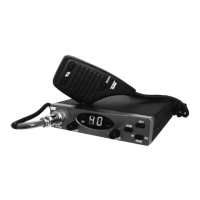
Lists the main components of the CB radio.
Details frequency range, power output, and supply voltage.
The device must be labeled with specific approval markings.
Only identical devices may carry the approval marking.
The approval certificate must be included with each marked device.
Advertising must comply with technical regulations and intended use.
Connected accessories must meet EMC standards (VDE 0871).
Approval is not a permit for installation/operation under FAG.
The Federal Minister has generally approved such installations.
 General
| Brand | Team |
|---|---|
| Model | SHORTY |
| Category | Transceiver |
| Language | English |


 To Next Page