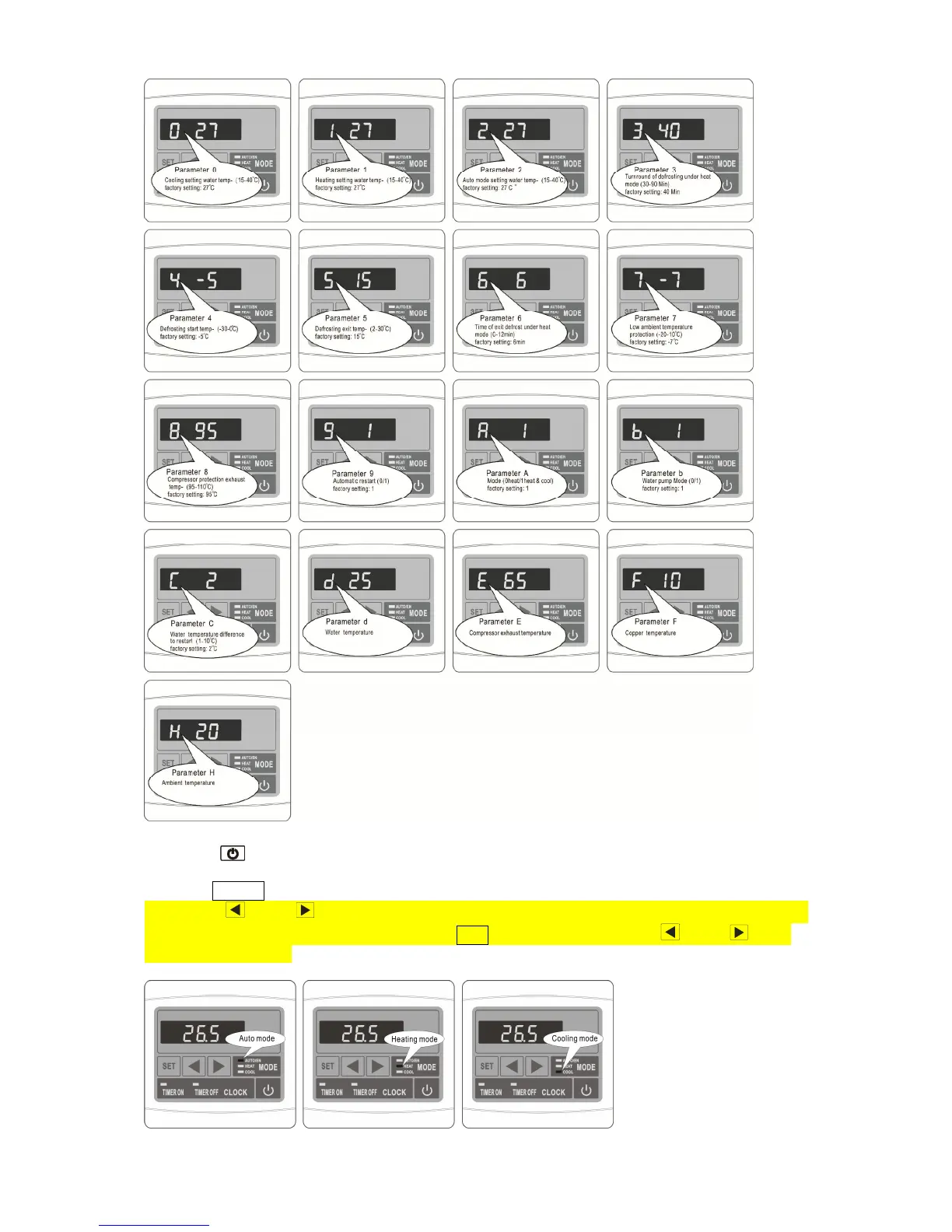
Choose the operation mode:
◎ Press “ ” to power on unit. Under running, the LED displays the water temperature and
current mode.
◎ Press “ MODE ” to choose mode(mode can be changed under running)
◎ Press " " or " " to enter operation parameter check interface, Select the current mode
water temperature setting parameters, press "SET" button to enter, press " " or " " set
required tempreature.
◎ Stop for 3-4 minutes, reverse of cycle and restart in a new mode.


 To Next Page