CONNECTIONS SETUP
15
After successfully connecting your DVD Recorder+VCR to your TV and other devices, this chapter will show you
how to complete the initial installation.
Initial Installation
Initial Installation
You must follow the initial installation process to set the time, date, channels, and language preferences for the DVD
Recorder+VCR.
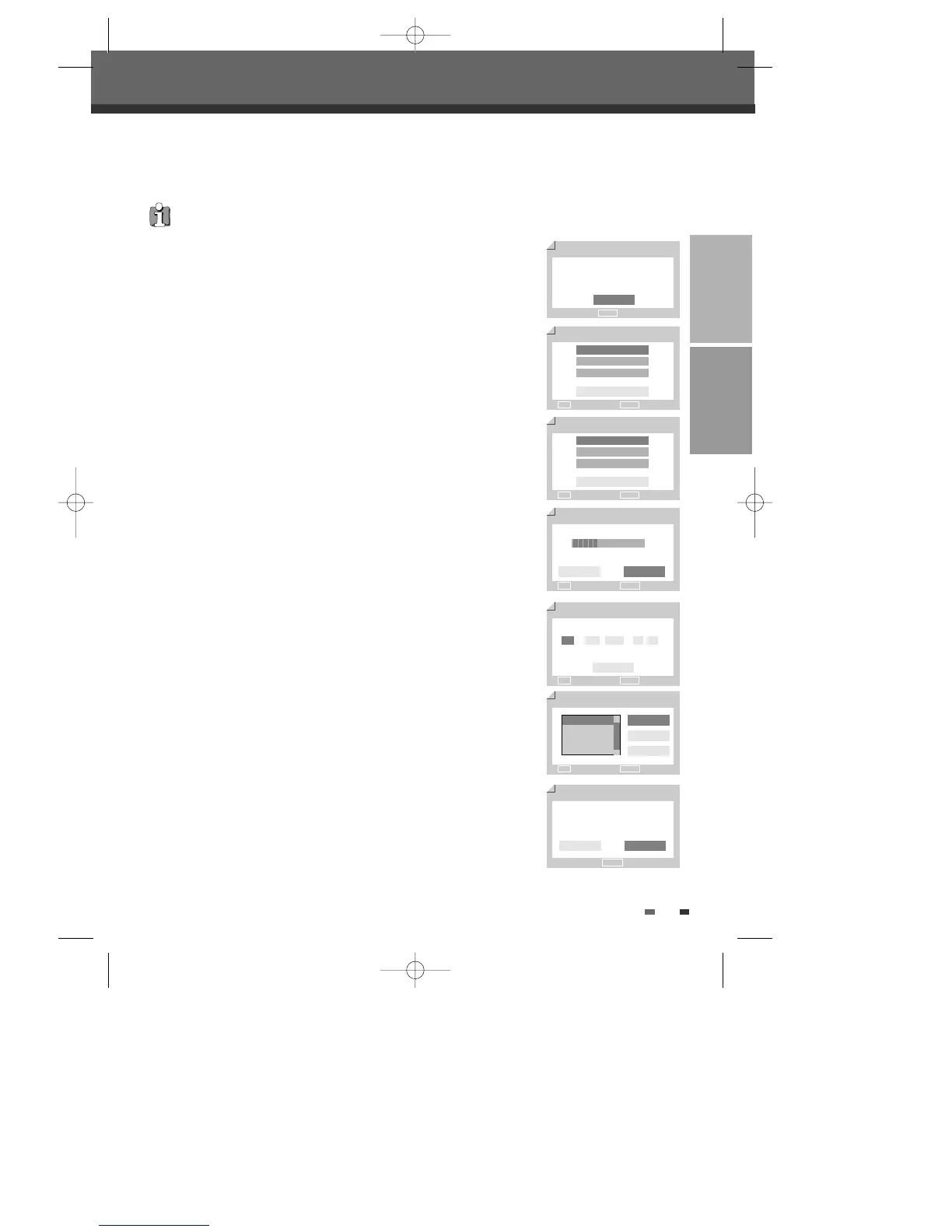
Initial Setup Wizard 1/7
Before using your recorder
Please complete this setup
Next
ENTER OK
OSD Lang 2/7
English
Français
Español
Back
√
Clock Set
5/7
Back
…† Choose ENTER OK
…
1 / 1 / 2005 00 : 00
†
…† Choose ENTER OK
Country Setting 3/7
France
Germany
Greece
Back
√
…† Choose ENTER OK
Auto Scan
4/7
Antenna
5 CHs found
œ √ Choose ENTER OK
Adjust channels
6/7
œ √ Choose ENTER OK
OK
Cancel
Back
…
†
NO. NAME
PR1 BBC
PR2 P-02
PR3 P-03
Back Cancel
Complete
7/7
Setup has been completed
Enjoy using your recorder
ENTER OK
Back Finish
1
‘Initial Setup Wizard‘ is displayed on the screen. Make sure the RF cable
from your antenna or cable TV jack is connected. Press [ENTER] to begin
initial installation.
2
'OSD Lang' message is displayed on the screen. Select the desired language
for the on screen menu using […/†]. Press [ENTER] to confirm.
3
'Country Setting' message is displayed on the screen. Select the desired
country using […/†]. Press [ENTER] to confirm.
4
'Auto Scan' message is displayed on the screen. The DVD Recorder+VCR
detects channels automatically and stores them in memory.
5
'Clock Set' message is displayed on the screen.
Set the clock.
Use [œ/√] to move left/right and use […/†] to change the settings.
After setting the clock, press [ENTER] to confirm. If you cancel the process
during Initial Installation, you should repeat this procedure.
6
'Adjust channels' message is displayed on the screen. Press [ENTER] to
confirm.
7
'Complete' message is displayed on the screen. 'Initial Installation' process is
finished.
DF-T3712S-SA-W(GB) 2006.9.13 10:0 AM ˘ ` 15 mac001 1200DPI 90LPI


 To Next Page