Page 2 of 4
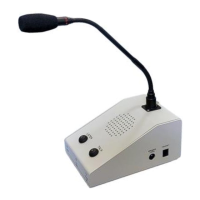
Controls and Indicators:
Front, Vertical Face:
Power Indicator, Green when Operating Normally
Microphone Input Level Indicator/VOX Indicator:
Off (VOX not tripped), microphone off ; Red, Low audio Level ; Flashing Green; Normal audio level
Headset On Indicator: Green when the Operator Wireless Headset is ON;
When the Headset is ON, the Console Microphone, Speaker, and Switches, are disabled.
Sloped Face:
LISTEN Switch (Toggle Action)
Remote Station Selected Indicator:
Red when selected - Controls both the Listening and Talking to the Remote Station
Console TALK Switch (Toggle Action with VOX, or Momentary when Push-to-Talk)
TALK Indicator:
Red when Microphone is enabled - Allows listening without interrupting the Remote Conversation
Side:
Console Speaker Listening Level (Knob Pot, Side)
The Console Speaker Level Adjustment is limited, the speaker may not be turned completely off
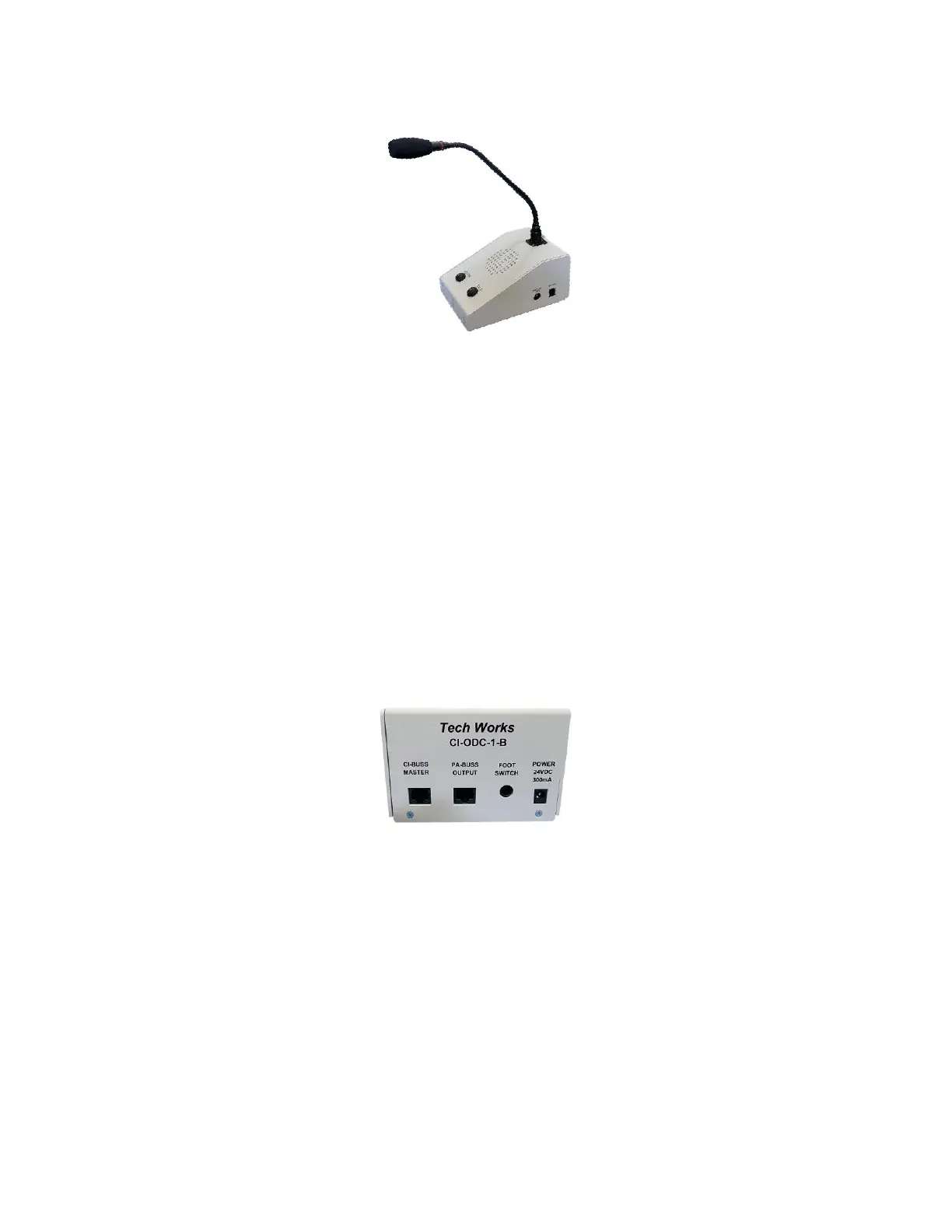
Rear Connections:
CI-BUSS, “Master” Connector, RJ-45,
PA-BUSS, “Output” Connector, RJ-45
Footswitch (Optional), 1/4" TRS Jack - Used for 'Push-to-Talk' Operation
Power Connector: 3.5mm Barrel Connectors - 24Volts, 1 Amps Maximum
Chassis, Earth Ground: Hex Nut, the Chassis is connected to Circuit Common through a 1-Meg-Ohm
resistor
Side Connections:
Headset Connector, RJ-22, Plantronics, Wireless Headset (Optional)
The Headset requires initial adjustments (See Headset Datasheet)
Configuration Switch: “A”
Earphone Switch: “4”
Microphone Switch: “6”


 To Next Page
 Loading...