Page 4 of 4
The Wireless Headset allows the Operator to move about the room, while carrying on a conversation
with the Procedure Room
If the Operator has a Wireless Headset (Optional), The Wireless Headset has an ON/OFF switch, when
the Headset is ‘Off’ the function is the same as above. The Headset has priority, and converses with
the Procedure Room when the “HEADSET ON” indicator is lighted; The Console Microphone, Speaker,
and Switches, are disabled, The Listen and Talk indicators are forced off
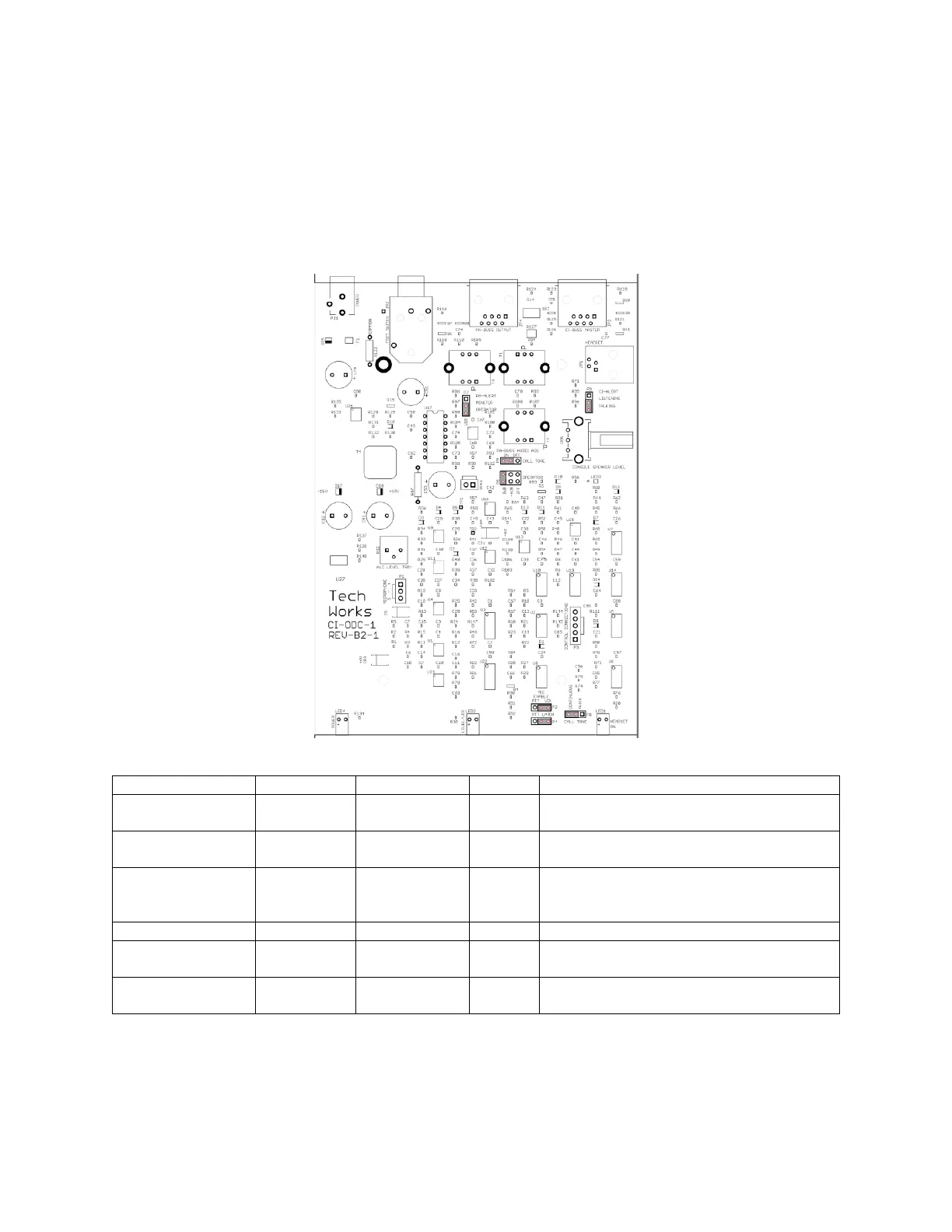
Configuration Jumpers (Console Cover Removed):
Jumper:
PA-Buss Alert signal sent All the Time
or Only When Operator is Enabled?
PA-BUSS Audio
P5 Call Tone
Is the Call Tone sent to the PA-Buss?
PA-BUSS Audio
P6 Operator
How Loud should the Operator be
from the PA-Buss?
Full, Down Slightly, or Not at All (OFF)
When is the CI-Alert Signal sent?
Console Mic On Automatic (VOX) or
only when the button is Held?
Talk Button Push On/Push Off or
Push and Hold
Cleaning – If the product becomes dirty and requires cleaning DO NOT USE CLEANING CHEMICALS
SUCH AS 409, SIMPLE GREEN, or other solvents. If possible, only use water to make a damp soft cloth
and rub lightly to preserve the finish. If further cleaning or disinfecting is required, use only isopropyl alcohol
on a soft cloth. Alcohol may dull the finish of the product but will not harm the electronics.


 To Previous Page
 Loading...