I. Description
In order to check the flue gas outlet temperature, press EXIT
(hold for several seconds) until the following screen is
displayed:
The left of the screen shows the boiler temperature; the middle
of the screen shows the flue gas outlet temperature; the right
of the screen shows the power of the fan. Press EXIT to return
to the main menu.
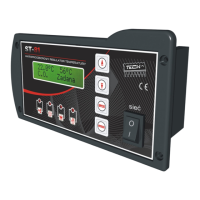
ST-81thermal controller is designed for central heating boilers.
ST -81 thermoregulator is designed for wood-fired central
heating boilers.
It controls water circulating pump and air injection (fan).
4
C.H. Screen
H.C.W. Screen
H.C.W. Screen
H.C.W. Screen
C.H. Flue Fan


 To Next Page