EasyManua.ls Logo

Techfine 5KVA - Operation; Power ON;OFF; Operation and Display Panel

Default Icon
32 pages
Print Icon
To Next Page IconTo Next Page
To Previous Page IconTo Previous Page
Loading...
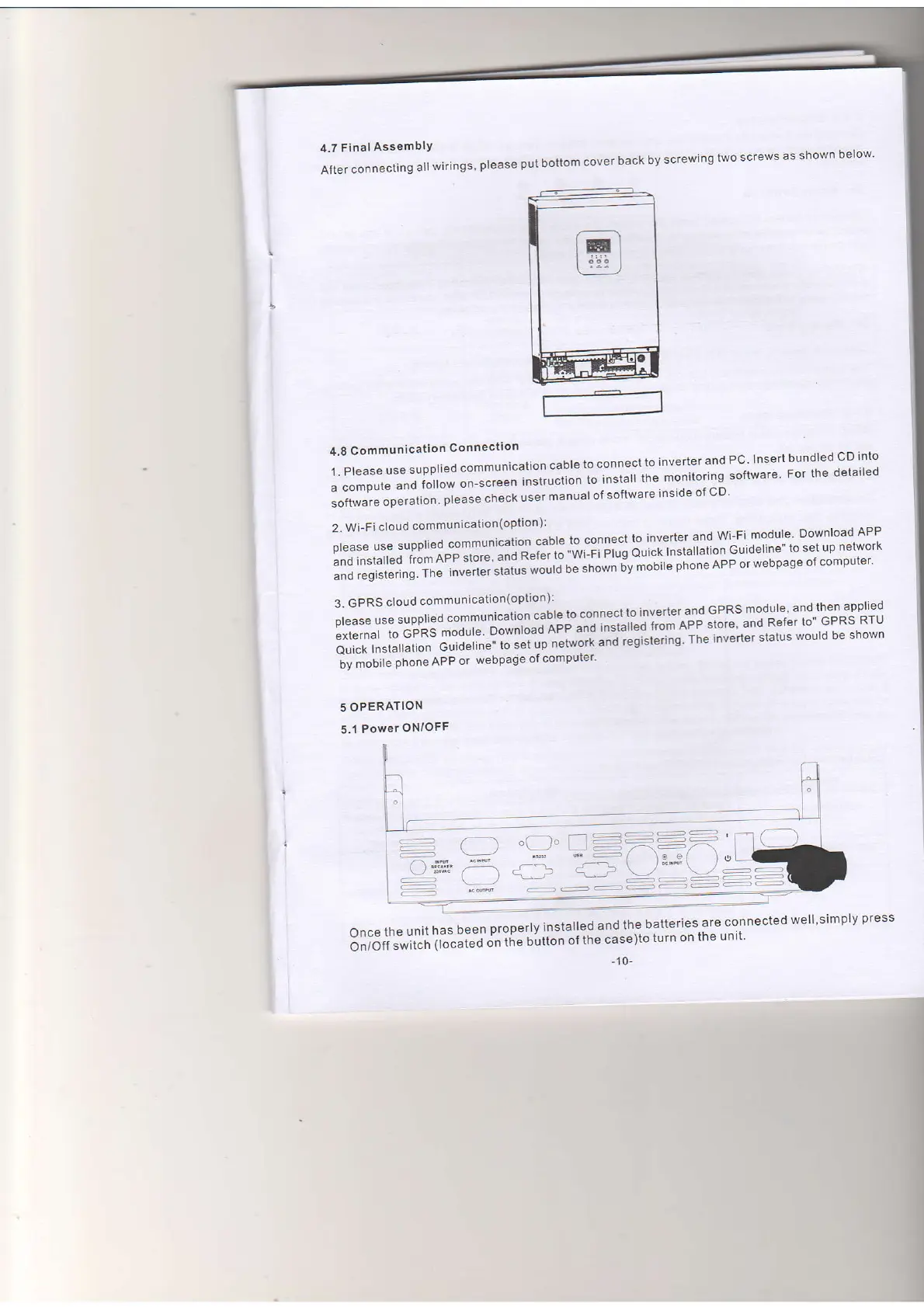
4.7
Final
AssemblY
After
connecting
all
wirings'
please
pul
oottom
cover
back
by
screwing
lwo
screws
as shown
below'
4.8
Communication
Connectton
1.
Please
use
supplied
communicatton
cable
to
connect
to
inverter
and
PC-
Insert
bundled
CD
into
a
compule
and
follow
on-screen
'n"*"Jtiol
i"
in"turi
the
monitoring
software
For
the
detailed
loit*r"r"
op"r"tion.
please
check
user
manual
ol software
inside
of
cD'
2.
Wi-Fi
cloud
communication(option):
olease
use
supplied
communicatlon
caDle
to
connect
lo Inverler
and
Wi-Fi
module
Download
APP
and
insralted
from
App
store.
and
R"t"ri;
il;;i;;;
o"';k
Installation
Guideline"
to
set
up
nelwork
and
registering-
The
inverter
statr'rs
wouJbe''ftotn-iv
tooife
pftoneAPP
orwebpage
ofcomputer'
3.
GPRS
ctoud
communication(option):
Dlease
use
supphed
communicahon
caDle
to connect
to
inverter.an-d
GPRSmodule
andthenapplied
l,',"iJ-i"
cFcs
."q"p
?:-ll1g-1;j,;"#
:{*:til",,lllf
m:?'JiJ:'J:;
ill:':lY
Ourck
lnslallalion
Guideline"
to sel
up
r
iv molire
pnone npp
or
webpage
of computer'
5
OPERATION
5.1
Power
ON/oFF
-+==
r \,./ \
g;g
Once
the
unit
has
been
properly
lnstalled
and
the
batteries.are
connected
well'simply
press
5"ioti
"*ii"t'
tr"""ted
on
the
button
of the
case)to
turn
on
the
unit'
-10-

Related product manuals