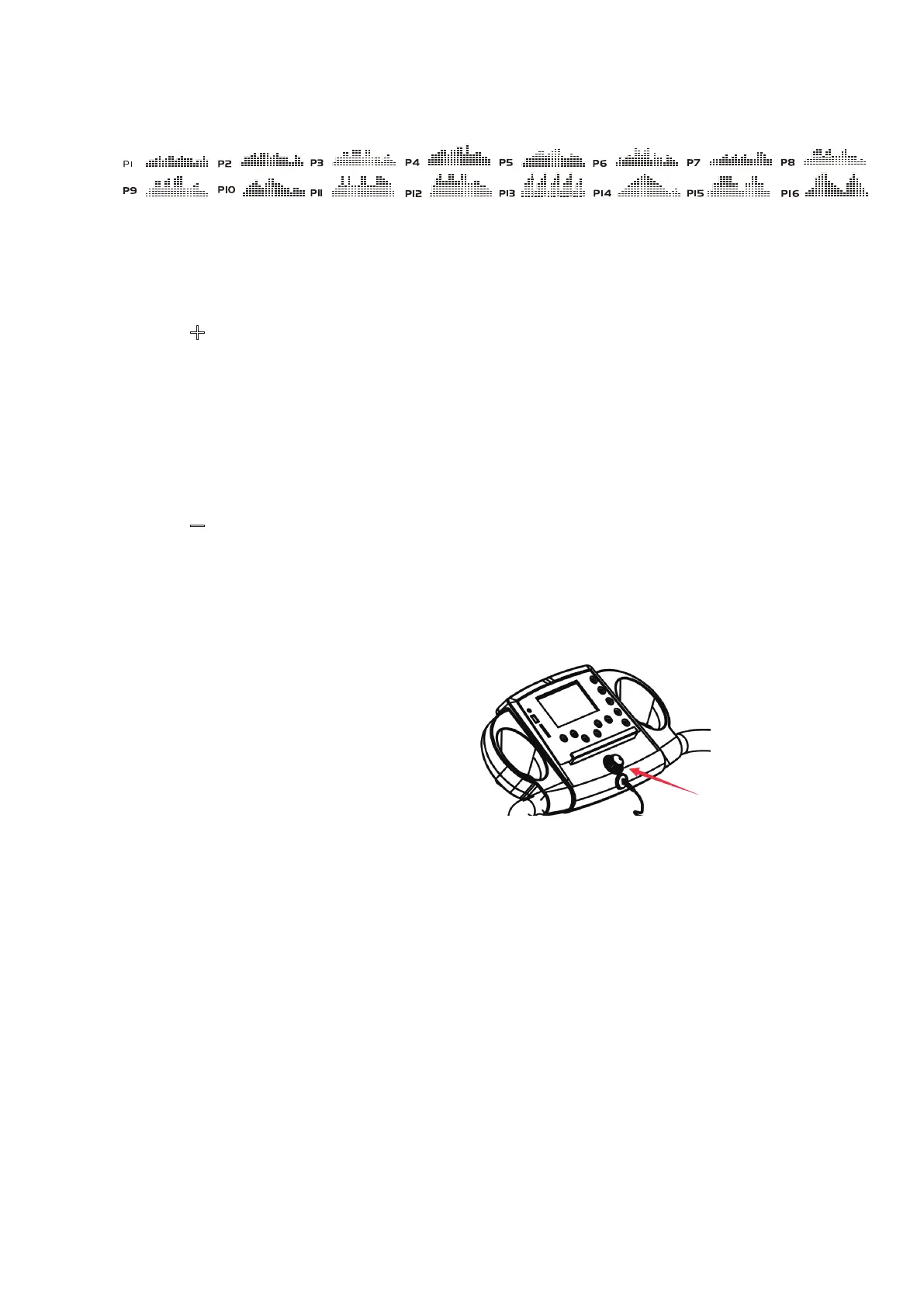
PROG (PROGRAM):
Press the PROG button to select the pre-set training program (P1 - P16) mode before
training.
MODE:
Press the MODE button to select different functions (time, distance, or calories) for setting
exercise goals in manual program mode before training.
SPEED +
(SPEED UP):
Press the SPEED + button to make upward adjustments for pre-setting target training
time, distance, or calorie in manual program mode before training.
Press the SPEED + button to make upward adjustments for pre-setting target training
time in pre-set training program (P01-P16) mode before training.
Makes speed adjustments during all training periods on different training modes.
The speed range is from 1.0 KPH to 10.0 KPH.
SPEED -
(SPEED DOWN):
Press the SPEED - button to make backward adjustments for pre-setting target training
time, distance, or calorie in manual program mode before training.
Press the SPEED - button to make backward adjustments for pre-setting target training
time in pre-set training program (P01-P16) mode before training.
Makes speed adjustments during all training periods on different training modes.
The speed range is from 1.0 KPH to 10.0 KPH.
QUICK SPEED ROTATY KNOB
Used to reach desired speed more quickly.
DISPLAY FUNCTIONS:
TIME: Displays your elapsed workout time in minutes and seconds. Press the START
button on the computer to begin exercising, the LCD window will countdown 3 seconds
with the LCD showing "3-2-1" before the running belt starts moving. The running belt
starts moving with an initial speed of 1.0 KPH. You may press the SPEED + or
SPEED - button on the computer console or handlebar to increase or decrease the
running speed during exercise. Time starts counting up from 0:00 to 99:59 per 1 second
increment.
SPEED: Di
splays the current speed from the minimum 1.0 KPH to the maximum
10.0 KPH. You may increase or decrease the speed by pressing the SPEED + or
SPEED - button on the computer console or handlebar.
(DISTANCE: Displays the accumulative distance travelled during workout. Press the
START button on the computer to begin exercising, the LCD window will countdown 3
seconds with the LCD showing "3-2-1" before the running belt starts moving. The running
belt starts moving with an initial speed of 1.0 KPH. You ma
y press the SPEED + or
SPEED - button on the computer console or handlebar to increase or decrease the
running speed during exercise. Distance starts counting up.
7


 To Next Page