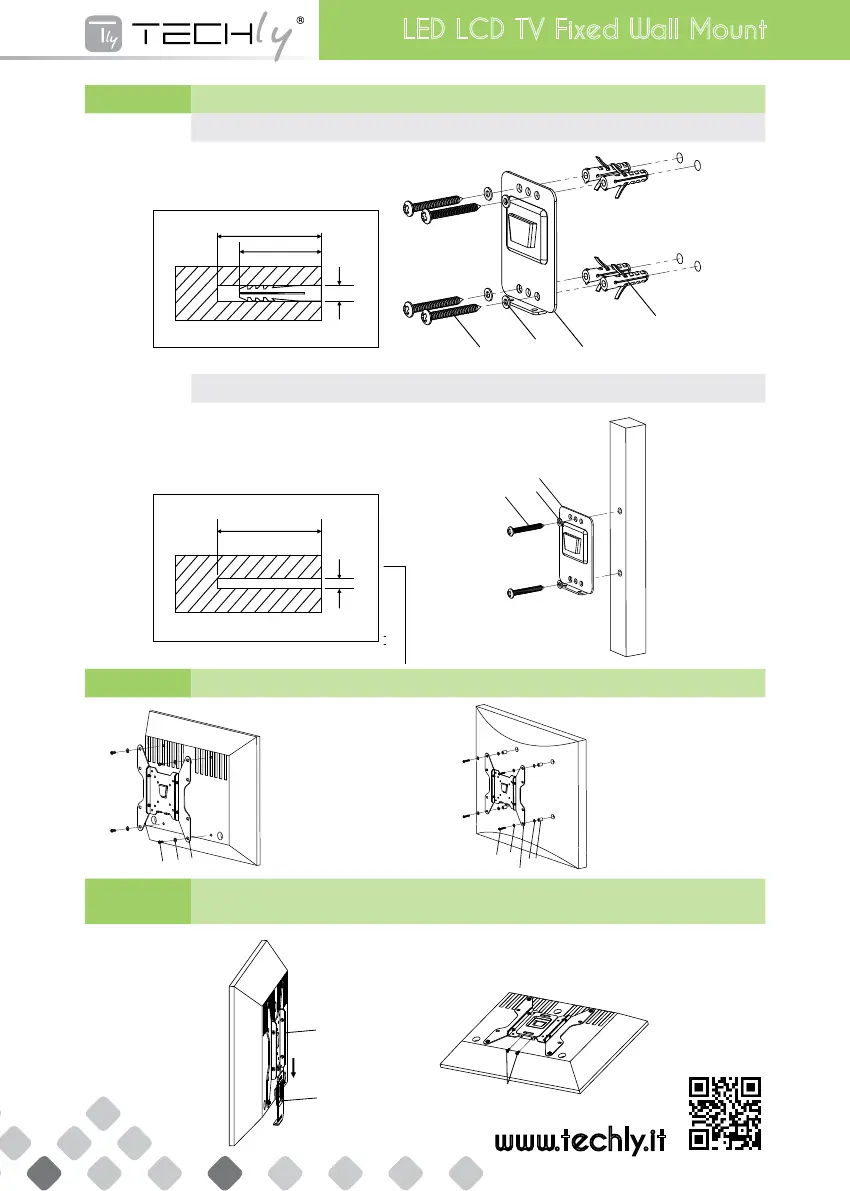
STEP 1 Montaggio della placca a muro sul muro | Mounting the Wall Plate to the Wall
Montaggiosumurodimattonieincemento|Brick & Concrete Wall Mount
40mm
50mm
8mm
l
j
b
k
Montaggiosumuroconintelaiaturainlegno|Wood Stud Wall Mount
50mm
3. 8m m
40m m
50m m
8mm
50m m
3.8m m
l
j
b
k
l
j
b
STEP 2 Montaggio della staffa per il monitor alla TV | Mounting the Monitor Bracket to a TV
c , e
g, h
a
PerTVconretropiatto
For Flat Back TV
d, f
g, h
a
g
i
PerTVconretrocurvo
For Curved Back TV
STEP 3 Fissare la TV alla staffa a muro e aggiungere le viti di sicurezza
Attaching TV to Wall Plate & Put Safety Screws
a
b
c
www.techly.it
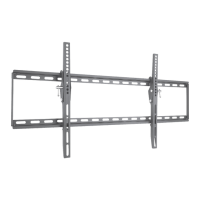
LED LCD TV Fixed Wall Mount



 To Previous Page