10
HDMI OVER IP EXTENDER
EN
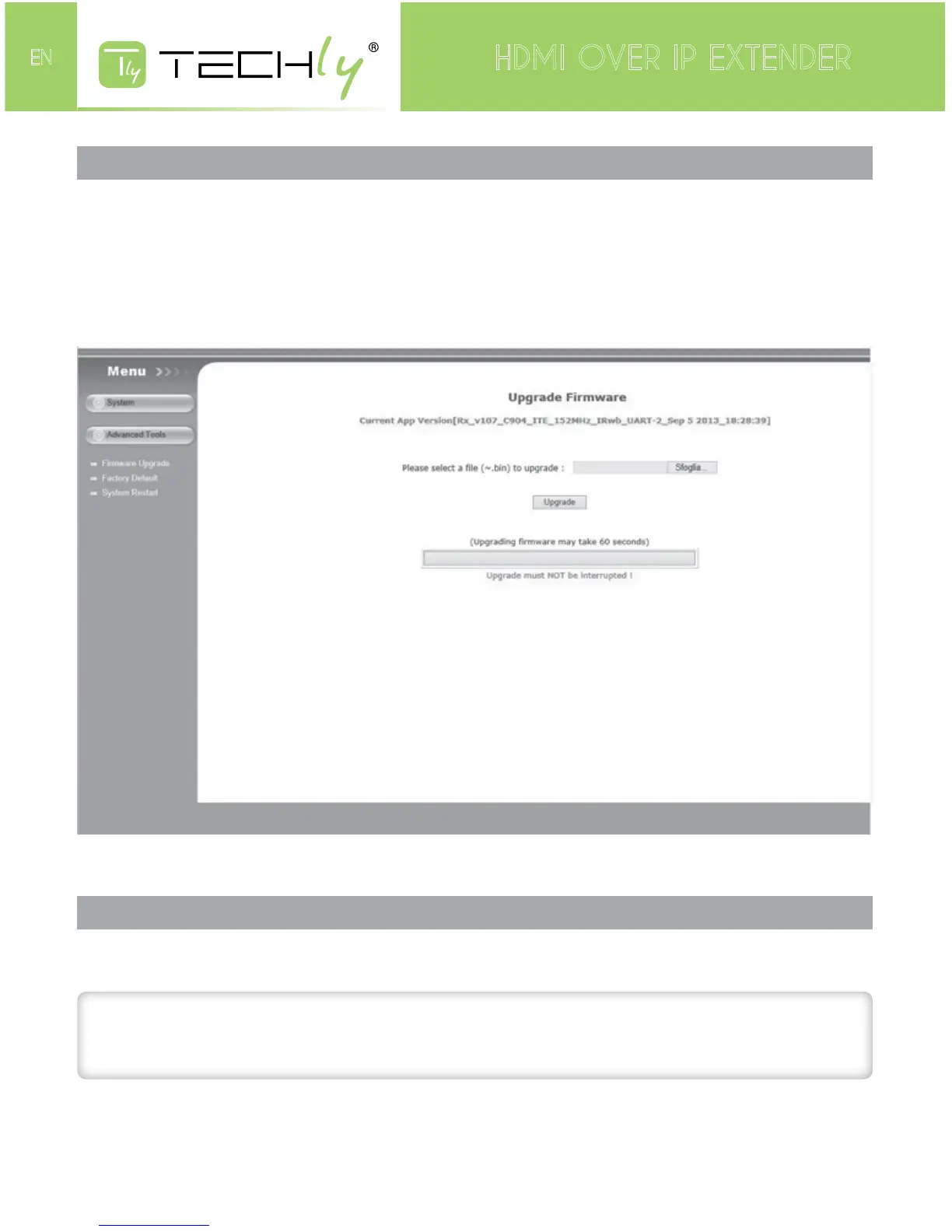
HOW TO ACCESS THE WEB INTERFACE
IfforanyreasonyouwishtoaccesstheconfigurationoftheST-IPHD-LC(tochangethedefaultIP
addressorupdatethefirmwareperhaps),willneedtofollowthisprocedure:
1.ConnectingthelocalorremoteunitdirectlytoacomputerusingCATxcable
2.Temporarilysetyourcomputer’sIPaddressto192.168.168.xx(wherexxisanynumberfrom1to
255exceptfor55or56)tomatchthesubnetoftheextender.
3.OpenawebbrowserandenterintheURLaddressbartheextender’sfactorydefaultIPaddress:
192.168.168.55(local)or192.168.168.56(remote).Thefollowingwillbedisplayed:
IntheinitialscreenyouwillbepresentedwiththecurrentnetworksettingsoftheST-IPHD-LC.
CHANGE THE IP ADDRESS
TochangetheIPaddressoftheextenderstomatchyournetwork’ssubnet,simplychangethevalue
intheboxfor“IPaddress”andpressapply.
ATTENTION!
Be sure to write this number down. If you make a mistake and forget the number you
entered, you will not be able to reopen this interface to correct it.
IftheSenderandReceiverarenotconfiguredforthesamesubnet,theywillnotcommunicatewith
eachothertoextendvideo.Returnyourcomputer’snetworkconfigurationtoitsoriginalsettings.The
webinterfacecannowbeaccessedthroughthenewlyassignedIPaddresses.











 To Next Page