EN
10
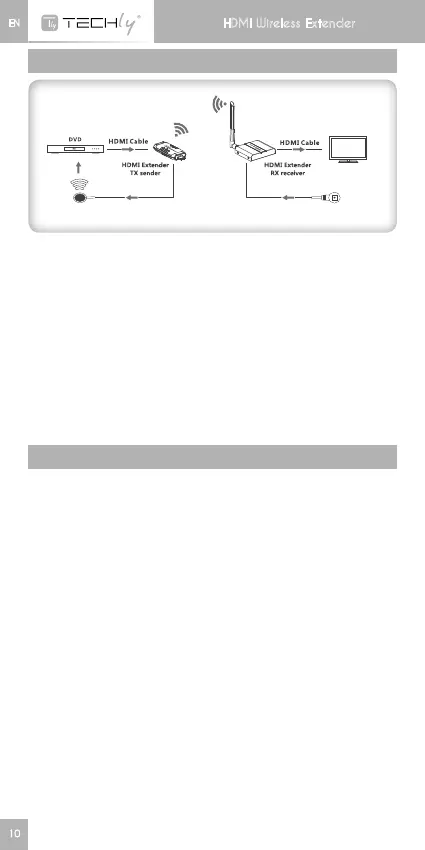
CONNECTION
H D M I d i s p la y
Connection instruction:
1) Connect HDMI input with HDMI source device and connect IR
blasterextensioncablewithIROUTinterfaceofthesender(TX).
2) ConnectHDMIoutputwithHDMIdisplaydeviceand connect IR
receiverextensioncablewithIRINinterface.
3) Poweronthedevice(powerledlights)anditworks.
Note:
1) When the wireless signal transmits through wall, glass or other
obstacles, it will cause signal loss. Please install this device in
good environment with few obstacles.
2) The external environment wireless signal interference the
transmission,suchasmicrowaver,wirelessmouseandkeyboard,
etc.…
FAQ
Q: Transmitter and receiver can’t be connected with each other?
A:1)Pleasecheckifthewirelessconnectionlightonproductblinks
properly.
2)Restartthetransmitterorreceiver.
3)ReconnecttheHDMIcable.
Q: The Wi-Fi LED indicator of the transmitter is off, but no signal
outputondisplay/monitor?
A: 1)PleasecheckifthereisaHDMIsignalinputofsenderTX.
2)Trytoconnectthesignalsourcedirectlytodisplaydevicetosee
if there is signal output from source device or change the signal
source,HDMIcablesandtryagain.
Q:Displaynotfluentandstable?
A:1)Pleasemove the position ofthesender(TX)and receiver(RX)
and make sure the device is within the required signal range.
2)Restartthetransmitterorreceiver.
3)ReconnecttheHDMIcable.
4)Removeotherwirelesssignaldisturbanceandreducetheob-
staclesontheway.
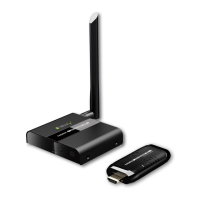
HDMI Wireless Extender






 To Next Page