EasyManua.ls Logo

Technaxx TrendGeek TG-125 - User Manual

Technaxx TrendGeek TG-125
6 pages
Print Icon
To Next Page IconTo Next Page
Loading...
TrendGeek
®
* User Manual
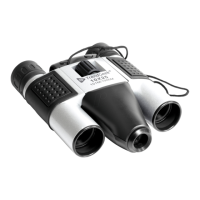
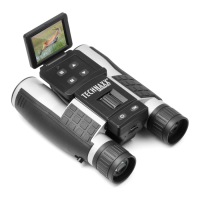
Binoculars with camera TG-125
The Declaration of Conformity for this device is under the Internet link:
www.technaxx.de/ (in bottom bar “Konformitätserklärung”). Before using
the device the first time, please read the user manual carefully.
Service phone No. for technical support: 01805 012643 (14 cent/minute
from German fixed-line and 42 cent/minute from mobile networks).
Free Email: support@technaxx.de
This appliance is not intended for use by persons (including children)
with reduced physical, sensory or mental capacities, or by persons
lacking in experience or knowledge, unless they are supervised or
instructed on the use of this device by a person responsible for their
safety. Children should be supervised to ensure they do not play with this
device.
Keep this user manual for future reference or product sharing carefully.
Do the same with the original accessories for this product. In case of
warranty, please contact the dealer or the store where you bought this
product. Warranty 2 years
Enjoy your product * Share your experience and opinion on one of
the well-known internet portals.
Features
Magnification of 10 times
Field of view of 101m at 1000m
Telescope focus range of 3m to infinity
Camera focus range of 50m to infinity
HD Photo resolution
VGA Video resolution
MicroSD card up to 32GB (not included)
Question and Answer IconNeed help?

Do you have a question about the Technaxx TrendGeek TG-125 and is the answer not in the manual?

Summary

Features

Product overview

Specifications

Insert or replace batteries

Adjustment

Starting up

Insert MicroSD card

Video recording function

Photo function

Power off

Connecting with computer

Date and Time setting

Care and maintenance

Hints

Safety Instructions

Security and Disposal Hints for Batteries

Hints for Environment Protection

Overview

This document describes the TrendGeek® TG-125 Binoculars with Camera, a device designed for private use, combining the functionality of binoculars with a digital camera.

Function Description

The TG-125 allows users to observe distant objects with magnification while simultaneously capturing photos or recording videos. It is equipped with a camera lens, a focusing wheel for optical adjustment, and dedicated buttons for power/shutter and video recording. The device stores captured media on a MicroSD card (not included). It connects to a computer via Mini-USB for file transfer and date/time settings.

Important Technical Specifications

  • Magnification: 10 times
  • Lens Diameter: 25mm
  • Field of View: 101m at 1000m
  • Sensor Type: CMOS
  • Effective Pixels: 1.3 Million
  • Photo File Size: 1280x960 (HD Photo resolution)
  • Video Resolution / Frame Rate: 640x480 / 30fps (VGA Video resolution)
  • Photo / Video / Audio Format: JPEG / MPEG / 16Bit
  • Connection: Mini-USB
  • Memory Expansion: MicroSD card up to 32GB (not included)
  • Weight/Dimensions: 230g / 17.2x13.5x6.5cm
  • Power Supply: 2x AA Batteries (LR6, Lithium, NiMH) (not included)
  • Telescope Focus Range: 3m to infinity
  • Camera Focus Range: 50m to infinity
  • Warranty: 2 years

Usage Features

Starting Up: To power on the device, press the On/Off button (3) for 2 seconds. The red LED will blink twice, indicating standby mode. In standby mode, the red and blue LEDs will blink alternately every 2 seconds.

Inserting MicroSD Card: Insert a MicroSD card into the MicroSD card slot (5). If the card is not detected or storage is insufficient, the red LED will shine continuously, and the blue LED will blink 8 times before the device shuts down. Note that proper operation cannot be guaranteed for all memory cards.

Video Recording: Briefly press the video button (4) to start recording. During recording, the blue LED blinks, and the red LED turns off. To stop recording, press the video button (4) again. The device will return to standby mode, and the video file will be saved. If there isn't enough space on the MicroSD card, the red LED will remain lit, and the blue LED will blink 8 times before the device powers off.

Photo Function: Press the Camera-Shutter button (3) to take a photo. Both the blue and red LEDs will blink simultaneously. The device saves the photo and returns to standby mode.

Power Off: Press the On/Off button to power off. If a video is being recorded, it will be saved first. The blue and red LEDs will blink five times simultaneously, then the device shuts down. If the device is in standby mode for five minutes without operation, it will automatically shut down. If the battery is low, the blue LED will shine, and the red LED will blink eight times before the device turns off.

Connecting with Computer: Connect the device to a computer using the Mini-USB cable. The device will automatically enter USB mode. The red LED will shine, and the blue LED will blink.

Date and Time Setting (while connected to computer):

  1. Create a new text file named "time" on your desktop.
  2. Open the "time" file and write the date and time in the format: YYYY-MM-DD HH:MM:SS (e.g., 2018-12-31 23:59:59).
  3. Save the file.
  4. Copy the "time" file to the MicroSD card.
  5. Eject the USB device. Note: The date and time must be reset if the batteries are changed.

Binocular Adjustment: Adjust the interpupillary distance by holding the binoculars in the normal viewing position and moving the barrels closer or further apart until a single circular field of view is seen.

Optimal Usage Distance for Camera: For optimal photo/video quality, stand between 100 and 1000 meters from the target. If closer than 100 meters, framing may be distorted, and the image slightly shifted downwards.

Maintenance Features

Care and Maintenance:

  • Clean the device only with a dry or slightly damp, lint-free cloth.
  • Do not use abrasive cleaners.
  • Avoid using the device in ultra-high or ultra-low temperatures.
  • Keep or use the device in moist environments for prolonged periods.
  • Do not use the device in rain or water.
  • Avoid using the device in strongly shocking environments.

Battery Insertion/Replacement: Remove the battery cover (8) on the back. Insert two AA (1.5V LR6) batteries, observing the correct polarity. Close the battery compartment.

Safety Instructions:

  • Never look directly at the sun or in its direct proximity with the device to avoid blindness.
  • Children should only use the device under adult supervision.
  • Keep packaging materials (plastic bags, rubber bands) out of reach of children to prevent choking hazards.
  • Do not place the device, especially the lenses, in direct sunlight, as concentrated light can cause a fire.
  • Do not disassemble the device.
  • Do not expose the device to high temperatures.
  • The device is intended only for private use; respect the privacy of others.
  • Do not use the device to look into apartments.

Hints:

  • The device is for private, non-commercial use.
  • Do not place any part of the device in water or other liquids.
  • Do not handle the device with wet hands.
  • When disconnecting cables, always pull the plug, not the cable itself.
  • Do not let the power cord hang off tables or work surfaces.
  • Prevent contact with hot surfaces.
  • Keep away from heat sources to avoid plastic deformation.
  • Do not remove the memory card during video recording to prevent damage to files or the card.
  • Remove batteries after use.

Security and Disposal Hints for Batteries:

  • Keep batteries away from children. If a child swallows a battery, seek immediate medical attention.
  • Observe correct polarity (+ and -) when inserting batteries.
  • Always change all batteries; do not mix old and new or different types.
  • Never short, open, deform, or load batteries.
  • Do not throw batteries into fire; risk of explosion.

Hints for Environment Protection:

  • Packaging materials are raw materials and can be recycled.
  • Do not dispose of old devices or batteries in domestic waste.
  • Cleaning: Protect the device from contamination (use a clean, lint-free cloth). Avoid rough, coarse-grained materials or solvents/aggressive cleaners. Wipe the cleaned device accurately.
  • Important Notice: If battery fluid leaks, wipe the battery case dry with a soft cloth.

Technaxx TrendGeek TG-125 Specifications

General IconGeneral
BrandTechnaxx
ModelTrendGeek TG-125
CategoryBinoculars
LanguageEnglish

Related product manuals