Need help?
Do you have a question about the Technaxx TX-186 and is the answer not in the manual?
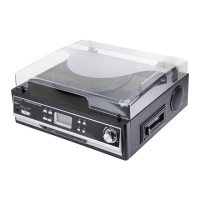
The Technaxx BT Retro LP-Player TX-186 is a versatile and stylish device designed for playing vinyl records and offering a range of modern audio functionalities. It combines the nostalgic experience of vinyl with contemporary connectivity options, making it suitable for both audiophiles and casual listeners. The player features a high-quality design with functional handling, ensuring a pleasant user experience.
The core function of the TX-186 is to play vinyl records. It supports three common speeds: 33, 45, and 78 revolutions per minute (rpm), allowing users to enjoy a wide variety of vinyl formats, including EP, LP, and SP records. For 45rpm records, a single puck adapter is included to ensure proper playback. The device incorporates a belt-drive system for smooth and stable rotation of the turntable platter. An auto-stop feature can be enabled or disabled, which automatically stops the platter when a record finishes playing, helping to preserve the stylus and record.
Beyond vinyl playback, the TX-186 offers several modern audio capabilities. It is equipped with Bluetooth V5.0, enabling wireless streaming of music from compatible devices such as smartphones, tablets, or other media players. This allows users to enjoy their digital music library through the player's integrated stereo loudspeakers. The device also includes an AUX-IN port, providing a wired connection option for external audio sources. This is particularly useful for connecting devices without Bluetooth, such as older CD players or MP3 players, and playing their audio through the TX-186's speakers.
For private listening, a 3.5mm headphone jack is available, allowing users to connect their headphones and enjoy music without disturbing others. This feature is compatible with all playback modes, including vinyl, Bluetooth, and AUX-IN.
A significant feature of the TX-186 is its LP digitalization capability. Users can directly record their vinyl music to a USB drive in MP3 format. This allows for the creation of digital copies of vinyl collections, making them portable and accessible on other devices. The device automatically creates new MP3 files for each track, with the option to rename them later.
The TX-186 also provides an RCA output, allowing it to be connected to external HiFi systems or amplifiers. This feature is ideal for users who wish to integrate the LP player into an existing home audio setup, leveraging more powerful external speakers for an enhanced listening experience.
Operating the TX-186 is designed to be straightforward. To begin, the device is powered on by turning the volume control knob, which also serves as the mode switch. Bluetooth is enabled by default upon startup. The mode switch allows users to easily toggle between Phono (vinyl), Bluetooth, AUX-IN, and USB modes. An indicator light, which glows red for power and blue for Bluetooth, provides visual feedback on the device's status.
When playing vinyl, users must first remove the stylus protector and unclip the tone arm lock. The tone arm lifter facilitates gentle placement and removal of the tone arm from the record, minimizing the risk of damage. The speed selector allows for quick adjustment to the correct playback speed (33, 45, or 78 rpm) for the specific vinyl record. After playback, the tone arm should be returned to its rest position and secured with the lock, and the stylus protector re-applied if the device will not be used for an extended period.
For Bluetooth connectivity, users simply need to turn on the device, and then activate the Bluetooth search function on their external media device. The TX-186 will appear as "Technaxx TX-186" in the list of available devices. Once connected, a beep confirms the successful pairing, and music playback can be controlled from the connected device. It's important to note that any AUX-IN or headphone cables should be unplugged before using the Bluetooth function.
When using the AUX-IN feature, a 3.5mm cable connects the external audio source to the TX-186. Playback is then controlled directly from the external device, and it's recommended to set the external device's volume to 70-80% to prevent sound distortion.
Recording vinyl to a USB drive involves inserting a formatted USB drive into the dedicated USB slot. Once a record is placed on the turntable and playback begins, the LP player automatically recognizes the USB device and starts the digitalization process, creating MP3 files.
Proper care and maintenance are crucial for ensuring the longevity and optimal performance of the TX-186 and its components, particularly the vinyl records and stylus.
For vinyl records, it is advised to handle them only by their edges or label to avoid transferring skin oils to the grooves, which can cause deterioration. Records should be stored in sleeves in a dry, cool place, away from dust and direct sunlight, and kept upright to prevent bending and warping. Cleaning records should be done gently with a soft, anti-static cloth, wiping in a circular motion.
The stylus, a delicate component, requires careful handling. It is recommended to replace the stylus as soon as any change in sound quality is noticed, as a worn-out stylus can damage records. Replacing the stylus involves a specific procedure: first, a screwdriver is used to gently push downwards on the stylus head shell, then it is pulled forwards and downwards to remove. Installation of a new stylus involves inserting it by pressing in the indicated direction, then pushing it upwards until it locks into position. Users are cautioned not to bend the stylus, touch the needle, or expose it to extreme heat. The unit's power should be turned off before replacing the stylus, and it should be kept out of reach of children.
The belt-drive system may occasionally require installation or repair. This involves removing a c-shape locking clip from the rotation axis, lifting the turntable plate, and then carefully placing the belt on the track and hooking it to one of the cylindrical pins on the back of the turntable plate. The turntable plate is then re-seated, ensuring the belt aligns with the metal pin on the turntable bracket. Finally, manually rotating the turntable for about half a turn helps position the belt, and the locking clip is re-secured.
General maintenance for the TX-186 includes choosing a suitable installation location, avoiding direct sunlight, heat sources, vibrations, excessive dust, cold, or moisture. The unit should always be operated in a horizontal position. Adequate ventilation is important, so the ventilation holes should not be covered, and sufficient space should be left around the amplifier/receiver. The cabinet should not be opened to avoid electrical shock or damage to circuitry. If the player is not used for a long time, it should be disconnected from the AC power source, pulling the plug rather than yanking the cord. For cleaning, the unit should be disconnected from the AC power source, and plastic parts should be wiped with caution using a soft, dry cloth. Chemical solvents should be avoided as they can damage the finish.
 General
| Type | Belt Drive Turntable |
|---|---|
| Speed | 33 1/3, 45 RPM |
| Material | Plastic, Metal |
| Connectivity | Bluetooth |
| Included Accessories | Power adapter |
| Features | Built-in speakers |


 To Next Page