Electronic parking disc TX-272 - EN Item no.: 5119 Prod. ID.: 11/23
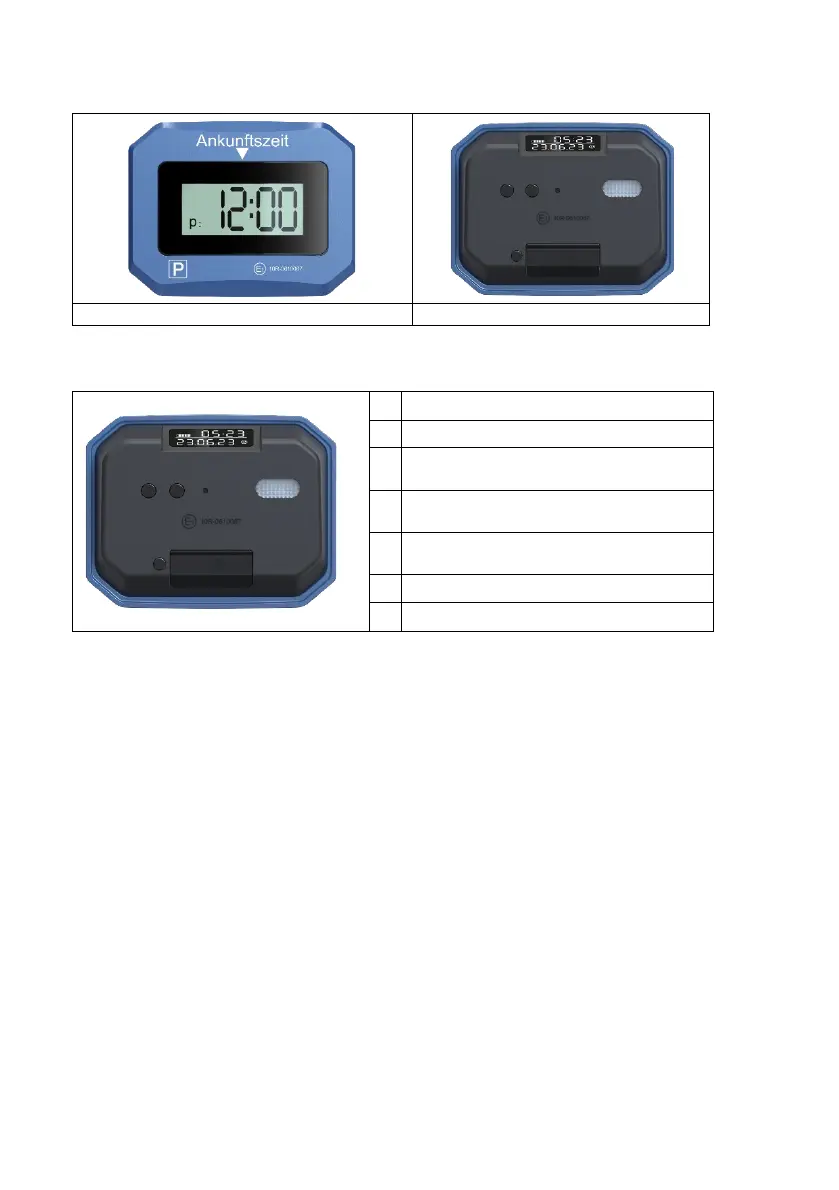
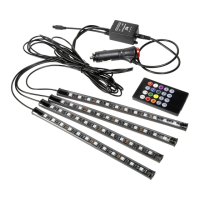
Product overview
Features
1 Rear display
3
Set time/date
Delayed parking
4 Enable/toggle time and date setting
5 SOS light
Opening the battery compartment
7 Battery compartment
Assembly Instructions
Make sure the parking disc is clearly visible and attached to the windshield. The
temperature should be at least +15°C during attachment. Otherwise it won't hold
properly.
1. Make sure the area you plan to use is clean and dry.
2. Do not use cleaning products that contain alcohol.
3. Peel off the protective film from the pads.
4. Press firmly for at least 20 seconds.
Setting the time
• To activate the setting mode, press button 4 with a pointed object and hold it down.
• "Hour" digits flash. Press button 3 repeatedly until the hours match the current time.
• Press button 4 again and “Minutes” will start flashing. Set the minutes using button
3.
• Follow the same procedure to set the current date.


 To Next Page