Install “My Secure” on your computer or notebook. You can find the software for
„My Secure“ on the included CD-ROM or at this link: www.technaxx.de/support. Due
to further developments, find upates from „My Secure“ at this link:
www.technaxx.de/support
Put the installation CD in the CD-slot on the computer/notebook. Follow the
installation process on the screen to install „My Secure“.
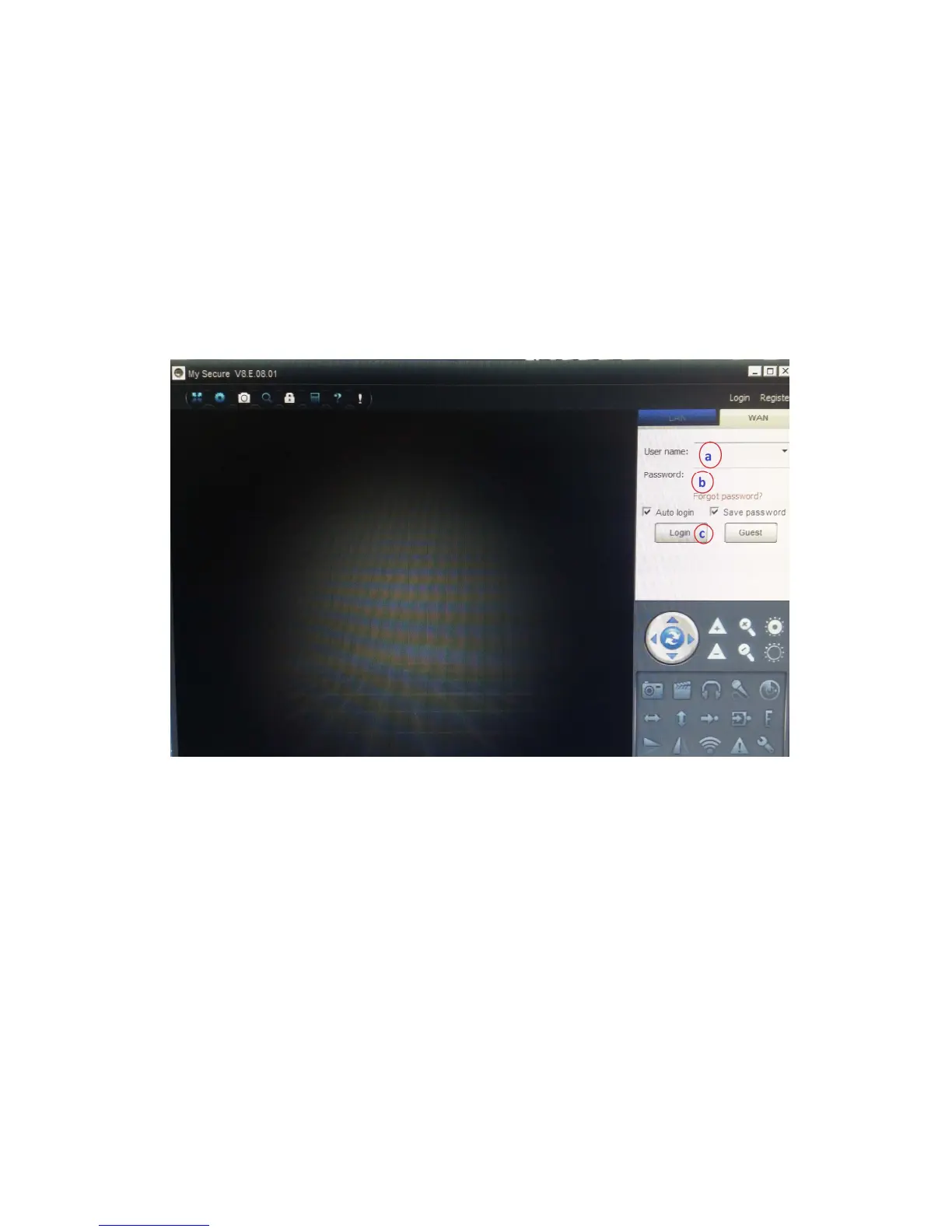
After installation is completed, “My Secure” starts automatically. Click on the “WAN”
button and input Cam ID/User and Login Password (both you can find on the
monitor back side). Then click on the Login button.
For Android, iPhone or another iOS Smartphone, search and download “My
Secure” in the Google Play store and Apple APP store. Follow the installation process
on the display of your Smartphone.
The user manual for the „My Secure App“ you can find here:
www.technaxx.de/support.
Go on this link to download the latest software.
ATTENTION: When you want to follow up watching the Camera Set TX-28 via
WLAN, the connection (with included Mini USB cable) between the Camera Set
TX-28 and your computer/notebook must be active all the time.
ATTENTION: There must always be available an existing wireless network.



 To Previous Page