AUDIO OUT
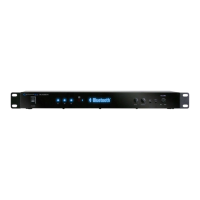
Model: BLUEDECK2
BLUEDECK2
1.Power Supply: Use the power cord provided with the unit. Before connecting it to the outlet, be sure the
power of the BLUEDECK2 is off.
2.Voltage Selector: Select between 230V AC 50Hz / 115V AC 65Hz.
3.LINE Output: Connect the line output on the BLUEDECK2 to the line input on either a recording device or
another amplifier / receiver. The signal from the line outputs is a passive output and cannot be connected
directly to a passive speaker.
BLUEDECK2 Rear Panel
BLUEDECK2 Remote
2 1
3
BLUEDECK2
Volume
1
2
3
1.Master Volume Control: Use these buttons to adjust the
master volume output.
2.Previous & Next Track:
Press either of these buttons to
go to the previous or next track on bluetooth device .
3.Play/Pause: Press this button to pause the signal from the
bluetooth device. Press again to play.


 To Next Page