O
SFC
o©
0
0
SFC is the abbreviation of Sound Field Control
The SFC function gives presence and spread thereby enhancing and
enriching the music or movie.
LIVE
Primarily for vocal pieces, this mode adds gloss to the vocals and
you'll feel as though you were hearing a live stage performance.
THEATER
You can dearly perceive the directions and source of the movie.
Real ambience of sound can also be recreated naturally using this
mode.
THEATER mode can be used with stereo sources not encoded with
DOLBY SURROUND.
When using DOLBY SURROUND encoded_c_ materials, select
the DOLBY PRO LOGIC SURROUND.
SIMULATED
Choose this mode if little or no sound will be heard from the
surwundspeakers.
You can feel as if you were in a more expanded space adding to the
actual sound from the source.
This mode also adds effect to monaural soUl_._s by output_g the
sound from surround speakers.
You can ad_ast center speaker volume only in the theater mode. The
center speaker is not used in the simulated mode.
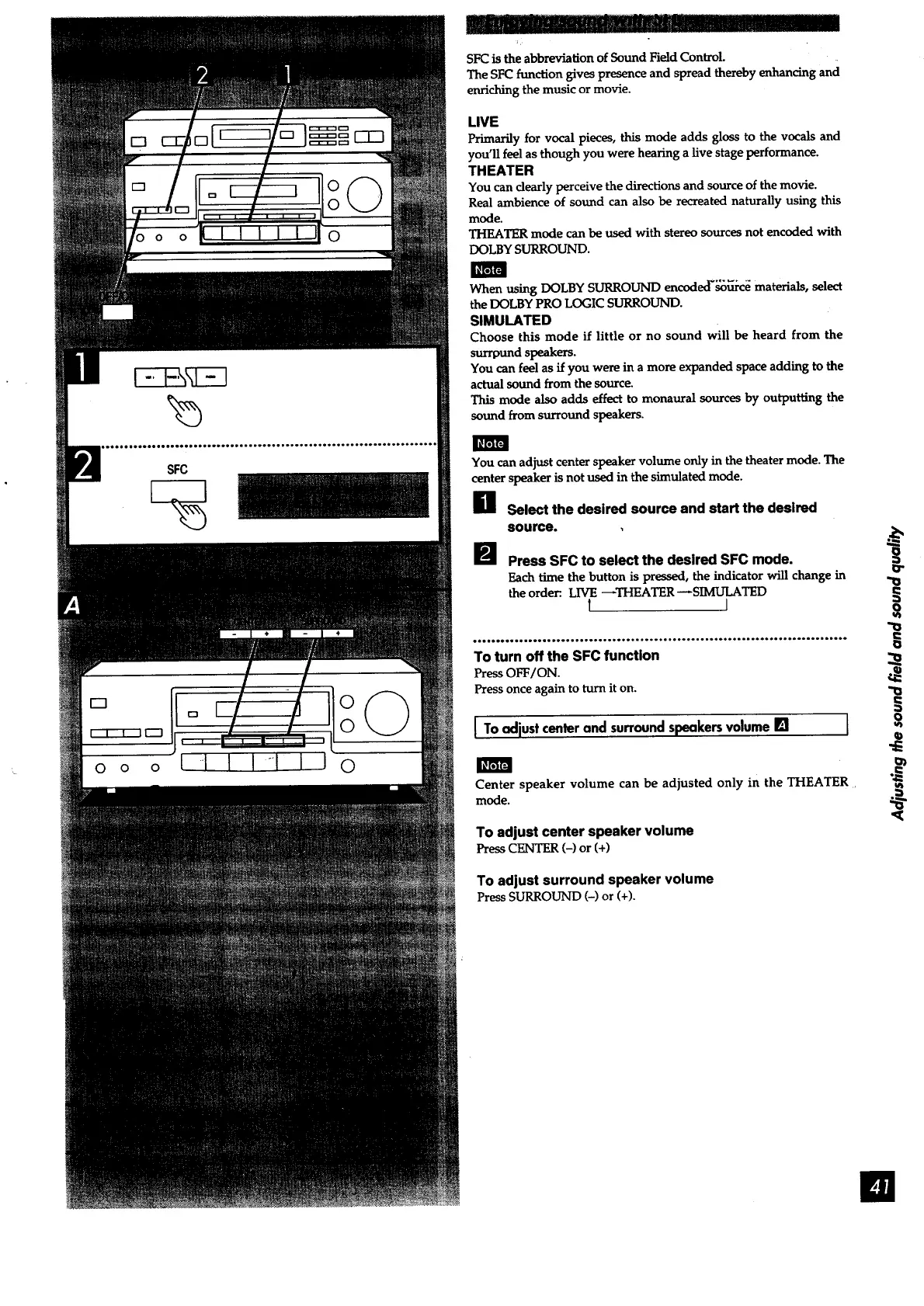
e Select the desired source and start the desired
source.
Press SFC to select the desired SFC mode.
Each time the button is pressed, the indicator will change in
the order:. LIVE _THEATER _SIMULATED
t 1
,..,.Joe.,.,.ool...o., o,.e.....o.ol°,...o, io....,....o........o..oo...oo,Q.o..oo.
To turn off the SFC function
Press OFF/ON.
Pressonce again to turn it on.
[ Toadjustcenterandsurroundspeakersvolume[] [
Center speaker volume can be adjusted only in the THEATER.
mode.
To adjust center speaker volume
Press CENTER (-) or (+)
To adjust surround speaker volume
PressSURROUND (-) or(+).
!
l



 To Next Page