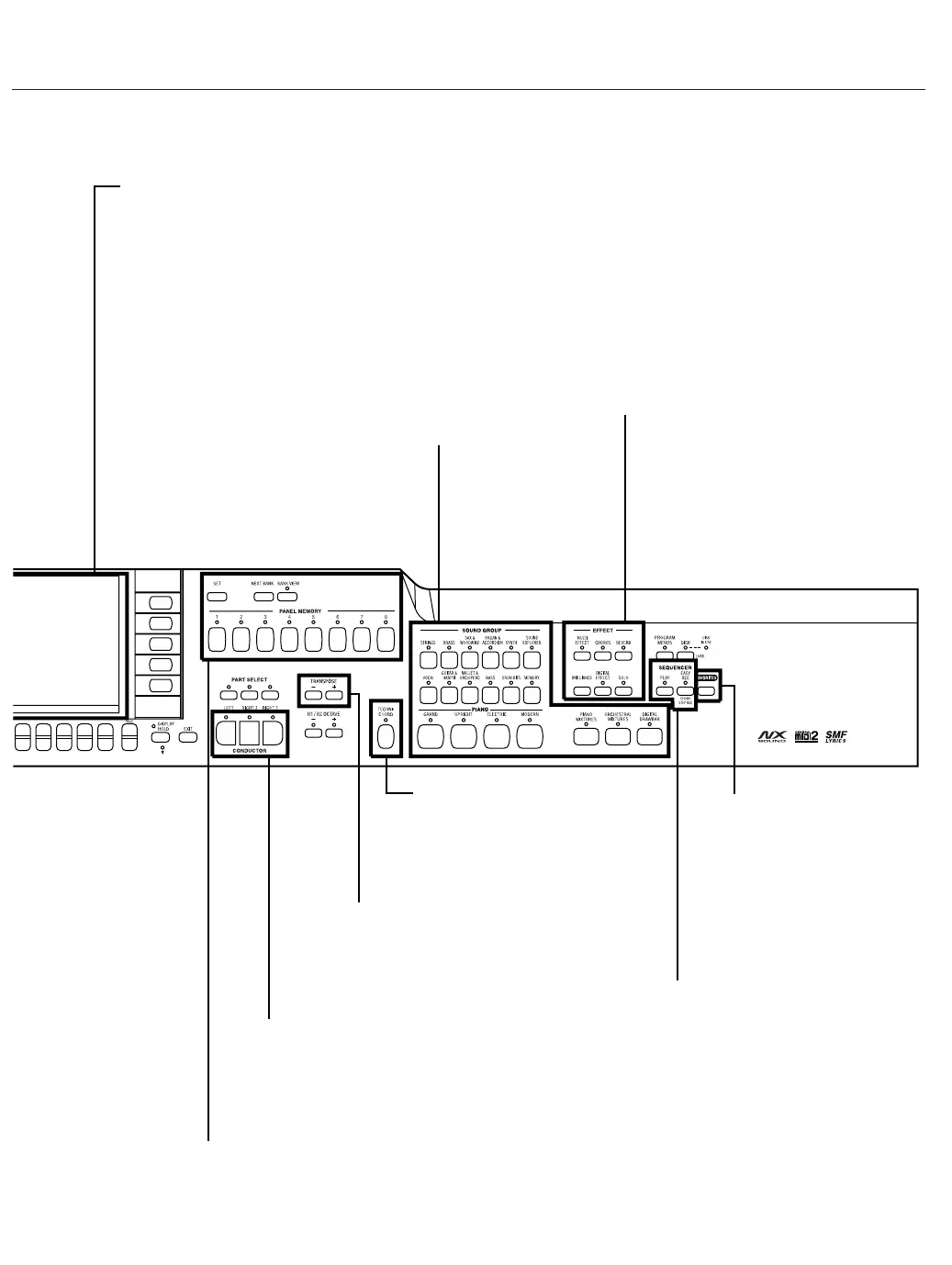
SEQUENCER
Record and play back your
performance.
EFFECT
Add various effects to the
sounds.
SOUND GROUP
Various sounds are
available for each sound
group.
TECHNI-CHORD
Block chords are
automatically added to the
melody.
CONDUCTOR
Assign a different sound to each
part, then assign the desired
parts to sections of the keyboard.
PANEL MEMORY
Store the panel settings, then recall
them instantaneously just by pressing
a button or two.
DISPLAY
Displays performance information, function
settings and other messages.
• Use the LCD CONTRAST buttons to
adjust the display so that it is easy to read.
TRANSPOSE
Raise or lower the key
of the entire keyboard.
FAVORITES
Fashion a customized
display in which all your
favorite sounds, rhythms
and styles are assembled.



 To Next Page