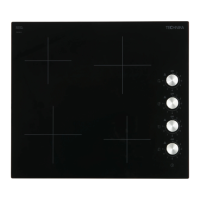
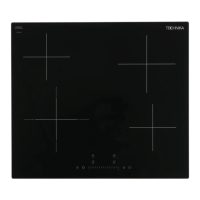
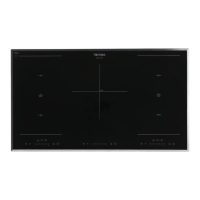
This document provides comprehensive instructions for the safe use, installation, and maintenance of the Technika 90cm ceramic cooktop, model 95HTSS-5. It emphasizes safety warnings, operational procedures, and care guidelines to ensure optimal performance and longevity of the appliance.
Function Description
The Technika 95HTSS-5 is a 90cm ceramic cooktop designed for domestic household use, offering five cooking zones for versatile meal preparation. It operates by generating heat directly on the ceramic glass surface, which then transfers to the cookware. The cooktop is controlled via touch-sensitive controls, allowing for precise adjustment of heat settings and activation of various functions.
Usage Features
The cooktop incorporates several user-friendly features to enhance the cooking experience:
- Touch Controls: The appliance utilizes touch controls that respond to the ball of your finger, not its tip. A beep confirms each touch. It's crucial to keep the control area clean and dry, as even a thin film of water can hinder operation.
- Power On/Off: To begin cooking, simply touch the ON/OFF key, and all indicators will display "-".
- Heating Zone Selection and Adjustment: After placing suitable cookware on a clean and dry cooking zone, select the desired zone. The indicator will flash "5" (the default power level). Heat settings can then be adjusted using the "Slider" control. If no heat setting is chosen within one minute, the hob automatically switches off. Heat settings can be modified at any time during cooking.
- Extendable Zone Function: Where fitted and indicated by dotted lines, extendable zones offer flexibility. These zones consist of two circuits: a center zone and an outer zone. Initially, only the center zone is activated. To engage the outer zone, select the extendable zone and touch the dedicated extendable zone key; the display will show "=". To deactivate the outer zone, press the extendable zone key again, then adjust the power level using the "Slider" control.
- Keep Warm Function: This feature allows you to maintain food at a warm temperature. To activate, select the zone with the keep warm function (typically the front left zone) and then touch the keep warm key; the zone indicator will display " | ". To cancel, either select a new heat setting using the "Slider" control or turn off the entire cooktop.
- Residual Heat Warning: After use, the cooktop surface may remain hot. An "H" will be displayed to warn users, disappearing once the surface has cooled to a safe temperature. This also serves as an energy-saving function, allowing you to use the residual heat for further cooking.
- Auto Shutdown: As a safety feature, the hob automatically shuts down if a cooking zone is left unattended for an extended period. Default shutdown times vary depending on the power level selected.
- Timer Function: The timer can be used in two ways:
- Minute Minder: This acts as a countdown timer without affecting cooking zones. When the set time expires, an alarm sounds, and the indicator shows "- -".
- Cut-off Timer: This feature allows you to set a specific time after which one or more cooking zones will automatically switch off. A red dot in the bottom right corner of the power level indicator signifies that a timer is set for that zone. The timer can be set for up to 99 minutes.
- Locking Controls (Child Lock): To prevent unintended use, such as children accidentally turning on cooking zones, the controls can be locked. Touch the lock key, and the timer indicator will show "Lo". In this mode, all controls except the ON/OFF key are disabled. To unlock, ensure the hob is on, then touch and hold the lock key for 5 seconds. In an emergency, the ON/OFF key can always be used to turn off the hob, but unlocking is required for further operation.
- Start/Pause Function: This function allows you to temporarily pause all cooking zones. Touching the Start/Pause key will stop all heating zones, and indicators will show "||". Touching it again will revert all zones to their original settings. This function is available only when one or more heating zones are active. If the pause control is not cancelled within 30 minutes, the cooktop will automatically switch off.
Cooking Guidelines:
- Energy Efficiency: Using a lid reduces cooking times and saves energy. Minimizing liquid or fat also helps.
- Heat Management: Reduce power settings once food comes to a boil. Start cooking on high and reduce heat once food has heated through.
- Simmering: Occurs below boiling point (around 85℃) for developing flavors in soups and stews, and for cooking egg-based or flour-thickened sauces.
- Searing Steak: Prepare meat at room temperature. Heat a heavy-based frying pan, brush steak with oil, and add a small amount of oil to the hot pan. Turn the steak only once. Cooking times vary based on thickness and desired doneness. Allow steak to rest before serving.
- Stir-frying: Use a ceramic-compatible flat-based wok or large frying pan. Have all ingredients ready, cook in smaller batches if necessary. Preheat pan, add oil, cook meat first and keep warm, then stir-fry vegetables. Return meat to pan, add sauce, and gently stir to heat through.
Maintenance Features
Proper care and cleaning are essential for maintaining the cooktop's appearance and functionality.
- Everyday Soiling (Fingerprints, Marks, Food Stains):
- Switch off the cooktop.
- Apply a cooktop cleaner while the glass is still warm (but not hot).
- Rinse and wipe dry with a clean cloth or paper towel.
- Switch the cooktop back on.
- Important: Heavy-duty scourers, some nylon scourers, and harsh/abrasive cleaning agents can scratch the glass. Always check cleaner labels. Never leave cleaning residue, as it can stain the glass.
- Boil-overs, Melts, and Hot Sugary Spills:
- Immediately remove these with a fish slice, palette knife, or razor blade scraper suitable for ceramic glass cooktops, being extremely cautious of hot surfaces.
- Switch off the cooktop at the wall.
- Hold the blade at a 30° angle and scrape the soiling to a cool area.
- Clean up the soiling with a dishcloth or paper towel.
- Follow the steps for "Everyday soiling on glass" to finish cleaning.
- Important: Remove sugary spills as soon as possible. If left to cool, they can be difficult to remove and may permanently damage the glass surface. The scraper blade is razor-sharp; use with extreme care and store safely.
- Spillovers on Touch Controls:
- Switch off the cooktop.
- Soak up the spill.
- Wipe the touch control area with a clean damp sponge or cloth.
- Wipe the area completely dry with a paper towel.
- Switch the cooktop back on.
- Important: The cooktop may beep and turn itself off, and controls may not function if liquid is on them. Ensure the touch control area is dry before turning the cooktop back on.
- Cookware: Use cookware with smooth, flat bases that sit evenly on the cooking zone. Avoid pans with jagged edges or curved bases, as these can scratch the glass. Always lift pans; do not slide them.
- General Cleaning: Do not use a steam cleaner to clean the cooktop.
- Troubleshooting: The manual provides a troubleshooting guide for common issues like the cooktop not turning on, unresponsive controls, or scratched glass, along with possible causes and solutions. For persistent problems, contact Technika service.

 Need help?
 General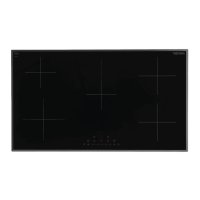

 To Next Page