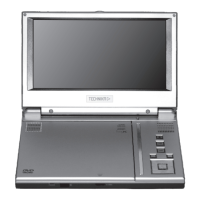
CONTROLS AND FUNCTIONS
Page 3
FRONT VIEW
L.H. VIEW TOP VIEW
R.H. VIEW
1) LCD On/O switch: Press to blank out the screen.
2) MENU Button: Press to access the menu of a DVD
3) SETUP button: Press to enter the player’s Setup menu
4) . (Stop) button: Press to stop a disc (See Page 8)
5) uII (Play/Pause) button: Press to Play/Pause a Disc.
6) Navigation Keys*: (See below)
7) OPEN button: Press to open the Disc Compartment
8) 9 V DC jack: Insert the Mains Adaptor jack here.
9) Battery charge indicator:
The indicator glows red when the battery is charging.
When the battery is fully charged the indicator goes out.
10) Power On/O switch (with integral power indicator):
Switch the Player ON/OFF. When the player is on the indicator is lit.
11) Infrared sensor: Point the Handset here to operate the player.
12) AV OUT jack: Connect to external AV equipment
13) Headphone Jack: Connect to headphones (disables the internal speakers)
14) Volume Control: Alters the volume of the player.
NAVIGATION KEYS
p Move Up a Menu/Menu Choice
q Move Down a Menu/Menu Choice
u Move along a Menu/Menu Choice
t Move Back in a Menu/Menu Choice
OK Conrm an Action



 To Next Page