EN15
The reception strength symbol shows you the strength of the reception signal at the
installation location:
- If reception is weak, transmission problems may occur. In this case, we recommend
a different installation location (see "Transmission problems").
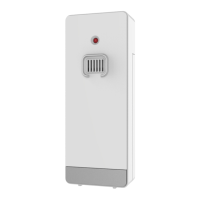
Connecting multiple outdoor sensors
The base station has enough channels to connect up to 3 outdoor sensors at the
same time. To use the different channels, the sensor switch on the sensor itself
has to match a free channel space on the base station display (1, 2 or 3).
Press the "+" button to permanently display the channel 1, 2, 3 or the cycle mode.
When the " " icon is displayed the channels are in cycle mode and every 5 se-
conds a new channel will automatically be shown.
If the base station failed to receive transmission from outdoor sensor (“- -”display
on the LCD), press and hold the "+" button for 3 seconds to receive transmission
manually for the selected channel. The outdoor area will show an animation of the
reception antenna symbol and the base station will try to receive the wireless sig-
nal of the outdoor sensor.
Operation
Manual time setting:
Press and hold the “ /SET” button for 2 seconds and the temperature unit °C is
flashing. Press the “+” or the “-/WIFI” button to set the temperature unit in °C or °F.
Press the “ /SET” button to confirm your setting and the barometric pressure
unit hPa/mb is flashing. Press the “+” or the “-/WIFI” button to set the pressure unit
in hPa/mb or inHg or mmHg.
Press the “ /SET” button to confirm your setting, the 12/24 hour mode display
starts to flash. Press the “+” or the “-/WIFI” button to set the correct 12/24 hour
mode.
Press the “ /SET” button to confirm your setting, the time zone start to flash.
Press the “+” or the “-/WIFI” button set a correct time zone (-12 to +12).
Press the “ /SET” button to confirm your setting, the hour display starts to flash.
Press the “+” or the “-/WIFI” button to set the correct hour.











 To Next Page