EN29
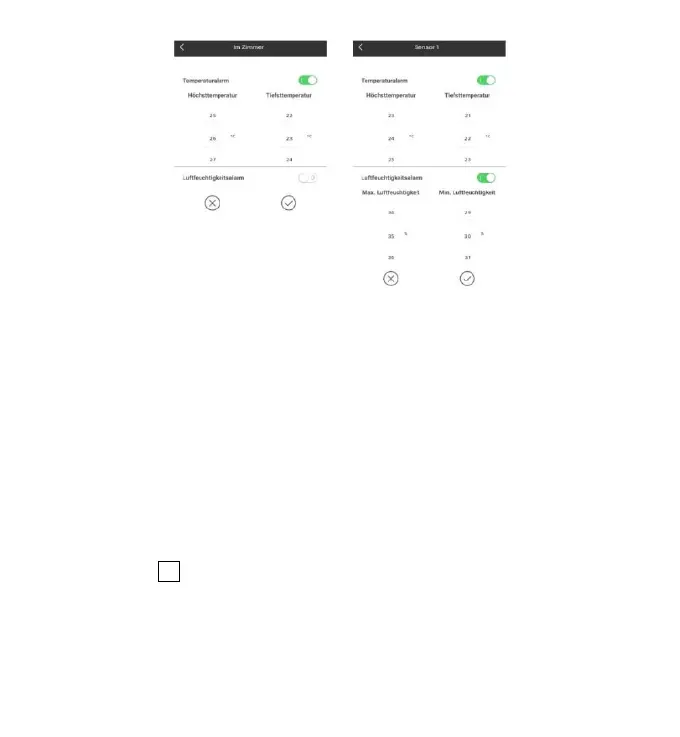
Temperature and humidity alert setting
for main station (left) and outdoor sensor (right)
Temperature and humidity alert
After the temperature and humidity alarm setup is complete, click on the "V"
checking icon for confirmation. The alert setting will be shared with the base
station via the WiFi connection. Once an temperature or humidity alert gets
activated, it will share the alarm information with the app via WiFi and the app will
automatically prompt the alarm notice.
Menu description
Click on the “D1”in the home page, and the left side will slide out of the main
menu. Click on the area or function block of the icon, which corresponds to the
function settings of the table below.











 To Next Page