50
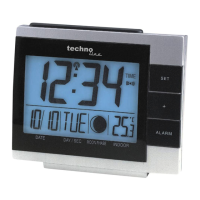
SET key (Setting):
To enter the set mode for the following functions: LCD contrast, Time zone, Time
Reception ON/OFF, 12/24 hour display, Manual time, Year, Date, Sunrise/ sunset
city location, Snooze time duration, °C/°F, and Weather forecast sensitivity settings.
To toggle between the display of "Weekday + date + month", "Second", "Alarm
time", and "Date + month + year"
To press and hold for 3 seconds to reset at the same time the maximum/ minimum
temperature and humidity records of indoor and the currently selected outdoor
channel (will reset all records to current level)
To stop the alarm
To switch on the backlight
MIN/ MAX
To toggle between the maximum/ minimum outdoor temperature and maximum/
minimum indoor temperature and humidity data
Note: The Time/date shown is corresponding to MIN/MAX temperature data.
To stop the alarm
To switch on the backlight
ALM key (alarm)
Press for about 3 seconds to enter the Alarm setting mode
To activate/ deactivate the alarm
To stop the alarm
To switch on the backlight



 To Next Page