EasyManua.ls Logo

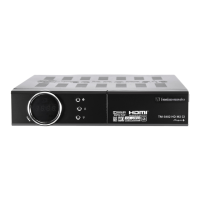
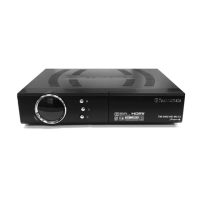
Technomate TM-5402HD M3 CI Super+ - User Manual

Technomate TM-5402HD M3 CI Super+
132 pages
Print Icon
To Next Page IconTo Next Page
Loading...
USERS MANUAL
Manuel D’utilisation
High Definition Digital Satellite
Television Receiver and Recorder
Démodulateur & Enregistreur
de Télévision Numérique
de Haute Définition
TM-5402HD M3 CI Super+
Your Digital Partner for Life

Questions and Answers

Summary

Easy Installation Guide

Using Preinstalled Satellite & Channels

Guide for using pre-loaded satellite and channel data for initial setup.

New Installation from Start

Instructions for performing a fresh installation without pre-existing satellite data.

Install New Satellite (Fixed)

Steps to add a new satellite for fixed, non-motorized dish systems.

Setup Monoblock or DiSEqC Switch

Configuring monoblock or DiSEqC switches for multiple LNBs/dishes.

Setup DiSEqC 1.2 Motorised System

Configuring DiSEqC 1.2 motor for motorized satellite dish systems.

Setup USALS Motorised System

Configuring USALS motor for motorized satellite dish systems.

Restore Default Channels

Procedure to restore the receiver to its default channel list.

Introduction

Overview

General description of the satellite receiver's capabilities and purpose.

Main Features

Highlights the primary features and functionalities of the satellite receiver.

Safety Precautions

Safety Guidelines

Important safety instructions to follow before operating the unit.

Installation Precautions

Precautions to take when installing the satellite receiver unit.

Points to Check before Use

Included Accessories

Lists all accessories provided with the satellite receiver package.

Satellite Dish Setup

Guidance on the proper installation and setup of the satellite dish.

Controls;Functions

Front Panel Controls

Identifies and explains the buttons and indicators on the receiver's front panel.

Rear Panel Connections

Details the various input and output ports located on the rear panel.

Remote Controller Functions

Explains the purpose and operation of each button on the remote control.

How to Connect

Connecting Receiver to TV

Step-by-step guide for connecting the satellite receiver to a television.

Operation

Getting Started

Initial setup and basic operation procedures for the satellite receiver.

System Setting

Configuration options for system-wide settings like time, audio, video, and network.

Channels

Managing channels, including favorites, renaming, moving, locking, skipping, and deleting.

Electronic Program Guide

Accessing and using the Electronic Program Guide (EPG) for program information.

Entertainment

Features for accessing entertainment content like YouTube, Internet Radio, Weather, and Map.

USB;External Device

Managing files and media via USB or external storage devices.

Common Interface

Information on using Common Interface modules for accessing scrambled channels.

Conditional Access System

Details on smart card initialization and status for accessing protected content.

DVR

Functions related to Digital Video Recording, including file management, playback, and recording.

Troubleshooting

Common Issues and Solutions

Provides solutions for common problems like no light, no picture, or remote issues.

Specifications

Technical Specifications

Detailed technical specifications of the receiver's hardware components and capabilities.

Component Specifications

Specifications related to interfaces, power supply, connectors, and RF modulator.

Technomate TM-5402HD M3 CI Super+ Specifications

General IconGeneral
BrandTechnomate
ModelTM-5402HD M3 CI Super+
CategoryTV Receiver
LanguageEnglish

Related product manuals