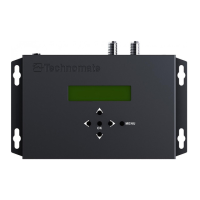
d. Select a FEC via buttons
e. Press OK to confirm
9. Guard Interval: 1/4, 1/8, 1/16 or 1/32. Default is: 1/32
a. Press MENU button
b. Go to ADVANCED via buttons and press OK
c. Go to GUARD INTERVAL via buttons and press OK
d. Select an interval via buttons
e. Press OK to confirm
10. Carrier Rate: 2K or 8K. Default is: 8K
a. Press MENU button
b. Go to ADVANCED via buttons and press OK
c. Go to CARRIER RATE via buttons and press OK
d. Select a rate via buttons
e. Press OK to confirm
11. Video Bitrate: adjust the video compression size. Default is: 18,000 Mbps
a. Press Menu button
b. Go to ADVANCED via buttons and press OK
c. Go to VIDEO BITRATE via buttons and press OK
d. Enter a number via buttons
e. Press OK to confirm
12. Audio Bitrate: adjusts the audio compression size. Default is: 192 kbps
a. Press MENU button
b. Go to ADVANCED via buttons and press OK
c. Go to AUDIO BITRATE via buttons and press OK
d. Select a rate via buttons
e. Press OK to confirm
13. Audio Format: adjusts the audio type. Default is: MPEG
a. Press Menu button
b. Go to ADVANCED via buttons and press OK
c. Go to AUDIO FORMAT via buttons and press OK
d. Select a format via buttons
e. Press OK to confirm
14. Audio Sync: to adjust the audio delay. Default is: 0
a. Press Menu button
b. Go to ADVANCED via buttons and press OK
c. Go to AUDIO SYNC via buttons and press OK
d. Enter a number via buttons
e. Press OK to confirm
15. dB Level: to adjust the dB strength from RF OUT. Default is: 0 dB
a. Press MENU button
b. Go to ADVANCED via buttons and press OK
c. Go to dB LEVEL via buttons and press OK
d. Enter a number via buttons
e. Press OK to confirm


 To Next Page
 Loading...