ENGLISH
18
1. Connection:
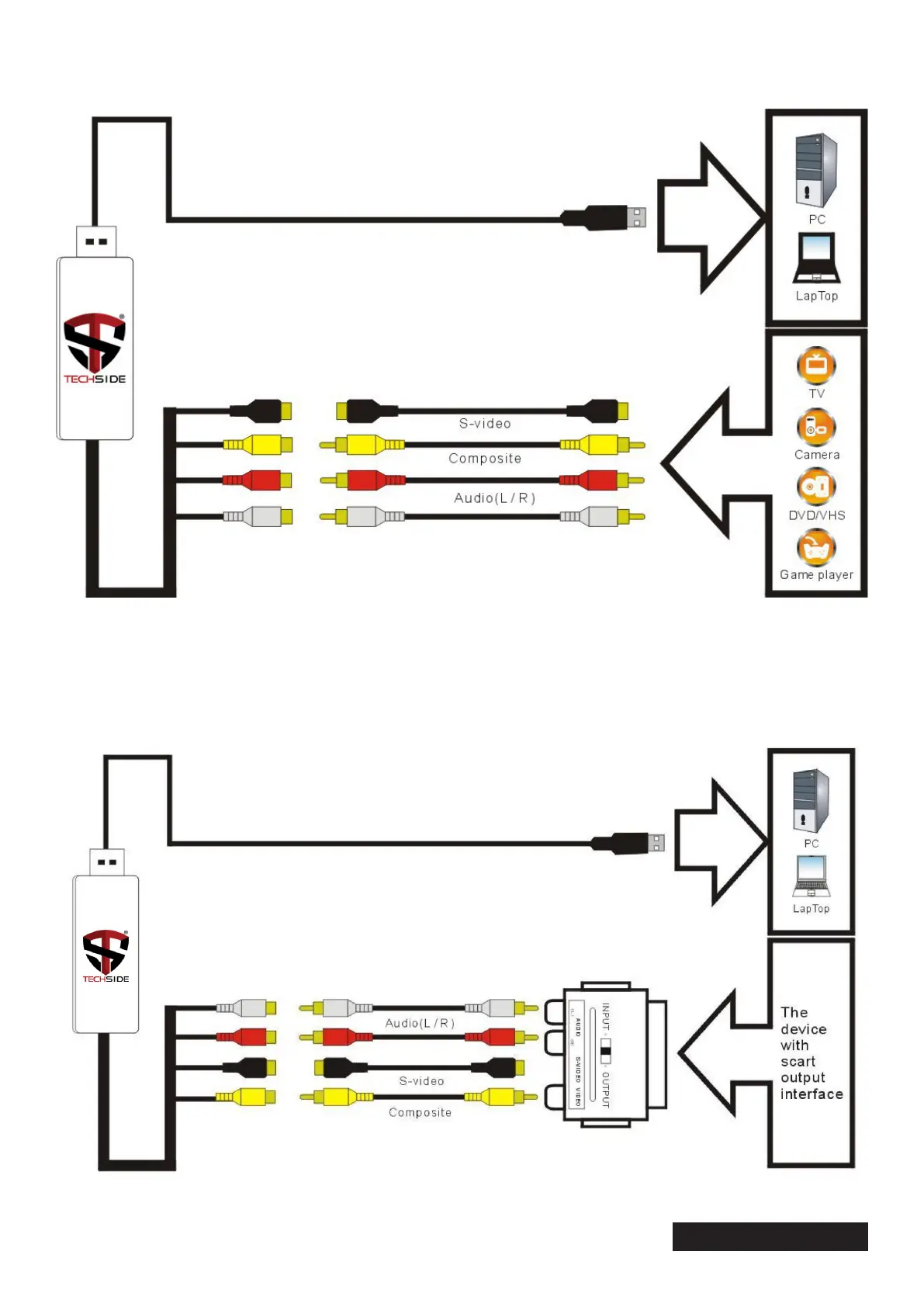
The device can be used in two different ways:
Connect the RCA
1
cables, yellow, red and white to the “TechSide EASY CAPTURE” and to the analog
playback device.
Connect the S-video cable and the Audio L / R cable to ensure better quality.
If you do not have an RCA or S-Video output, use a Scart adapter. Connect the equipment as shown in
the image below and set the switch to OUTPUT.
2
Attention:
1: It is necessary to purchase the RCA cable and the S-Video cable to connect TechSide EASY CAPTURE to the analog video device.
2: It is necessary to purchase the Video / Audio Scart adapter if the output of the video source device is of the Scart type.
The following Capture devices can be used as analog video sources: such as VCR, DVD player, video camera, set-top box, game player and any device that provides an analog video signal with RCA or S-Video output


 To Next Page