EasyManua.ls Logo

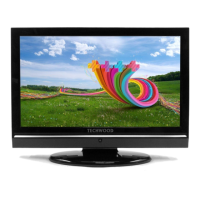
TECHWOOD 32884 HD DIGITAL - User Manual

TECHWOOD 32884 HD DIGITAL
33 pages
Print Icon
To Next Page IconTo Next Page
Loading...
32884 HD DIGITAL
OPERATING INSTRUCTIONS
COLOUR TELEVISION WITH REMOTE CONTROL
HELP LINE NUMBER 0845 543 0485

Table of Contents

Question and Answer IconNeed help?

Do you have a question about the TECHWOOD 32884 HD DIGITAL and is the answer not in the manual?

Summary

Introduction and Setup

Power Safety

Details power source requirements and safe cord handling.

Remote Control Operation

Overview of Remote Control

Identifies and explains the functions of each button on the remote.

Remote Control Button Functions

Detailed list of remote control buttons and their actions.

Connecting External Devices

Connecting to a DVD Player

Details methods to connect a DVD player via HDMI, Component, or SCART.

Basic TV Operations

Input Selection

Explains how to switch between different input sources.

Initial Settings

Guides through the first-time setup process, including language and country selection.

Program Guides and Information

Electronic Programme Guide (EPG)

Explains how to access and use the EPG for program information.

System Configuration

Timers and Recording

Setting and managing timers for TV viewing or recording.

Conditional Access Setup

Details requirements and setup for pay-per-view services.

TV Setup and Configuration

Configuration Options

Adjusting settings like Dolby D, Hard of Hearing, Scan Encrypted, OAD, and Parental Control.

Personalization and System Settings

PIN and Time Settings

Setting PIN and configuring time and time zone.

Language Settings

Adjusting system, audio, subtitle, and guide languages.

Language and Installation

Language Settings Details

Detailed explanation of preferred and current language settings.

Automatic Channel Scan

Guides on performing an automatic channel scan.

Channel Scanning and Media

Channel Search Options

Covers manual and automatic channel search processes.

First Time Installation

Restoring default factory settings and initial setup.

Picture and Sound Settings

Analogue TV Picture Menu

Adjusting picture settings like Mode, Contrast, Brightness, and Colour.

Sound and Feature Adjustments

Feature Menu Options

Settings for Sleep Timer, Child Lock, Language, and Default Zoom.

Install Menu Details and Source Selection

APS (Auto Programming System)

Explains automatic tuning and its process.

Teletext and Tips

Troubleshooting Tips

Common issues like image persistence, no power, poor picture, no picture, sound, and remote control.

Appendices

Specifications

TV Broadcasting and Reception

Technical details on TV broadcasting standards and digital reception.

Important Instructions

Mains (AC) Operation

Wiring instructions for the mains plug and fuse replacement.

Safety Cautions

Warnings regarding electric shock, user-serviceable parts, and exposure to elements.

Summary

Introduction and Setup

Power Safety

Details power source requirements and safe cord handling.

Remote Control Operation

Overview of Remote Control

Identifies and explains the functions of each button on the remote.

Remote Control Button Functions

Detailed list of remote control buttons and their actions.

Connecting External Devices

Connecting to a DVD Player

Details methods to connect a DVD player via HDMI, Component, or SCART.

Basic TV Operations

Input Selection

Explains how to switch between different input sources.

Initial Settings

Guides through the first-time setup process, including language and country selection.

Program Guides and Information

Electronic Programme Guide (EPG)

Explains how to access and use the EPG for program information.

System Configuration

Timers and Recording

Setting and managing timers for TV viewing or recording.

Conditional Access Setup

Details requirements and setup for pay-per-view services.

TV Setup and Configuration

Configuration Options

Adjusting settings like Dolby D, Hard of Hearing, Scan Encrypted, OAD, and Parental Control.

Personalization and System Settings

PIN and Time Settings

Setting PIN and configuring time and time zone.

Language Settings

Adjusting system, audio, subtitle, and guide languages.

Language and Installation

Language Settings Details

Detailed explanation of preferred and current language settings.

Automatic Channel Scan

Guides on performing an automatic channel scan.

Channel Scanning and Media

Channel Search Options

Covers manual and automatic channel search processes.

First Time Installation

Restoring default factory settings and initial setup.

Picture and Sound Settings

Analogue TV Picture Menu

Adjusting picture settings like Mode, Contrast, Brightness, and Colour.

Sound and Feature Adjustments

Feature Menu Options

Settings for Sleep Timer, Child Lock, Language, and Default Zoom.

Install Menu Details and Source Selection

APS (Auto Programming System)

Explains automatic tuning and its process.

Teletext and Tips

Troubleshooting Tips

Common issues like image persistence, no power, poor picture, no picture, sound, and remote control.

Appendices

Specifications

TV Broadcasting and Reception

Technical details on TV broadcasting standards and digital reception.

Important Instructions

Mains (AC) Operation

Wiring instructions for the mains plug and fuse replacement.

Safety Cautions

Warnings regarding electric shock, user-serviceable parts, and exposure to elements.

TECHWOOD 32884 HD DIGITAL Specifications

General IconGeneral
Screen Size32 inches
USB Ports1
Display TechnologyLED
Built-in TunerYes
Display Resolution1366 x 768 pixels
Weight4.5 kg

Related product manuals