
 Need help?
Do you have a question about the Techxtras TECH2146 and is the answer not in the manual?
Lists available colors and model numbers for the wireless speaker.
Details size, weight, output, frequency, voltage, distance, battery, and material.
Lists the items included in the speaker's packaging.
Explains how to use buttons for power, playback, calls, and volume.
Provides guidelines for safe handling and use of the device.
Instructions on how to charge the speaker using the provided cable.
Details on connecting and playing music via Bluetooth.
Steps to switch to FM mode and search for channels.
Instructions for answering, ending, rejecting, and redialing calls.
How to connect and play audio using the AUX-In port.
Guide for playing music files from a USB flash drive.
Instructions for playing music from a TF card.
Information on proper disposal, environmental considerations, and device care.
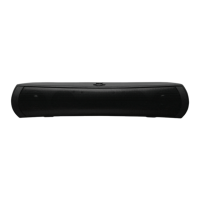
This document describes the Techxtras Wireless Speaker, a portable audio device available in Black (TECH2146), Purple (TECH2147), Rose Gold (TECH2148), and Silver (TECH2149).
The Techxtras Wireless Speaker is designed for versatile audio playback and hands-free calling. It supports wireless connectivity for streaming music from smart devices, as well as playback from USB flash drives, TF cards, and auxiliary input. It also features an FM radio function for listening to local stations. The speaker allows users to answer, end, reject, and redial calls directly from the device when connected to a phone.
Power ON/OFF: The speaker is powered on or off using a rear switch.
Audio Playback:
Mode Selection:
Phone Calls:
Charging:
Wireless Music Function:
FM Radio Function:
AUX Function:
USB Play:
TF Card Play:
Safety Instructions:
Disposal and Environmental Considerations:
General Care:

 To Next Page
 General