Touchpad
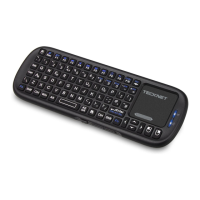
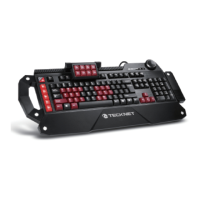
The X331 Keyboard’s Touchpad has the added function of the scrolling
effect, similar to the scroll wheel on a mouse. By pressing the Fn button
and sliding your finger within the scroll area, you can scroll up and down
documents and web pages
Auto Sleep - Wake Function
The X331 keyboard also features an auto “Sleep-Wake” function. After a period of
incativity, the keyboard will automatically go into “Sleep-Mode”. The keyboard can
be reactivated by pressing any key. The 2.4GHz receiver and keyboard’s RF
indicator will continue to flash and will not power down.
Note: Wireless devices may be subject to interference which may affect
the performance of this product.
After use, switch the keyboard’s ON-OFF button to the OFF position to
conserve power. Unplug the USB Receiver from the connected device
and insert it back into the keyboard for safe keeping.
Charging the Keyboard Battery
The keyboard contains a built-in rechargeable lithium-ion battery. The low-
charge warning light will flash when the battery needs recharging. The keyboard
will automatically turn off when the battery is fully depleted. To recharge,
connect keyboard to a PC using the the supplied USB cable.
Note: Fully charge the keyboard battery before using for the first time.
Use only approved charging units and cables. The keyboard can be
operated while charging in which case charging will take longer.
Attention:
1.Please turn off the device in areas with “No Wireless Devices
Allowed” notices.
2.Wireless devices may interfere with impanted pacemakers, hearing aids
and other medical devices.
3.Only use factory specified parts. Please use the supplied charging
cable. The use of other charging devices may be dangerous.
4.This electronic wireless device can disturb the communications systems
of planes. Please turn off the device before boarding an aircraft.
04



 To Next Page