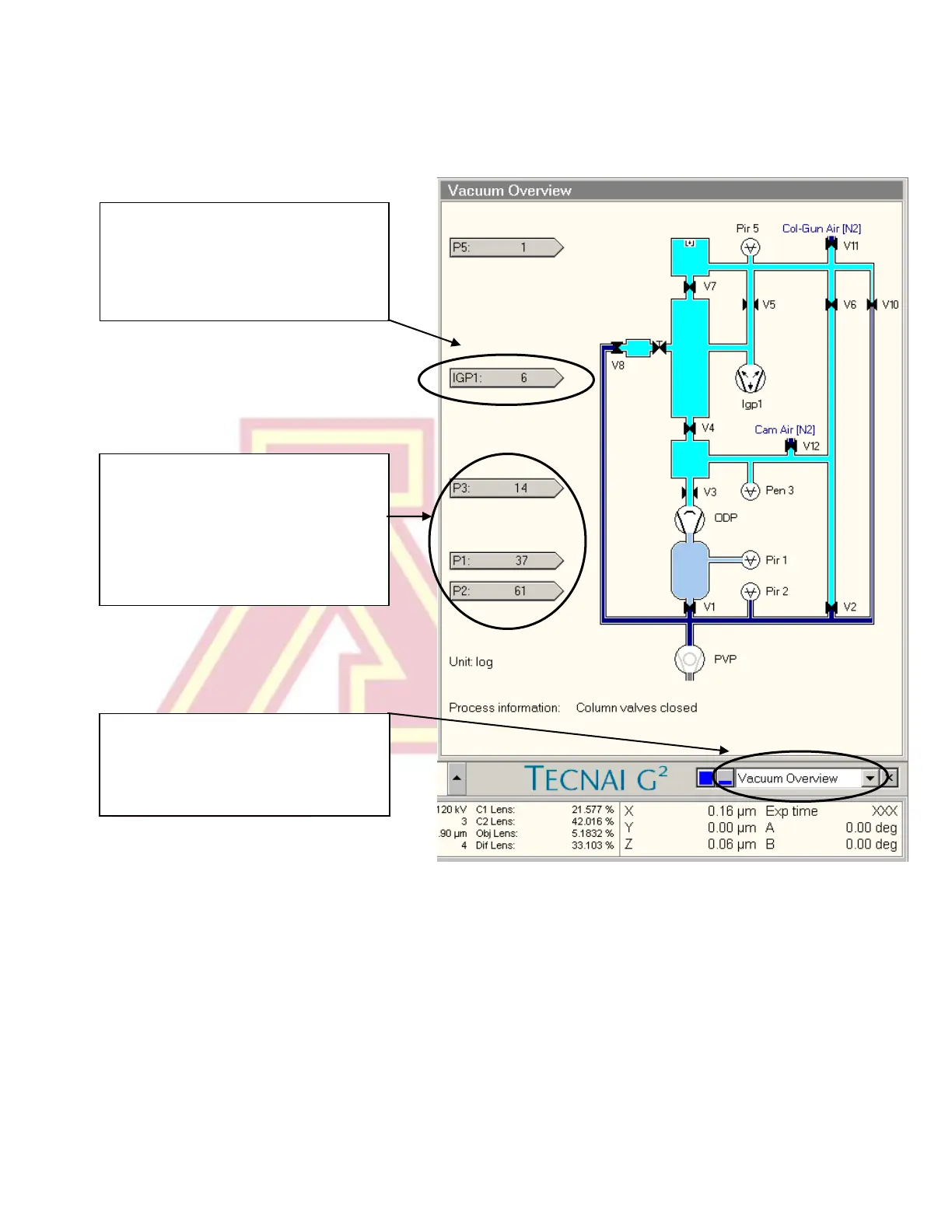
IGP1 indicates the vacuum level in
the column and gun chamber. It
should read 6 when the cold finger
is chilled.
7.) Open the “Vacuum Overview” screen by selecting it from the box in the bottom
right corner of the screen. Check that IGP1 (Gun/Col) reads ~6 (log units).
P3 indicates the camera vacuum
level. It should read < 35.
P1 indicates the pressure in the
buffer tank, and P2 the pressure in
the backing pump line.
This dialogue box is used to select
the vacuum overview (or any of
several other information or setup
tabs).



 To Next Page