Need help?
Do you have a question about the Tecno Pouvoir 4 and is the answer not in the manual?
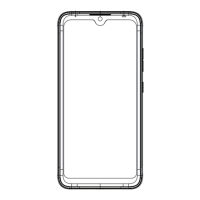
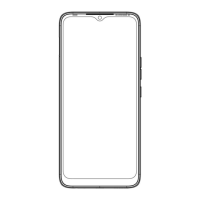
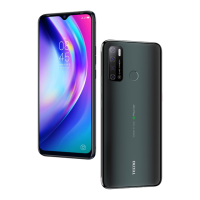
Identifies the front-facing camera on the device.
Describes the button used to adjust audio volume levels.
Indicates the button for turning the device on/off and standby.
Designates the button for accessing Google Assistant.
 General
| Display Size | 7.0 inches |
|---|---|
| Resolution | 720 x 1640 pixels |
| RAM | 3 GB |
| Storage | 32 GB |
| Battery Capacity | 6000 mAh |
| Front Camera | 8 MP |
| CPU | Quad-core 2.0 GHz Cortex-A53 |
| GPU | PowerVR GE8320 |
| Selfie Camera | 8 MP |
| Network | GSM / HSPA / LTE |
| RAM Variant | 3 GB |
| Internal Storage Variant | 32 GB |
| SIM | Dual SIM (Nano-SIM, dual stand-by) |
| Colors | Ice Jadeite, Misty Grey, Fascinating Purple |
| Dimensions | 174.9 x 79.6 x 9.2 mm (6.89 x 3.13 x 0.36 in) |
| Rear Camera | 13 MP + 2 MP + 2 MP |
| Operating System | Android 10 |
| Chipset | MediaTek Helio A22 (12 nm) |
| Internal Memory Options | 32 GB |
| Main Camera | 13 MP + 2 MP + 2 MP |
| Display | IPS LCD |
| Processor Variant | Helio A22 |

 To Next Page