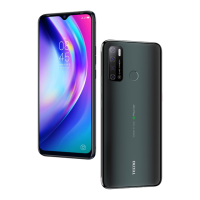
Need help?
Do you have a question about the Tecno Pop 2 and is the answer not in the manual?
Location of the front-facing camera on the device.
Controls the audio volume levels of the device.
Used to turn the device on/off and lock the screen.
This document is a user manual for a mobile phone, specifically the TECNO POP 2, model B1. It provides essential information for users on how to operate and maintain their device.
The manual begins with a declaration of conformity, stating that the TECNO POP 2 (Model: B1) complies with the essential requirements and other relevant provisions of Directive 2014/53/EU. This ensures that the device meets European Union standards for radio equipment. The declaration is provided in English, Arabic, and Amharic, indicating the target markets for this device.
The "Know your phone" section introduces the physical components of the device. It highlights three key external features:
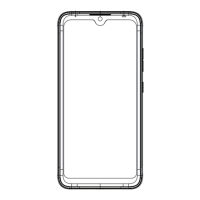
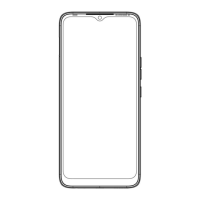
These features are illustrated with a diagram of the phone, clearly labeling each component with corresponding numbers. The labels are provided in English, Arabic, and Amharic, ensuring accessibility for a diverse user base.
The "SIM/SD card installation" section guides users through the process of inserting their Subscriber Identity Module (SIM) cards and Secure Digital (SD) memory cards. This is a crucial step for setting up the phone for communication and expanding its storage capacity. The instructions are straightforward:
The instructions for SIM/SD card installation are also presented in English, Arabic, and Amharic, reinforcing the manual's multilingual approach.
The "Charging the phone" section provides instructions and important warnings regarding how to power up the device. This section is critical for ensuring the longevity of the phone's battery and overall functionality. Key points include:
The charging instructions are detailed across three pages, with separate sections for English, Arabic, and Amharic, each accompanied by a visual diagram illustrating the charging process. The diagram shows the phone connected to a charger via a USB cable, with an inset image highlighting the correct orientation of the USB plug.
In summary, the TECNO POP 2 user manual is designed to be user-friendly and informative. It covers the basic setup and operation of the mobile phone, including identifying key components, installing SIM and SD cards, and charging the device safely. The multilingual format (English, Arabic, Amharic) and visual aids (diagrams) make it accessible to a wide range of users. The emphasis on using genuine accessories for charging is a crucial maintenance feature aimed at protecting the device and preserving its warranty. The dual SIM capability and expandable storage are notable usage features that enhance the phone's versatility for communication and media management.
 General
| Display Size | 5.5 inches |
|---|---|
| Resolution | 480 x 960 pixels |
| Operating System | Android 8.1 Oreo (Go edition) |
| RAM | 1 GB |
| Internal Storage | 8 GB |
| Main Camera | 5 MP |
| Selfie Camera | 8 MP |
| Battery Capacity | 2400 mAh |
| Expandable Storage | microSD, up to 32 GB |
| SIM | Dual SIM (Micro-SIM, dual stand-by) |


 To Next Page