Wireless burar arm syem
Wireless burar arm syem
EV LCD-AL BWL Rel. 1.1 - 03/2021
Via Ciriè 38 - 10099 San Mauro T.se - Torino (Italy)
Tel. +39 011 22 35 410 - Fax +39 011 27 35 590
info@tecnoalarm.com - www.tecnoalarm.com
21ISTR12532
Lead free
compliant
RoHS
Pb
ISO 9001
Li
Le caratteristiche del prodotto possono essere
soggette a modifi che senza alcun preavviso.
Les caractéristiques de ce produit peuvent être
sujettes à modifi cations sans préavis.
The product features can be subject
to change without notice.
Las funciones del producto pueden estar
sujetas a modifi caciones sin previo aviso.
Die Eigenschaften des Produktes können jederzeit
ohne vorherige Ankündigung geändert werden..
EV LCD-AL BWL
DESCRIPTION / DESCRIPCIÓN / BESCHREIBUNG
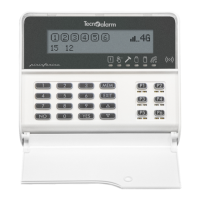
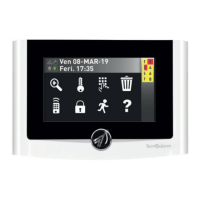
EV LCD-AL BWL es una consola de radio con lector RFID integrado
y display LCD gráfi co para los sistema de la serie Evolution.
La consola permite la conexión/desconexión de los programas
del sistema mediante códigos o transponders de la serie Evolution.
Alimentación - La alimentación puede ser suministrada por fuente
de alimentación externa y/o por batería. El tipo de alimentación
se programa mediante el software Tecnoalarm.
N.B. Las baterías no son recargables, la fuente de alimentación
externa no tiene la función de carga.
The EV LCD-AL BWL is a wireless console with integrated RFID
reader and a graphic LCD display for the Evolution series systems.
The console permits arming/disarming of the system programs either
by codes or by transponders of the series Evolution.
Power supply - The power supply can be provided by external
power supply and/or by battery. The type of power supply is
programmed using the Tecnoalarm software.
N.B. The batteries are not rechargeable and the external power
supply does not perform the charging function
.
Das EV LCD-AL BWL ist ein drahtloses Bedienteil mit integriertem
RFID-Lesegerät und graphischem LCD-Anzeigefeld für die Systeme
der Linie Evolution. Das Bedienteil erlaubt die Verwaltung der
Programme des Systems mit Hilfe von Codes oder den RFID-Schlüsseln
der Linie Evolution.
Stromversorgung - Die Stromversorgung kann über ein externes
Netzteil und/oder über Batterie erfolgen. Die Art der Stromversorgung
wird über die Tecnoalarm Software programmiert.
N.B. Die Batterien sind nicht aufl adbar, das externe Netzteil fungiert
nicht als Ladegerät.
Die Kombination aus Batterie und Netzteil bietet den Schutz einer
Reservestromversorgung, sodaß das Bedienteil auch bei Netzausfall
funktionsfähig ist. Das Bedienteil kann so programmiert werden, daß
es immer aktiv ist oder automatisch angeschaltet wird, zum Beispiel,
um die Buzzer-Signale zu erzeugen. Das kleine AL5V Netzteil
kann problemlos in einer Verteilerdose in der Nähe des Bedienteils
installiert werden.
Programmierung und Authentifi zierung - Die Programmierung
erfolgt über die Tecnoalarm Software. Öffnen Sie die Konfi gurationstabelle
der Funkbedienteile, wählen Sie das Bedienteil
und geben Sie den
12-stelligen WID (Wireless Identifi cation) Code ein, dann vervollständigen
Sie die Einstellungen des Bedienteils. Nachdem Sie alle Systemeinstellungen
und drahtlosen Geräte programmiert haben, übertragen Sie die
Konfi guration an die Alarmanlage, schließen Sie die Stromversorgung
der drahtlosen Geräte an und überprüfen Sie für jedes einzelne von ihnen
die erfolgreiche automatische Authentifi zierung.
La combinación de batería y fuente de alimentación externa
garantiza la protección de una alimentación secundaria de modo
que la consola funcione incluso en caso de falta de red. La consola
se puede programar para que esté siempre activa o se encienda
automáticamente, por ejemplo para generar las señales de buzzer.
La pequeña fuente de alimentación AL5V se puede instalar
fácilmente en una caja de conexiones cerca de la consola.
Programacion y autenticación - La programación se realiza
mediante el software Tecnoalarm. Abra la tabla de confi guración
de las consolas de radio, seleccione
la consola e inserte el código WID
(Identifi cación radio) de 12 dígitos,
luego complete los parámetros
de la consola. Después de la programación de todos los parámetros
del sistema y de los dispositivos radio, transfi era la confi guración
al sistema de alarma, conecte la alimentación a los dispositivos radio
y compruebe quela autenticación automática haya tenido éxito para
cada uno de ellos.
The combination of external power supply and batteries guarantees
the protection of a secondary power supply so that the console
is operational even in case of power failure. The console can
be programmed in order to be always active or to be automatically
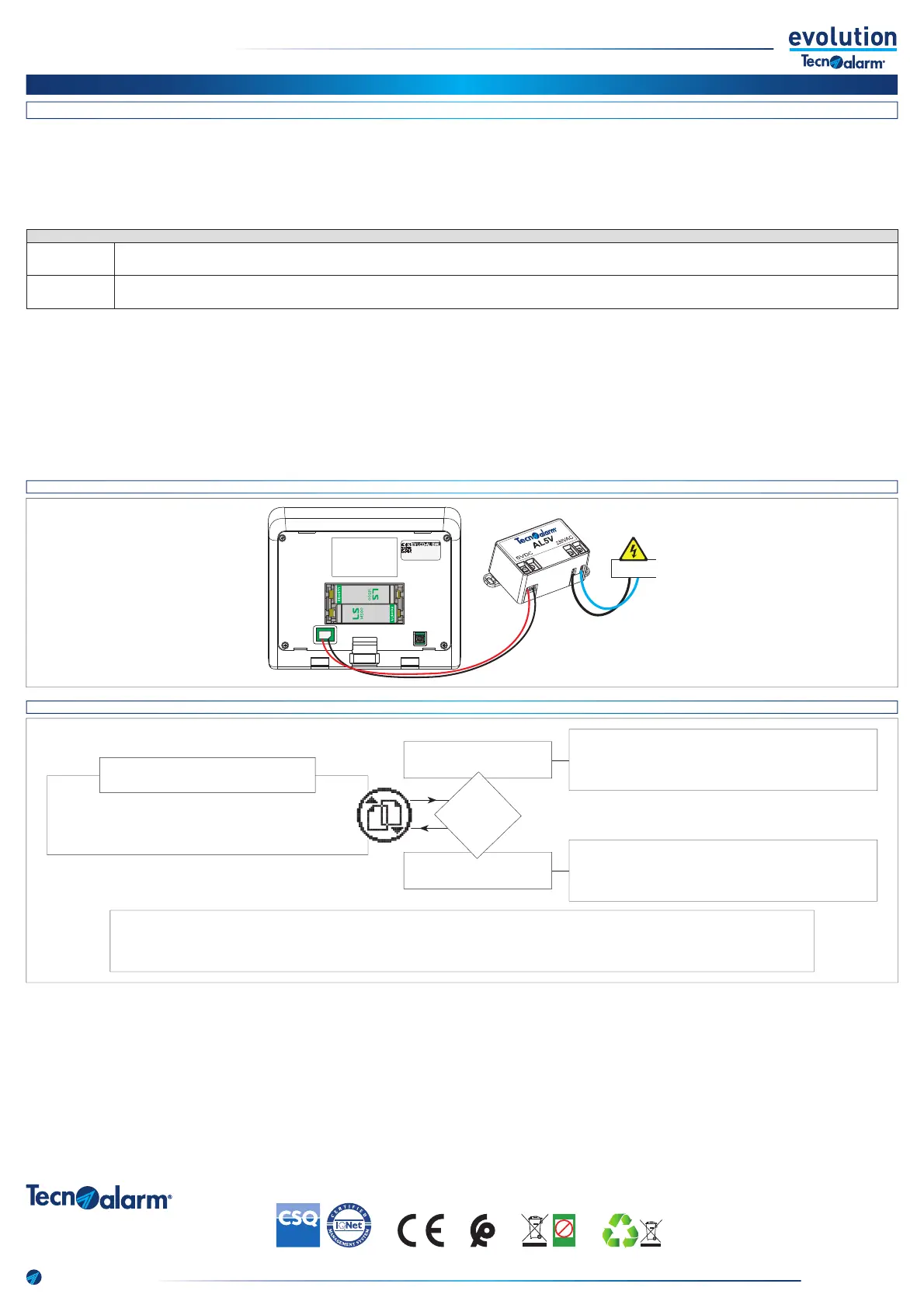
switched on, for example, to start the buzzer signals. The small AL5V
power supply can easily be installed in a junction box near the console.
Programming and authentication - Programming is done by
the Tecnoalarm software. Open the confi guration table of the wireless
consoles, select the console and enter the 12-digit WID (Wireless
Identifi cation) code, then complete the settings of the console. After
programming all system settings and wireless devices, transfer the
confi guration to the alarm system, connect the power supply to the
wireless devices and check the successful automatic authentication
for each of them.
POWER SUPPLY / ALIMENTACIÓN / STROMVERSORGUNG
Mains + batteries
Red + baterías
Netzteil + Batterie
Power supply is normally provided by external power supply, only in case of power failiure by battery.
La alimentación se suministra normalmente por la fuente externa, sólo en caso de falta de red por las baterías.
Stromversorgung normalerweise über das Netzteil, nur bei Netzausfall über Batterie.
Batteries only
Solo baterías
Nur Batterie
Power supply is provided exclusively by battery. / La alimentación se suministra exclusivamente por baterías. / Stromversorgung ausschließlich über Batterie.
CONNECTION OF AL5V / CONEXIÓN DE AL5V / VERBINDUNG MIT AL5V
3.6V
3.6V
072123456783
23102020
3.6V
3.6V
072123456783
23102020
230V AC
AUTHENTICATION PROCESS / PROCESO DE AUTENTICACIÓN / AUTHENTIFIZIERUNGSVORGANG
Prima di eseguire un altro tentativo di autenticazione scollega le batterie, scarica l’energia residua premendo ripetutamente un qualsiasi tasto, ricollega la batteria.
Avant de commencer une nouvelle tentative, déconnecter les batteries, appuyer plusieurs fois sur n’importe quelle touche, puis reconnecter les batteries.
Before starting a new attempt, disconnect the batteries, press any key several times and then connect the batteries again.
Antes de efectuar un nuevo intento, desconecte las baterías, presione cualquier tecla varias veces y luego vuelva a conectar las baterías.
Bevor Sie einen neuen Versuch starten, koppeln Sie die Batterien ab, drücken Sie eine beliebige Taste mehrere Male und koppeln Sie die Batterien danach wieder an.
Il display e i Led della tastiera rimangono spenti
L’affi cheur et la LED de la console restent éteints
The display and the LED on the console remain off
La pantalla y el LED de la consola permanecen apagados
Das Display und die LED des Bedienteils bleiben aus
Il display e i Led della tastiera monitorano lo stato della centrale
L’affi cheur et la LED de la console indiquent l’état du système
The display and the LED of the console display the system status
La pantalla y el LED de la consola visualizan el estado del sistema
Das Display und die LED des Bedienteils zeigen den Systemzustand an
Autenticato / Authentifi ée
Authenticated / Autenticada
Authentifi ziert
Non autenticato / Non authentifi ée
Not authenticated / No autenticada
Nicht authentifi ziert
Collega la batteria. Il display visualizza l’icona di autenticazione.
Raccorder les batteries. L’icône correspondante apparaît sur l’affi cheur
Connect the batteries. The corresponding icon is viewed on the display.
Conectar las baterías. El icono correspondiente aparece en la pantalla.
Batterien einlegen. Auf dem Display erscheint das entsprechende Icon.
Autenticazione / Authentifi cation
Authentication / Autenticación / Authentifi zierung
Esito?
Résultat?
Result?
Resultado?
Ergebnis?


 To Previous Page
 Loading...