
 Need help?
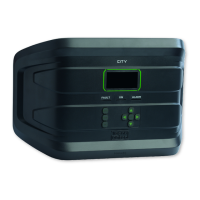
Do you have a question about the Tecnocontrol CITY CE408P and is the answer not in the manual?
Step-by-step guide on how to open and close the control unit enclosure.
Details on connecting the unit to mains power and internal batteries.
Instructions for wiring gas detectors to the control unit's input boards.
Overview of the main menu structure for accessing unit functions.
Procedure for resetting alarms and latched outputs on the control unit.
Management of connected gas sensors, including configuration and status.
Configuration and management of the unit's auxiliary logic input.
Grouping sensors into zones for coordinated alarm management.
Description of the control unit's keyboard functions and operation.
Explanation of the status indicated by the unit's LEDs.
Description of the internal buzzer's sounds and their meanings.
A summary of all menu options, their purpose, and required access levels.
How to enable or disable individual or groups of sensors.
Options for configuring sensors, either pre-configured or generic.
Steps to configure pre-defined sensor models.
Detailed explanation of parameters for pre-configured sensors like TAG, TYPE, GAS, etc.
Explanation of parameters for configuring relay outputs associated with sensors.
Steps to manually configure generic sensor models with all parameters.
Detailed explanation of parameters for generic sensors, including TYPE, GAS, UoM, RANGE.
How to enable or disable the logic input.
Steps to configure the logic input's parameters and behavior.
Explanation of parameters for logic input configuration, such as ACTIVE, OUTPUT N.
How to enable or disable individual or groups of zones.
Explanation of parameters for zone configuration, including LOGIC and OUTPUT settings.
Explanation of parameters for configuring relay outputs associated with zones.
View events related to sensors, logic inputs, zones, and relay outputs.
View all generic system events, including power status and resets.
Procedure to change the control unit's display language.
Adjusting the brightness and contrast of the unit's display.
Configuring the internal buzzer for alarms and faults.
Setting the current date and time for the control unit.
Viewing unit information such as model, firmware version, and contact details.
Procedure to enable specific password-protected access levels.
Procedure to disable all active password-protected access levels.
Procedure to change existing passwords for access levels.
Performing electrical tests on various unit components like display, keyboard, and relays.
Testing and monitoring the control unit's battery status and performance.
Viewing the current values of connected sensors.
Factory-level testing function, not accessible to users.
Procedure for updating the control unit's firmware using an SD card.
Comprehensive list of technical specifications for the CE408P control unit.
Details on detector models with 4-20mA output and replaceable sensor cartridges.
Details on detector models with displays and replaceable sensor cartridges.
Table template for documenting the configuration of each sensor.
Table template for documenting logic input settings.
Table template for documenting zone configuration settings.
Additional notes and reminders for password management and serial number location.
 General
| Category | Control Unit |
|---|---|
| Model | CITY CE408P |
| Input Voltage | 230 Vac |
| Frequency | 50/60 Hz |
| Power Consumption | 5 W |
| Protection Class | IP20 |
| Communication Interface | RS485 |

 To Next Page