USING YOUR DISHWASHER
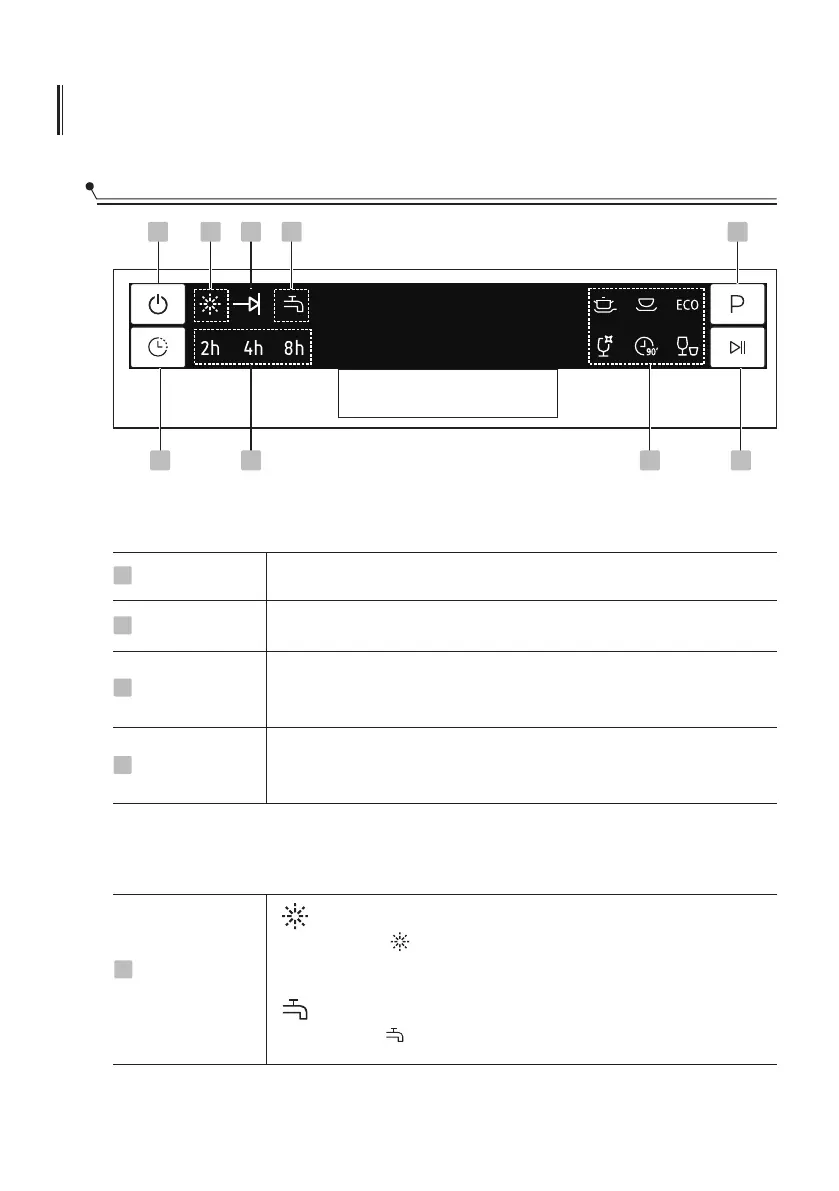
Control Panel
9
Operation (Button)
Power
1
Delay
2
Program
3
Press this button to turn on your dishwasher, the screen lights up.
Press the button to set the delay time.
Press this button to select the appropriate washing program, the
selected program indicator will be lit.
To start the selected washing program or pause it when the
dishwasher is working.
4
Start / Pause
2 7
1 5
8 4
3
Display
Rinse Aid
If the “ ” indicator is lit, it means the dishwasher is low
on dishwasher rinse aid and requires a refill.
5
Warning
indicator
Water Faucet
If the “ ” indicator is lit, it means the water faucet closed.
56


 To Next Page