EasyManua.ls Logo

Tecware PHANTOM RGB - LED Modes and Customization; Triggering LED Modes with Fn; Spectrum Selection Mode

Tecware PHANTOM RGB
8 pages
Print Icon
To Next Page IconTo Next Page
To Previous Page IconTo Previous Page
Loading...
www.tecware.co
3
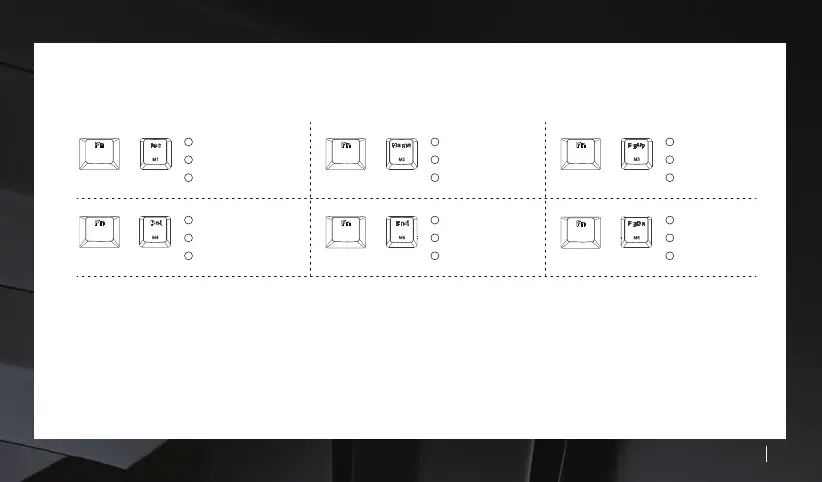
Various LED modes can be triggered by Fn + Mode Keys
Spectrum Selection Mode
+
+
+
1
2
Breathing - Cycle Color
Breathing - Fixed Color
3
Fixed Color
1
2
Horizontal Wave
Pulse Wave
3
Hurricane
1
2
Reactive - Ripple
Reactive - Single
3
Reactive - Horizontal
1
2
Vertical Wave
Waterfall
3
Swirl
+
+
+
More modes of functions can be accessed via our software. You can download it at www.tecware.co
Software only works with Windows.
88 different LED colors can be triggered by Fn + RGB key. Simply press on the key with your preferred color. Selecting RGB key
will give you rainbow mode.
1
2
Sine Wave
Vortex
3
Rain Drops
1
2
Diagonal Wave
Fixed Color
3
Ripple