www.tecware.co
4
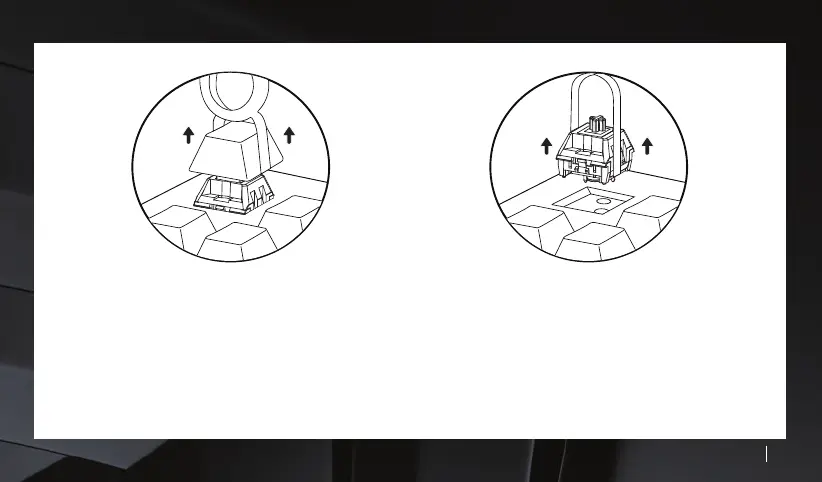
STEP 1 : Keycap Removal
Use the supplied keycap puller and press down on to the
keycap to secure the puller on it. Pull the keycap puller directly
upwards to remove the keycap. If the switch is removed as
well, simply pull the keycap off the switch and just reattach
the switch on to the keyboard.
STEP 2 : Switch Removal
Rotate the switch puller too to a vertical position to coincide
with the switch locks located at the top and bottom of each
switch. Push the switch locks in and pull the switch puller
directly upwards. We suggest to take extra care when removing
switches so as not to bend the switch pins. Please also take
extra caution so as not to scratch the keyboard's backplate.



 To Next Page