www.tecware.co
5
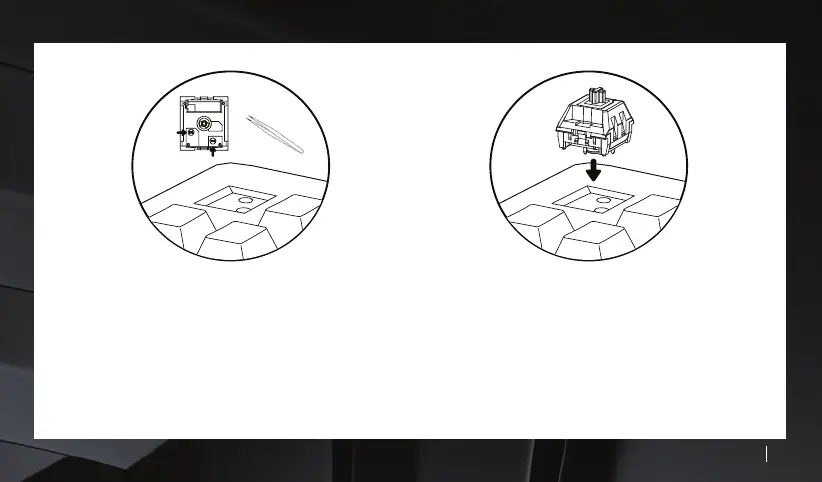
STEP 3 : Check switch pins
Please inspect each switch to make sure the switch pins
are straight before inserting them to the keyboard. Make
necessary adjustments if needed as inserting them with
bent switch pins may further damage the switch.
STEP 4 : Inserting a new switch.
Align the switch pins to the holes of the keyboard. The
switch will snap on to place and test immediately for
response.



 To Next Page