SYSTEM CHECK
After connecting to power, it is time to make a system check. To check the system, it is necessary to have full GPS signal, the vehicle must be
placed outside.
Amatron
Refer to the Amatron setup guide for further instructions on setting up
the Amatron, if not already done.
1. Turn on the Amatron. It’s important the Amatron is turned on
before the Matrix Pro GS.
2. Unfold the boom so the Amatron is unlocked.
3. Select the work screen.
Matrix Pro GS
Refer to the Matrix Pro GS user manual for further instructions on
setting up and using your Matrix Pro GS for automatic boom section
control.
1. Turn on the Matrix Pro GS console.
2. Encode the number of sections and the width of each and other
necessary settings like distance from antenna to boom, overlap%
etc.
3. Wait for GPS signal and start a new job.
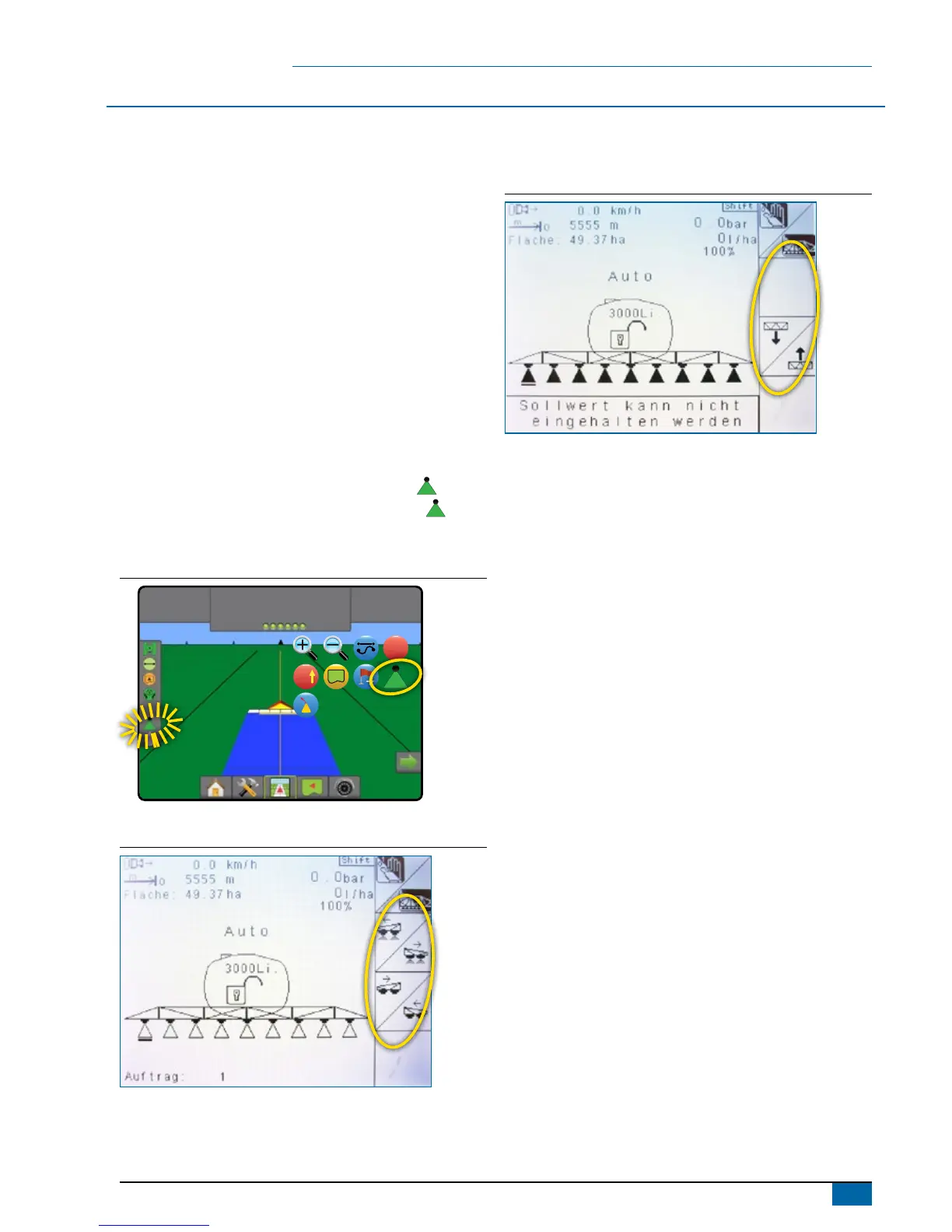
4. Set the BoomPilot mode to AUTOMATIC (Press the
icon).
◄Matrix Pro GS status bar Icon will change to green
.
◄Amatron manual boom section keys on the work screen will
disappear
Figure 8: Automatic to all booms on mode
7,2
km/h
2,07
ha
> 0,0 <
A
Figure 9: Amatron work screen,
when the Matrix Pro GS is in MANUAL mode
Figure 10: Amatron work screen
when the Matrix Pro GS is in AUTO mode
5. Drive forward (> 1.2 km/h).
6. Observe that all boom section valves open and the boom
indication in the Matrix Pro GS shows ON (White)
7. Check that the valves close when the master key is set to OFF
in the Amatron, or by spraying over an applied area, check the
boom indication in the Matrix Pro GS, shows OFF (Transparent).



 To Next Page