Page 6 Creme User Manual
Tegeler.com
Page 6 Creme User Manual
Tegeler.com
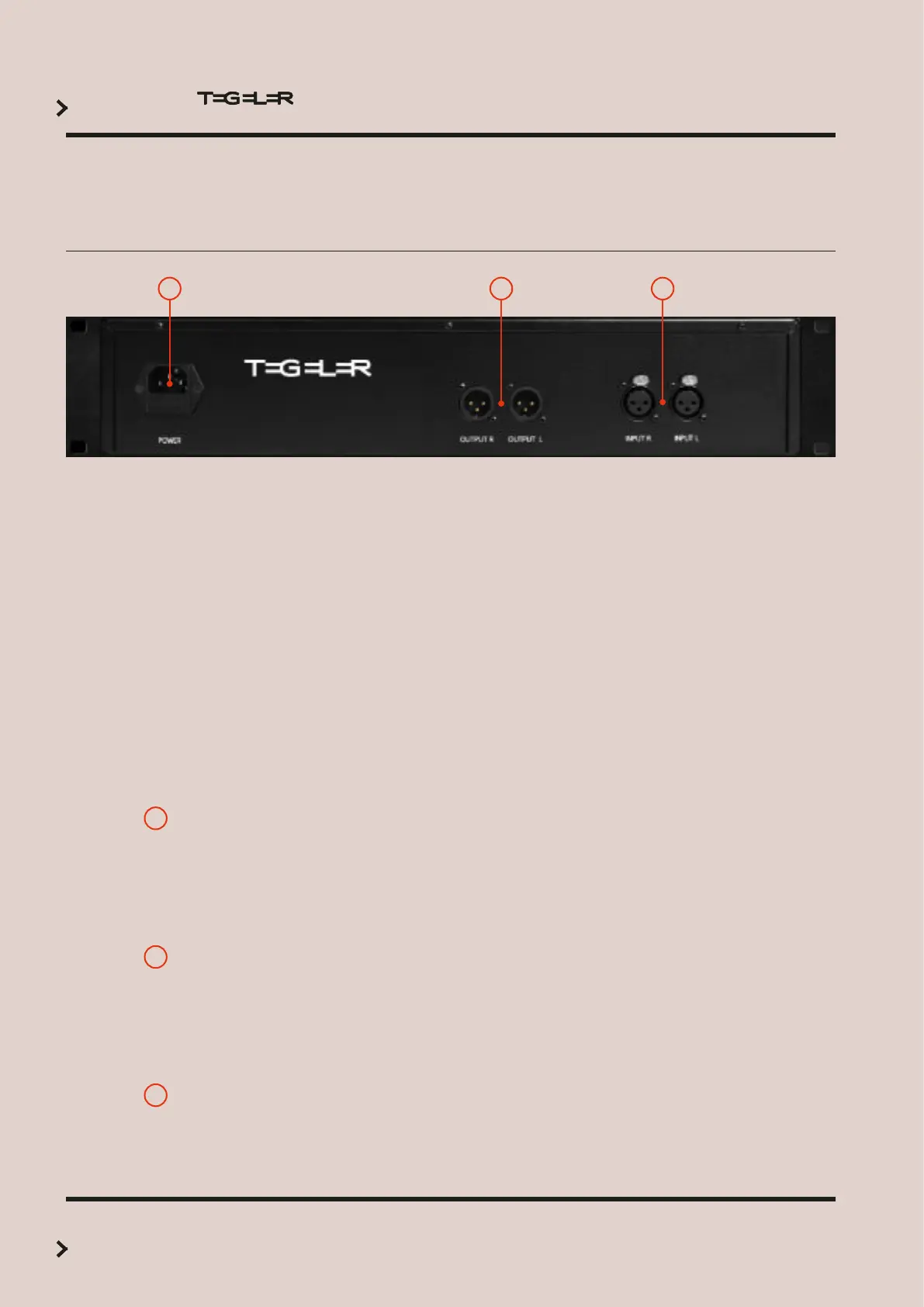
1
POWER AND FUSE
2
OUTPUT
3
INPUT
—————————————————————————————————————————-—–——
The device is equipped with an IEC socket. Use a compatible
cable only. Read the Safety Instructions section for use before
connecting the power cord.
Please see the Technical Data section for the appropriate fuse.
———————————————————————————————————————-———–——
The unit is equipped with two XLR inputs (female).
Use this input to connect the device to signals at line level from
other studio equipment, such as insert sends or D/A converters.
Observe the electrical properties of the input (see Technical
Data).
———————————————————————————————————————-———–——
The unit is equipped with two XLR outputs (male).
Connect the outputs to the corresponding insert returns or A/D
converter inputs. Observe the electrical properties of the output
(see Technical Data).
——————————————————————————————————-————————–——
321
Connections



 To Next Page