z
TV, VCR, and CBL Device Codes can be searched and locked into "CBL" & "AUX" modes.
Simply press "CBL" or "AUX" Device Mode Button in step 2 and enter an appropriate Magic
Search Code to start searching.
z
Each time you press the "VOL+" button, the TEK PARTNER™ will skip to the next code. Then
press the "PWR" button to send out a POWE R s ignal trying to turn off your device.
z
Ifyoufailedtostoppressing"VOL+"intimewhenyourdevicehasbeenturnedoff,turnon
your device again immediately. Before the indicator goes out, press "VOL-" on the TEK
PARTNER™ to skip backward. Repeat step 4 above a nd lock in the code.
z
If the power on/off function of your device is not infra-red controlled, yo u need to follow step
1 thru 3 above and start searching: Press "VOL+" and another important function b utton
alternately until your device responds to the expected function, press the s am e device mode
button again to lock in the code. e.g. Press "VOL+" & "1 " alternately, or; Press "VOL+" &
"PLAY" alternately until the device responds.
OPERATING THE TEK PARTNER™
NORMAL OPERATION
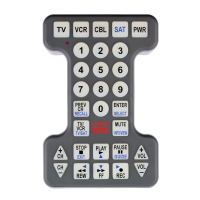
Once you have set up the TEK PARTNER™ for your equ ipment, it works like your original remote
controls. To operate, just aim it at your equipment, press an appropriate Device Mode Button and
then c o mm and the desired function by pressing a corresponding b u tton on the TEK PARTNER ™. Th
indicator flashes during signal transmission and as confirmation of button touch. At your button
touch, your TEK PARTNER™ illu minates the keypad for 4 seconds. You may see the keypad clearly
even when you are operating your equipment in a dimly lit are a.
PUNCH THROUGH
Punch through allows you to operate your TV’s volume and mute functions and your VCR’s 6 tape
management functions without having to switch the device modes repeatedly even when your TEK
PARTNER ™ is in other op erating modes.
MAINTENANCE
1. Do not expose your TEK PARTNER™ to direct sunlight, high temperature, mechanical shock, or
liquids.
2. Do not use old and ne w batteries together as old batteries tend to leak.
3. Do not use corrosive or abrasive cleansers on your TEK PA RT NER™ .
4.Keeptheunitdustfreebywipingitwithasoft,drycloth.
5. Do not disassemble yo ur TEK PARTNER™, it contains no user-serviceable parts.
TROUBLE SHOOTING
Q. My TEK PARTNER™ does not work at all!
A. If your device’s main switch is turned off, the TEK PARTNER™ can not operate the device.
A. Check whether batteri es are in good condition, inserted properly, and are in correct +/- polarity.
See HOW TO INSTALL THE BATTERIES.
A. MakesureyouhavepressedtheDeviceModeButtonbeforeusinganyfunctions.
Q. If several Dev ice Codes are listed for my device, how c an I select the correct Device Code?
A. To seek th e Device Code for your device, test the codes on e by one unti l the buttons work
properly.
Q. My equipment responds only to some of the commands.
A. You h ave set a cod e for which only some commands work properly but some do not. Try o ther
codes until the b uttons w ork proper ly.
Q. May I setup the TEK PARTNER™ to control mor e than one TV, VCR, and CBL at a time?
A. The TEK PARTNER™ can control more than one device of the same type by programming the
device code in the CBL & AUX device modes (i.e. up to 3 TVs). See SETTING UP YOUR TEK
PARTNER™.
SPECIFICATIONS
Page 3 of 7Tek Partner Universal Remote Control
3/10/03htt
.com/manual1.html
z
Operating System: Pre-programmed infra-red remote control system.
z
Compatability: Replaces most brands of infra-red remote controls for TVs, VCRs, and CBLs.
z
Power Re quirement: 4 AA size batteries, alkaline recommended.
z
Effective IR Range: 7.6m (25ft.), +/-25deg.
z
Alkaline ba ttery operating life: Normal operation - 1 year.
z
Dimensions: 5-1/2"W x 8-1/2"L x 2 -1/2"H
DEVICE CODE LIST
TV Brands
ADMIRAL 400 530
AKAI 160 240 550
AMARK 390 590
CRAIG 170
CURTISMATHES030140190300390400530580
CXC 170
DAEWOO 180 340 380 390
DAYTRON 190 390 580
ELECTROHOM E 160 390
EMERSON 020 110 150 170 240 280 330 390 470 590 650
ENVISION 300
FISHER 200 460
FUNAI 020 170
GE 010 040 290 400 420 630
GOLDSTAR 180 190 240 310 390 590
HITACHI100260310320390590
INFINITY 270
JBL 270
JVC 030 250 370
J.C.PENNEY040180190240290300390400440500630
KLOSS NOVABEAM 490
KMC 390 590
KTV 170 240 390 590
LLOYTRON 390
LODGENET 530
LOGIK 530
LOGIX 530
LUXMAN 310
LXI 000 190 210
MAGNAVOX 080 120 130 190 270 300 390 450 490 580 590 630
MAJESTIC 530
MARANTZ160240300450490
MEMOREX 530
MGA 020 160 180 190 230 240 300 580
MITSUBISHI 020 160 180 190 230 240 580
MITSUBISHI UNIFIED 160
MTC 140 180 3 00 310
NATIONAL 010 270 420 510 570 610
NEC 180 190 240 300 310 580 620
NEC UNIFIED 300
PANASONIC 010 270 420 510 570
PHILCO 080 120 130 180 240 270 300 390 450 490 540 590
PHILIPS 080 120 130 180 270 300 450 490 540 560 590
PORTLAND 390 590
PROTON 240 390
QUASAR 010 420
RADIO SHACK 070 170 190 390 410
RCA 090 180 240 500 600
Page 4 of 7Tek Partner Universal Remote Control
3/10/03htt


 To Next Page
 Loading...