17
ENGLISH
3. Turn the control dial to position .
4. Add a few drops of a mild dishwashing
detergent.
5. Set the temperature to 90ºC.
6. Programme a duration of 4 minutes on the
electronic timer.
7. After 4 minutes, an alarm will sound and the
oven will stop heating.
8. Turn the control dial to position .
9. Wait for about 20 minutes for the interior of
the oven to cool.
10. Any traces of dirt and excess water can now
be removed with a damp cloth.
I
MPORTANT
Do not open the oven door until the cleaning
programme has completely finished as the
cooling phase is necessary for it to work pro-
perly.
The cleaning programme is done at a low tem-
perature. When it has finished, any residue
can be removed with a damp cloth. Cooling
times vary depending on the room temperatu-
re. Before touching any inside surface of the
oven, check that it is cool.
IMPORTANT
Teka Hydroclean enamel has been designed
to be cleaned using the oven’s cleaning
programme and other cleaning methods can
damage it. Anti-limescale products in particular
can seriously damage the enamel’s properties.
Teka Hydroclean enamelled oven trays should
not be cleaned in the dishwasher. If deep cle-
aning is needed, use a gentle detergent.
Some foods such as tomato, vinegar or salt-
cooked roasts, can make the enamel’s surface
appear to change; this is normal.
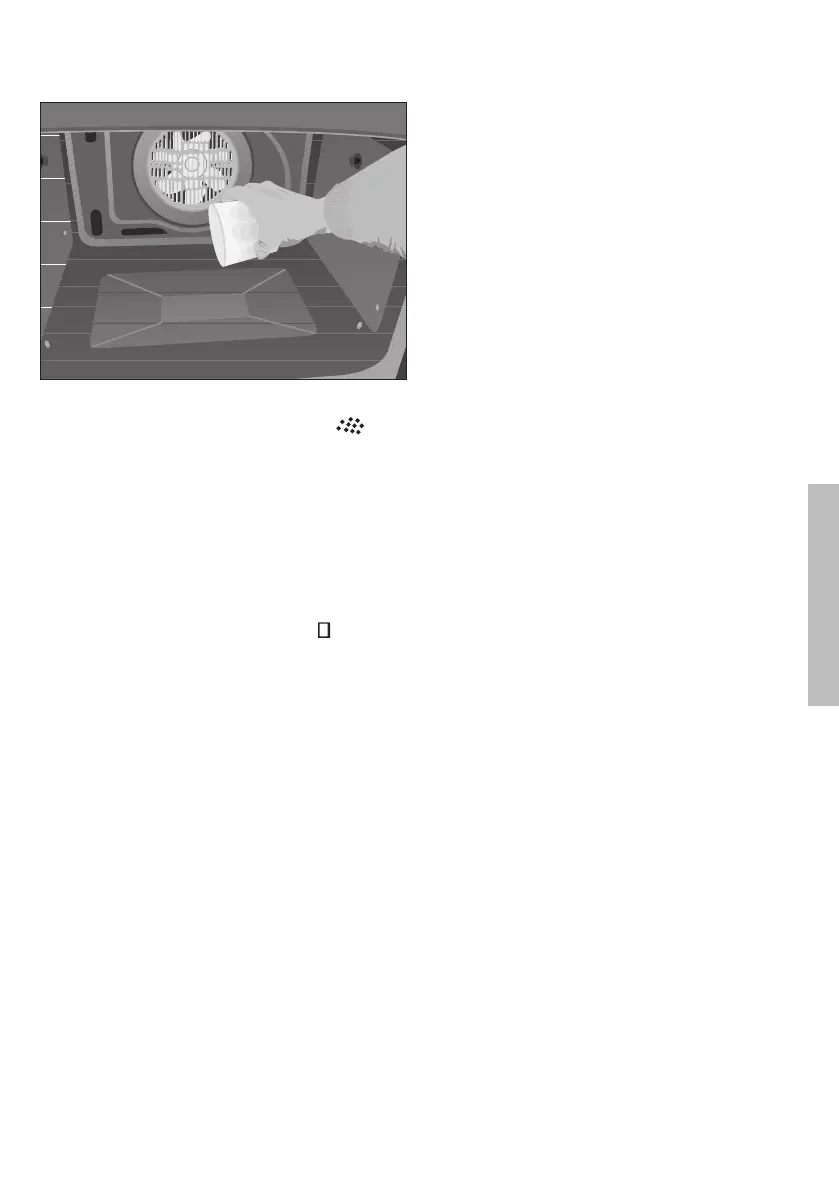
2. With the oven cold, pour 250 ml of water
into the bottom of the oven cavity.
3172889-000.qxp 10/04/15 14:19 Página 17


 To Next Page