P.16
P.17
Operate Washer Dryer Machine
drying
Operate Washer Dryer Machine
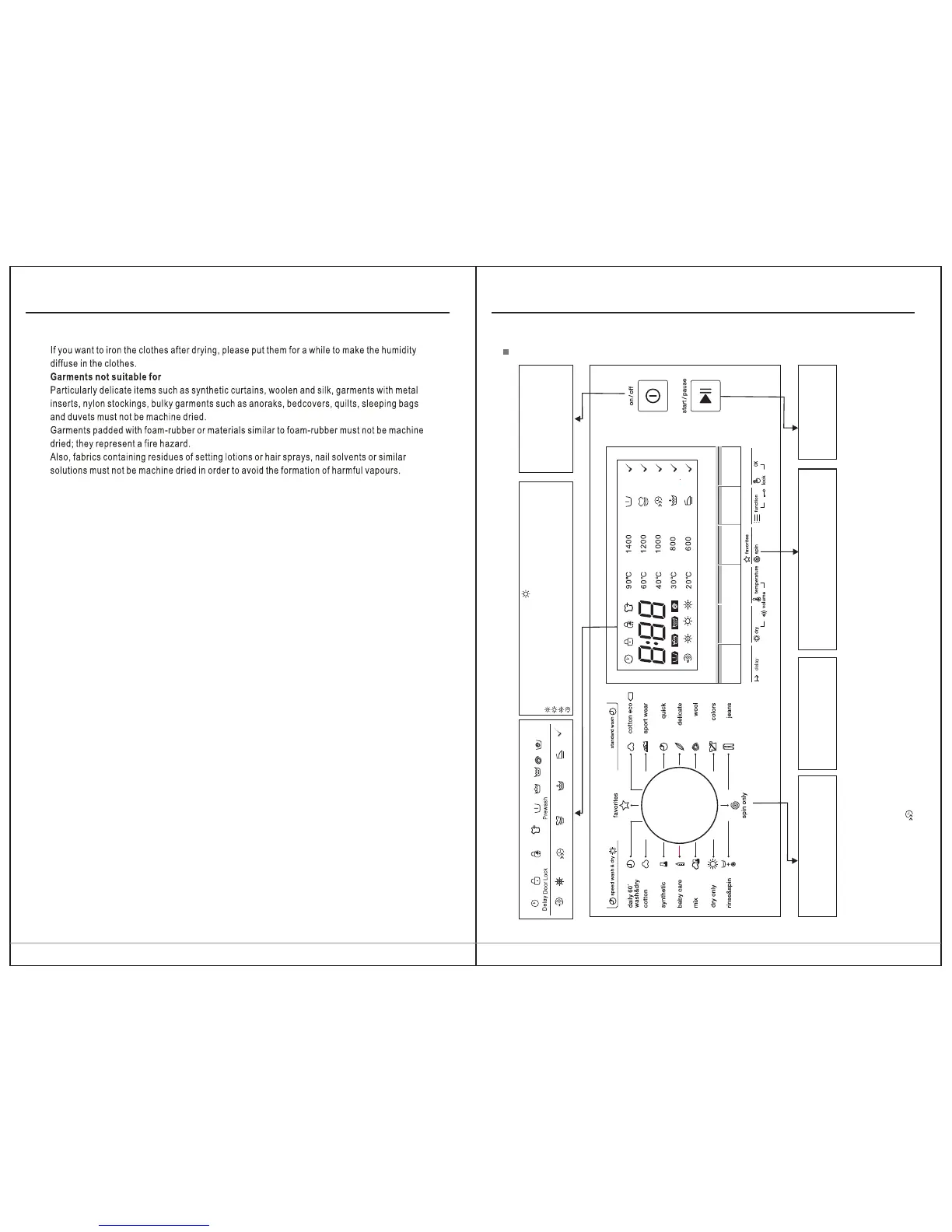
View of Control Panel
Extra WashSpeed Wash
Display
Child Lock
Rinse
Wash
Select
Extra Rinse
Reload
Dry
Less Iron
Air Wash
Programme
For the convenience of users to washing
clothes with the different programme.
Start/Pause
Press the button to start or
pause the wash cycle
On/Off
Press once to turn the washing
machine on, press again to turn
the washing machine off.
Notes:
1.The Control panel line chart is for reference only,Please refer to real product as standard.
2.The Control panel could be changed without written notice. Please visit the website of Washing Machine or call up the service line for
consultation.
3.When the lights of Speed are off means the speed is 0.
4.The programme with can be choose Speed Wash function.
Function setting
Press the button repeatedly to set the Delay time ,
Drying level, water temp., speed and so on.Spin
Spin
( )10.0kg
Spin
1400: 0-600-800-1000-1200-1400
1600: 0-400-800-1200-1400-1600
Dry
Extra Dry:Need to wear clothes immediately ,we can choose this function
Normal Dry: The normal dry procedure
Gentle Dry:Only to dry slightly and then is just ok .
Air Wash: Only hot air rather than water ejecting from inside the drum to washing.
Press the Dry button continuously to choose the dry level: Extra Dry/Normal Dry/
Gentle Dry/Air Wash.


 To Next Page