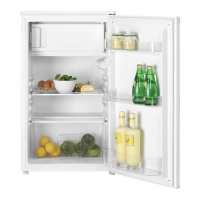
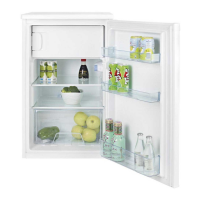
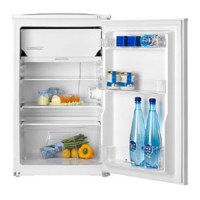
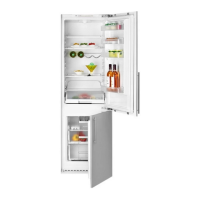
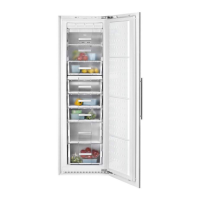
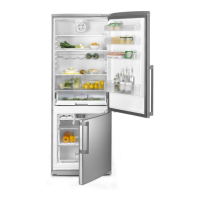
This document is an instruction manual for the TSE 342 and TSE 342 A refrigerator-freezer models. It provides comprehensive information on safety, installation, operation, maintenance, and troubleshooting in multiple languages, including English.
Function Description
The appliance is a refrigerator-freezer designed for the short-term storage of fresh food and drinks in the fridge compartment and for freezing and storing pre-frozen food in the freezer compartment. It features separate compartments for refrigeration and freezing, controlled by an electronic system with a user-friendly control panel. The appliance is equipped with an automatic defrosting system for the fridge compartment and requires manual defrosting for the freezer compartment when ice build-up exceeds 7 mm.
Important Technical Specifications
- Coolants: The appliance uses isobutane (R 600 a), a natural gas, as a coolant, which is environmentally friendly and free of fluoridated coolants (CFC/HFC).
- Insulation: The insulation contains non-CFC flammable substances.
- Climate Class: The appliance's climate class (SN, N, ST, T, SN-ST, SN-T) is indicated on the rating label and specifies the appropriate ambient operating temperatures. For example, SN-T indicates operation from +10 °C to 43 °C.
- Electrical Connections: The appliance must be grounded. Users should check that the power type and voltage in their region match the specifications on the rating label. The power cable should not be trapped, and the plug must remain accessible.
- Freezing Capacity: The maximum allowable freezing capacity in 24 hours is specified on the rating label.
- Interior Light: The interior light uses a 15-watt (max) screw cap (SES) bulb.
- Energy Efficiency: The appliance's energy efficiency is rated on a scale from A (More efficient) to G (Less efficient), with energy consumption in kWh/year based on standard test results for 24 hours. It also specifies fresh food volume, frozen food volume, chill compartment volume, and noise level in dB(A) re 1 pW.
Usage Features
Control Panel (Fig. 2): The control panel allows users to adjust and monitor the appliance's settings.
- Fridge Set and Vacation (a): Adjusts the desired fridge temperature (4, 2, 8, 6, 4°C sequence). The "Vacation" function sets the fridge to around 13°C, saving power when the compartment is empty. This function is activated by pressing the fridge set button for about 3 seconds, and deactivated by pressing Quick Fridge or Fridge Set buttons.
- Freezer Set (b): Adjusts the desired freezer temperature (-18, -20, -22, -24, -18°C sequence).
- Quick Fridge (c): Activates fast cooling for the fridge for a maximum of 3 hours. The Quick Fridge icon (k) lights up. It can be manually deactivated by pressing the Quick Fridge button again or the Fridge Set button. Quick Fridge and Quick Freeze cannot be active simultaneously.
- Quick Freeze (d): Activates fast cooling for the freezer for a maximum of 32 hours. The Quick Freeze icon (l) lights up. It can be manually deactivated by pressing the Quick Freeze button again or the Freezer Set button. For large amounts of fresh food, activate Quick Freeze 8 hours before loading.
- Actual Fridge Temperature (e) and Actual Freezer Temperature (f): Displays the average temperature inside the respective compartments.
- Fridge Bar Graphs (g) and Freezer Bar Graphs (h): Visually indicate the set temperature levels.
- Vacation Icon (i): Lights up when the vacation function is active.
- Economy Icon (j): Lights up when the appliance is running in the most economical power consumption mode (when freezer set temperature is -18°C). It turns off when Quick Freeze or Quick Fridge is active.
- Alarm Icon (m): Indicates a wiring connection or cooling problem, or a high temperature alarm.
Food Storage:
- Fridge: Designed for short-term storage of fresh food and drinks. Milk products, raw meat (in polyethylene bags on the second shelf from the top), and bottles (in bottle holder or door shelf) are recommended. Hot foods should be cooled to room temperature before placing them inside. Concentrated alcohol should be stored upright and tightly closed. Explosive substances or flammable propellant gases should not be stored.
- Freezer: Marked with a **** symbol. Suitable for freezing fresh food and storing pre-frozen food. Do not freeze fizzy drinks. Do not exceed the 24-hour freezing capacity. Keep deep-frozen food separate from freshly placed food.
- Ice Cubes: Fill the ice-cube tray 3/4 full with water and place it in the freezer. Avoid using sharp objects to remove ice cubes; allow them to thaw slightly or place the tray bottom in hot water briefly.
Door Open Alarm: A built-in buzzer sounds if the fridge door is left open for a minute. Pressing any button on the display or closing the door stops the alarm. There is no alarm for the freezer door.
Reversing the Doors: The doors are designed to operate from both sides. For reversal, contact an authorized maintenance service.
Maintenance Features
Cleaning and Care:
- Safety First: Always unplug the power cable or switch off the circuit breaker before cleaning.
- Exterior: Clean with lukewarm water and a mild detergent. Avoid abrasive or acidic agents. Polish with silicone wax to preserve appearance.
- Interior: Wipe dry. Be careful to prevent water from contacting electrical connections or the interior light.
- Condenser: Clean the condenser at the back of the appliance once a year using a brush or vacuum cleaner to prevent dust build-up and increased energy consumption.
- Door Gasket: Inspect regularly and clean with water, then wipe dry.
- Collecting Container (Pan): Ensure the pan at the back of the appliance is clean. Gently release the snap from the compressor, lift, clean, wipe dry, and re-assemble.
- Crisper or Drawers: Pull out as far as possible, tilt upwards, and then pull out completely for cleaning.
- Door Shelves: Remove food, lift the shelf cover upwards and pull it off sideward. Remove the bottom of the door shelf by pushing it upwards.
- Drain Channel: Check the flow of thawed water in the fridge compartment's drain channel periodically. Clean with a q-tip or similar if plugged.
Defrosting:
- Fridge Compartment: Defrosts automatically. Thawing water flows into a collection container at the rear. Remove any frozen water droplets with a cloth soaked in warm water; do not use hard or sharp objects.
- Freezer Compartment: Manual defrosting is recommended at least twice a year, or when ice build-up exceeds 7 mm. Defrost when there is little or no food.
- Remove deep-frozen food, wrap it in paper or a blanket, and store it in a cold place.
- Unplug the appliance or remove the fuse.
- Remove accessories (shelves, drawers) and use a container to collect thawing water (Fig. 6, Fig. 7).
- Keep the door open. For quicker defrosting, place containers with warm water inside.
- Never use electrical appliances, defrosting sprays, or sharp objects to remove ice.
- After defrosting, clean the inside. Reconnect the appliance and return frozen food.
Replacing the Interior Light Bulb (Fig. 3):
- Switch off at the socket and unplug the appliance.
- Remove shelves for easier access.
- Use a flat-tipped screwdriver to remove the light diffuser cover.
- Check if the bulb is screwed securely. If it works, replace the cover.
- If the light still fails, replace the bulb with a new 15-watt (max) screw cap (SES) bulb.
- Dispose of the burnt-out bulb carefully.
Troubleshooting ("What, if...."):
- Appliance not working: Check power cable, mains supply, circuit breaker, and temperature control setting.
- Power failure: Do not open the door. Frozen food in a **** rated appliance will not be affected if the power failure is shorter than the "Conservation Time From Failure (hours)" on the rating label. If longer, check food and consume or re-freeze after cooking.
- Interior light not working: Check power supply and bulb installation.
- High temperature alarm: Alarm icon (m) lights up if the freezer compartment is warm due to warm food storage, warm air, or the door being left open. It turns off when the temperature cools down. If it remains on for more than 24 hours, contact customer service.
- Error messages and alarm: If characters like E0, E3 appear on the display, contact customer service. The alarm icon will blink with the error message.
- Actual fridge/freezer temperature failure: Oscillations in displayed temperature may occur due to frequent door opening/closing, loading warm packages, or leaving the door open for long periods.
- Other malfunctions: If problems persist after checking common issues, contact your dealer or customer service with the device's type and serial number.

 Need help?
 General

 To Next Page