Note;
Whenever the control exits the test routine, there is an automatic 4 second delay before the control can be made to re-enter the test
routine. Pushing the Test button during this 4 second period will have no effect on the control.
Power light on — Test light off
The
control has exited the test routine, entered the operating mode and will function according to the sequence of operation described
on pages 3 and 4.
One or more of the other indicator lights may also be on.
Refer to pages 3 and 4 for a description of the indicator
lights under operating conditions.
10
Step Seven Operational test of control functions - Test button
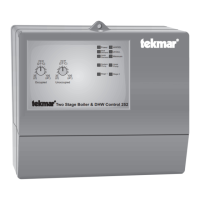
The Two Stage Boiler & DHW Control 252 has a Test button which can be used to test all of the main control functions at any time.
When the control is initially powered-up, or when the Test button is pushed, the control automatically runs through the following test
procedure. If a fault is detected, some of the indicator lights will flash an Error Message. These Error Messages are listed on page 11.
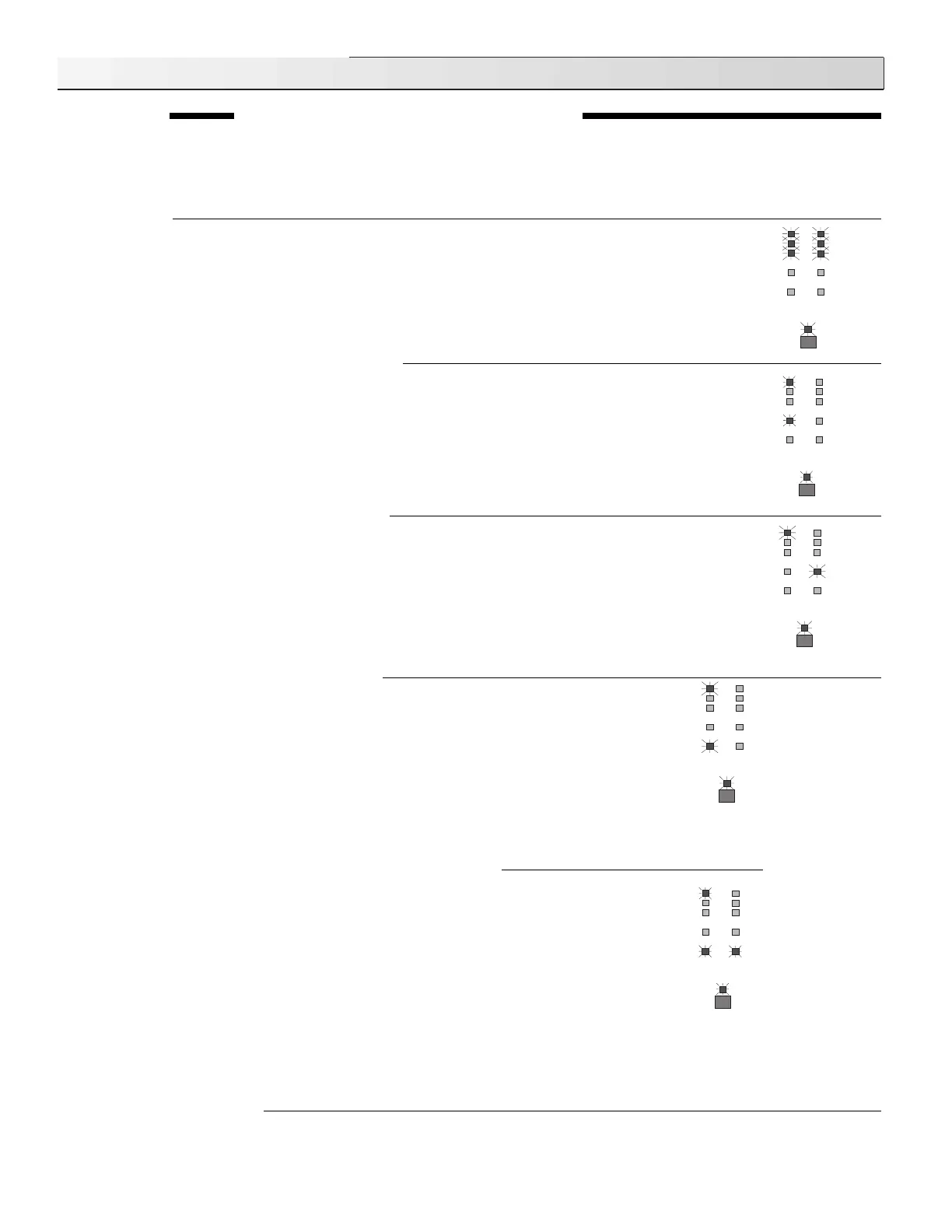
All red lights on
On power-up, and at the start of each test routine, all of the red status lights are switched on for approximately
5 seconds. During this time the control searches for sensor faults and, if no faults are found, proceeds to the
next step. If a sensor fault exists, the control exits the test routine and indicates the fault by flashing some of
the lights in an error message. These Error Messages are listed on page 11.
Power light on - Test light on - System Pump light on
The control turns on the System pump for 10 seconds and: (a) — proceeds to the next step,
OR
(b) — During
the 10 seconds,
if there is a Heat Demand signal and the Test button is pressed,
the test routine will be halted,
the "Test" light will flash, and the control will be held in a pause mode for up to 5 minutes. During the 5 minutes,
the System pump will remain on. After the 5 minutes, the control will automatically exit the test routine and
enters the normal operating mode. If there is no Heat Demand, the control will not allow a pause and will
proceed to the next step of the test routine. Pushing the Test button during the 5 minute pause will allow the
control to proceed to the next step of the test routine immediately.
Power light on - Test light on - DHW Pump light on
The control turns on the DHW pump for 10 seconds and: (a) — cycles to the next step,
OR
(b) — During the
10 seconds,
if there is a DHW Demand signal, and the Test button is pressed,
the test routine will be halted,
the "Test" light will flash, and the control will be held in a pause mode for up to 5 minutes. During the 5 minutes,
the DHW pump will remain on. After the 5 minutes, the control will automatically exit the test routine and enters
the normal operating mode. If there is no DHW Demand, the control will not allow a pause and will proceed
to the next step of the test routine. Pushing the Test button during the 5 minute pause will allow the control
to proceed to the next step of the test routine immediately.
Testing the Control Functions
Test
Power
Heat
Demand
DHW
Demand
WWSD
Stage 1
Stage 2
UnOcc.
Minimum
DHW
pump
System
pump
Test
Power
Heat
Demand
DHW
Demand
WWSD
Stage 1
Stage 2
UnOcc.
Minimum
DHW
pump
System
pump
Test
Power
Heat
Demand
DHW
Demand
WWSD
Stage 1
Stage 2
UnOcc.
Minimum
DHW
pump
System
pump
Power light on — Test light on — Stage 1 light on
If there is a Heat Demand the system pump will be turned on or if there is a DHW Demand the DHW
pump will be turned on; the control turns on stage 1 for 10 seconds and: (a) — cycles to the next
step,
OR
(b) — During the 10 seconds,
if there is a Heat Demand or DHW Demand signal, and
the Test button is pressed,
the test routine will be halted, the "Test" light will flash, and the control
will be held in a pause mode for up to 5 minutes. During the 5 minutes, the pump and Stage 1 will
remain on. After the 5 minutes, the control will automatically exit the test routine and enters the
normal operating mode. If there is no Heat Demand or DHW Demand, the control will not allow
a pause and will proceed to the next step of the test routine. Pushing the Test button during the
5 minute pause will allow the control to proceed to the next step of the test routine immediately.
Power light on — Test light on — Stage 1 light on — Stage 2 light on
The control leaves Stage 1 on, turns on Stage 2 for 10 seconds and: (a) — proceeds to the next
step,
OR
(b) — During the 10 seconds,
if there is a Heat Demand or DHW Demand signal, and
the Test button is pressed,
the test routine will be halted, the "Test" light will flash, and the control
will be held in a pause mode for up to 5 minutes. During the 5 minutes, the pump and Stage 1 &
2 will remain on. After the 5 minutes, the control will automatically exit the test routine and enters
the normal operating mode. If there is no Heat Demand or DHW Demand, the control will not allow
a pause and will exit the test routine, entering the normal operating mode. Pushing the Test button
during the 5 minute pause will allow the control to exit the test routine immediately.
Heat Demand
and/or DHW
Demand lights
may also be on.
If the Heat
demand light is
on, the System
Pump and
System Pump
light will remain
on. If the DHW
demand light is
on, the DHW
Pump and DHW
Pump light will
remain on.
Test
Power
Heat
Demand
DHW
Demand
WWSD
Stage 1
Stage 2
UnOcc.
Minimum
DHW
pump
System
pump
Test
Power
Heat
Demand
DHW
Demand
WWSD
Stage 1
Stage 2
UnOcc.
Minimum
DHW
pump
System
pump


 To Next Page
 Loading...