4
When you have about or less than half of full place setting
dishware to wash, you can choose this function to save energy
and water. (It can only be used with Intensive, Universal, ECO,
Glass and 90 min)
USING YOUR DISHWASHER
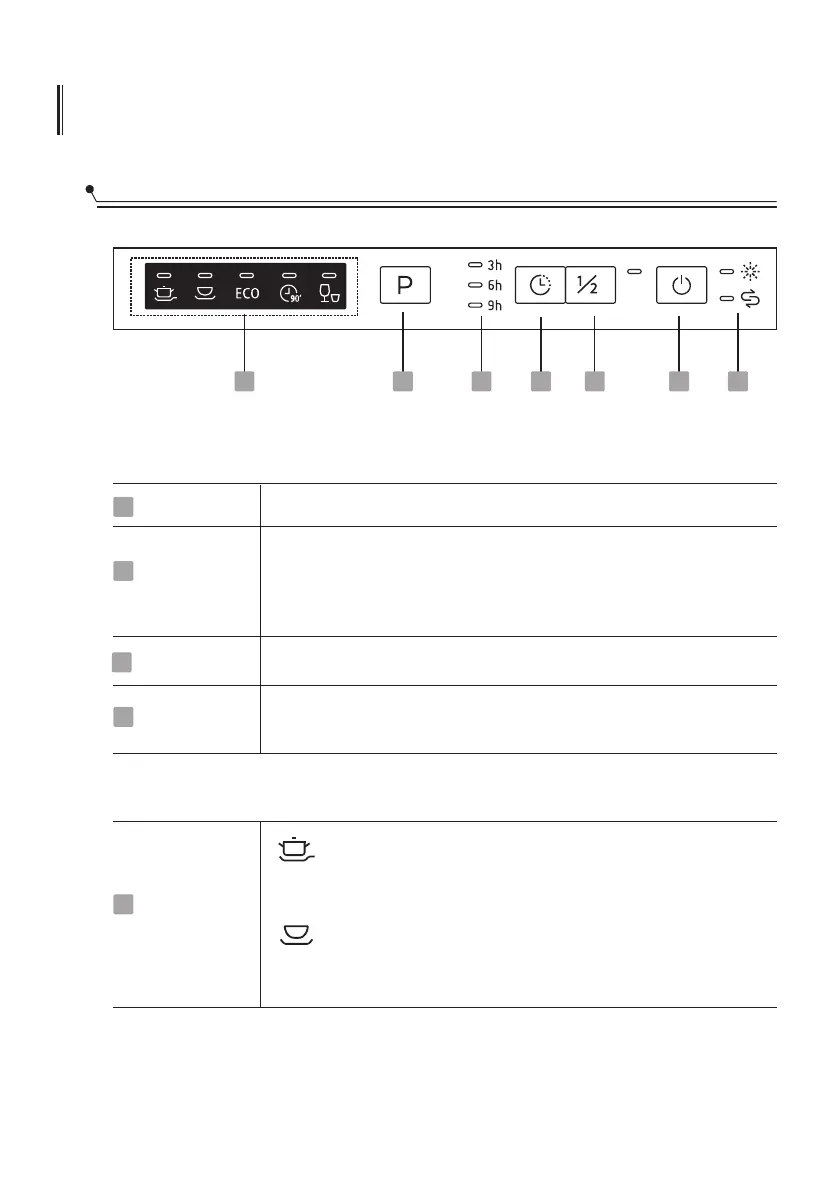
Control Panel
4
3
2
1 67
5
Operation (Button)
Power
Delay
Half-load
Program
Press this button to turn on your dishwasher.
Press the button to set the delay time.
Select the appropriate washing program, the selected program
indicator will be lit.
1
3
2
4
Display
Program
indicator
5
Intensive
For heaviest soiled crockery, and normally soiled pots,
pans, dishes etc. With dried-on food.
Universal
For normally soiled loads, such as pots, plates, glasses
and lightly soiled pans.


 To Next Page