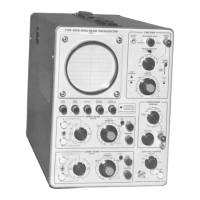
Calibration— Type 544/RM544
e. Reset the autotronsformer for 115 volts output (or de
sign-center voltage for which the instrument is wired).
f. Set the Type TU-7 Test Function switch to High Load.
g. Reduce the line voltage to 103.5 volts (or 10% below
design-center voltage). The dc output voltage of
each supply should remain essentially constant; typi
cally within 2% of that obtained at design-center
voltage. Ripple voltage should not exceed the maxi
mum peak-to-peak amplitude given in Table 5-3.
h. Disconnect the VOM and XI probe.
i. Reset the autotransformer for 115 volts output (or
design-center).
j. Set the Type TU-7 Test Function switch to Low Load,
k. Place the instrument in its upright position.
l. If the 3-to-2 line-plug adapter was used during this
step, turn off the oscilloscope power and remove the
adapter. Plug the line cord directly into the auto-
transformer and turn on the oscilloscope power,
3. Adjust HIGH VOLTAGE R840— Crt Circuit
a. Set the scale of the VOM to measure —1850 volts
and connect the VOM between the high-voltage test
point (see Fig. 5-3) and ground.
b. Adjust the HIGH VOLTAGE control R840 |sco Fig, 5-2)
for a —1850 voltmeter indication.
High-Voltage
Test Point
— 1850 v
Fig. 5-3. High-voltage test point location (top left rear view l.
4. Check High Voltage Regulation— Crt Circuit
a. With the VOM connected to the high voltage test
point, use the meter to monitor the voltage at this
point.
b. Set the TRIGGERING MODE switch to AUTO.
c. Rotate the INTENSITY control clockwise until the
trace is at normal intensity. Use the Type TU-7 Verti
cal Position control to vertically center the trace. De
focus the trace with the FOCUS and ASTIGMATISM
controls. Set the INTENSITY control at 7.
d. Use the HORIZONTAL POSITION control to position
the trace to start at the left side of the graticule.
e. Slowly increase the output of the variable autotrans
former to 126.5 vac (or 10% above the design-center
line-voltage for which the instrument is wired). The
high voltage dc output should remain essentially con
stant; typically within 2% of that obtained with de
sign-center line voltage. The traco should not show
any signs of blooming. (Blooming is when the dis
play changes size as the supply voltoge changes.)
f. Reset the autotransformer for 115 volts output (or
design-center voltage for which the instrument is
wired).
g. Set the Type TU-7 Test Function switch to High Load.
h. Reduce tho lino voltoge to 103.5 volts (or 10% below
design-center voltage). The high voltage dc output
should remain constant; typically within 2% of that
obtained with design-center line voltage. The trace
should not show any signs of blooming.
i. Reset the autotransformer for 115 volts output (or
design-center).
j. Set the Type TU-7 Test Function switch to Low Load.
k. Docrcaso the traco intensity to normal with the
INTENSITY control.
l. Disconnect the VOM.
5. Adjust CAL AMPL (Calibrator Amplitude) R943—
Calibrator
a. Connect a single binding post odapter (item 9) to
the oscilloscope CAL OUT connector.
b. Connect a VOM to the binding post adapter and to
the oscilloscope chassis.
c. Set the AMPLITUDE CALIBRATOR switch to 100 V DC.
d. Adjust the CAL AMPL control R943 (see Fig. 5-2| for
a voltmeter reading of exactly 100 volts.
6. Check Duty Factor of Signal— Calibrator
a. Set the AMPLITUDE CALIBRATOR switch to 100
VOLTS (not 100 V DC).
b. Check for a voltmeter reading of +45 to +55 volts
as measured between the CAL OUT connector and
ground.
5-4


 To Next Page
 Loading...