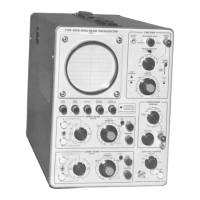
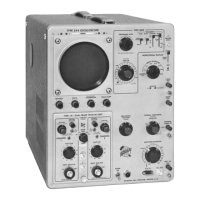
Calibration— Type 544/RM544
NOTE
+ 50 volts indicates a nominal duty factor of 0.5.
If the voltage is not within -|-45 to + 5 5 volts, try
new lubes.
9. Adjust VERT DC BAL (Vertical Amplifier Dc
Balance) R1004— Vertical Amplifier
a. Using a small screwdriver, short the crt vertical de
flection plate pins together (see Fig. 5-4).
c. Disconnect the VOM and set the AMPLITUDE CALI
BRATOR switch to OFF.
d. Remove the adapter from the CAL OUT connector,
7. Adjust TRACE ROTATION— Crt Circuit
a. Adjust the FOCUS and ASTIGMATISM controls for
narrowest trace.
b. Position the trace directly behind the center horizontal
graticule line, using the Type TU-7 Vertical Position
control.
c. If the trace and graticule line do not coincide over
the width of the graticule, adjust the TRACE ROTA
TION control for correct trace alignment.
8. Adjust GEOMETRY R861— Crt Circuit
a. Apply 50 nsec markers from the time-mark generator
through a coaxial cablo to the Type TU-7 Ext Input
connector.
b. Set the TIME/CM switch to 50 /cSEC.
c. Advance the INTENSITY control to make the display
visible,
d. Set the TRIGGERING LEVEL control to obtain a stoble
display of vertical marker lines.
e. Adjust the TU-7 Variable control so the markers over
scan the crt; set the Vertical Position control to posi
tion the base line of the morkers below the display
area.
f. Uso the HORIZONTAL POSITION control to position
the markers so they align with the graticule markings.
g. Adjust the GEOMETRY control RB6I [see Fig. 5-2) for
straightest possible vertical marker-lines running par
allel to the 0-crn and 10-cm graticulo linos. Note the
amount of bowing.
h. Disconnect the signal from the TU-7 Ext Input con
nector.
i. Reduce the trace* intensity to normal with the IN
TENSITY control while positioning the trace onto the
crt with the TU-7 Vertical Position control.
j. Using the TU-7 Vortical Position control, position the
trace to the bottom of the graticule. Note the amount
of bowing. Then position the trace to the top of the
graticule and note the amount of bowing.
k. Repeat steps 8a through 8j so the trace exhibits mini
mum bowing in both planes.
l. After completing the previous steps, disconnect the
signal from the TU-7 Ext Input connector. Check that
the trace is positioned into the display area and the
INTENSITY control is set to a suitable trace bright
ness level.
CAUTION
Do not short the crt deflection plate pins to ground.
b. Note the position of the trace. This is the electrical
center of the crt vertical deflection plates.
c. Remove the screwdriver from the crt pins.
d. Short the cases of Q1104 and Q1124 (see Fig. 5-4)
together (not to ground) and note the deviation of
the trace from electrical center. Deviation should not
be more than 0.5 cm moximum. Remove the short.
Crl Vertical
Deflection Plate
Pin*
Collector
V - 01034
Pig. 5-4. Vertical A m plifier test point and adjustment location* for
performing steps 9 and 10.
o. Short the cases of Q1074 and 01084 together (see
Fig. 5-4) and note the trace deviation from electrical
center. Deviation should not be more than 0.5 cm
maximum. Remove the short.
f. Short the collector of Q1034 lo the collector of Q1044
(see Fig. 5-4) and note the trace deviation from elec
trical center. Deviation should not be more than 0.5
cm maximum. Remove the short.
5-5


 To Next Page
 Loading...