35
GB
The P2 output is now single-step. The output has no magnetic
hold, so if there is a power failure while the relay is activated,
the latter deactivates.
4. Erasure of all codes (reset)
The receiver storage is totally erased by
carrying out the reset.
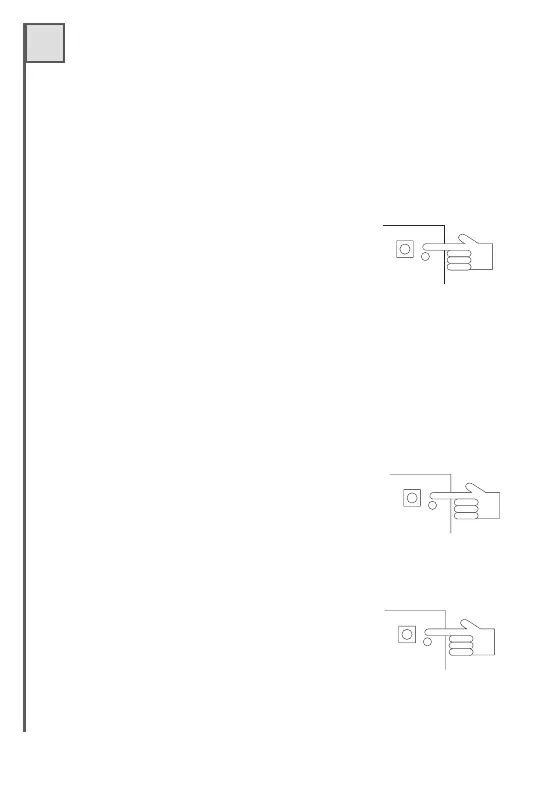
- Press key P1 for at least 10 seconds until the
button LEDs light up simultaneously.
After a few seconds all the LEDs go out,
indicating that erasure is complete.
- Repeat the memorisation procedure.
10 s e c .
P1
3. Code erasure
One or more codes may be erased from the memory of the receiver
with this operation.
- Press the key P1 or P2 4 times during programming.
- The led related to the pressed button gives 5
series of 4 blinks.
- During this stage, transmit with the radio
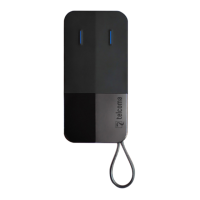
control FM 400’s series to be erased. A fixed led
light for a few moments indicates that erasure
has been successful.
4
P L
2. Timer output
- Press the key P2 3 times during programming.
- The led related to the pressed button gives 5
series of three blinks.
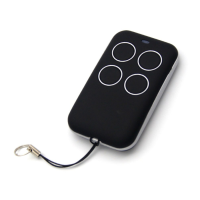
- Transmit with a remote control FM 400’s series
during this stage.
- A fixed led light for a few moments indicates that
memorisation has been successful. The P2 output has now become
a timer. The timer is fixed for a time of approx. 30 seconds and cannot
be adjusted.
0
,
3
(P3 - L3)
(P4 - L4)
35
GB
The P2 output is now single-step. The output has no magnetic
hold, so if there is a power failure while the relay is activated,
the latter deactivates.
4. Erasure of all codes (reset)
The receiver storage is totally erased by
carrying out the reset.
- Press key P1 for at least 10 seconds until the
button LEDs light up simultaneously.
After a few seconds all the LEDs go out,
indicating that erasure is complete.
- Repeat the memorisation procedure.
10 s e c .
P1
3. Code erasure
One or more codes may be erased from the memory of the receiver
with this operation.
- Press the key P1 or P2 4 times during programming.
- The led related to the pressed button gives 5
series of 4 blinks.
- During this stage, transmit with the radio
control FM 400’s series to be erased. A fixed led
light for a few moments indicates that erasure
has been successful.
4
P L
2. Timer output
- Press the key P2 3 times during programming.
- The led related to the pressed button gives 5
series of three blinks.
- Transmit with a remote control FM 400’s series
during this stage.
- A fixed led light for a few moments indicates that
memorisation has been successful. The P2 output has now become
a timer. The timer is fixed for a time of approx. 30 seconds and cannot
be adjusted.
0
,
3
(P3 - L3)
(P4 - L4)
Via Soldati, 14 -
Telefono 0422 80 76 45 - Fax 0422 80 73 54
E-mail: stampa@marpress.net - www.marpress.net
31040 SALGAREDA (TV)
STAMPA DIGITALE
Manuali / fogli istruzione
Listini prezzi / Presentazioni
Volantini / Giornaletti
Giornaletti / Depliant
Libri a bassa tiratura
ecc...
Via Soldati, 14 -
Tel ef on o 0422 80 76 45 - Fax0422807354
E-mail: stampa@marpress.net - www.marpress.net
31040 SALGAREDA (TV)
STAMPA DIGITALE
Comunicazione per:
alle ore del
Ha telefonato
È passato
Richiamare Sig.ra/Sig.
al numero tel.
MESSAGGIO


 To Next Page